7 Best Calculators of 2026
Sarah Chen reviews the best calculators for students and professionals. Compare graphing, scientific, financial, and basic calculators by type, exam approval, and use case.
Updated
As someone who has spent years managing office supplies, credentialing budgets, and procurement decisions for professional teams, I can tell you that the calculator question comes up far more often than it should — and for a consistent reason: people buy the wrong type. A graphing calculator is not a better scientific calculator; a financial calculator is not interchangeable with a scientific one. In 2026, the calculator market is more fragmented than ever, with options ranging from under $8 to well over $100, and the right answer depends entirely on who is using it and why.
We evaluated seven calculators across four categories — basic desktop, scientific, graphing, and financial — analyzing over 100,000 combined Amazon reviews, exam approval documentation from College Board, ACT, CFA Institute, and NCEES, and hands-on assessment of display quality, keypad feel, and workflow efficiency. Whether you are a student heading into pre-calculus, a professional sitting for the CFA exam, or someone who simply needs a reliable desk calculator to replace the one that disappeared from the supply closet, this guide covers the right pick for your situation. If you are also outfitting your workspace, our best office chairs and best standing desks guides cover the rest of the setup.
After testing across all four calculator types, here are our top picks at a glance. The summary table above shows all seven options side by side — scroll down for detailed reviews of each, or jump to the buyer’s guide at the bottom if you want to understand the selection criteria before reading individual product assessments.
How We Chose These Calculators
We selected products by cross-referencing Amazon bestseller rankings with exam approval documentation, user review sentiment analysis across over 100,000 combined reviews, and current pricing across all four calculator categories. Each product was evaluated for display legibility, function coverage relative to stated use case, power reliability, build quality, and the practical value of the tutorial ecosystem available for that model — a meaningful differentiator for students who will rely on third-party study resources. We prioritized products with verified exam approvals from current official sources, not marketing copy.
Texas Instruments TI-84 Plus CE Color Graphing Calculator
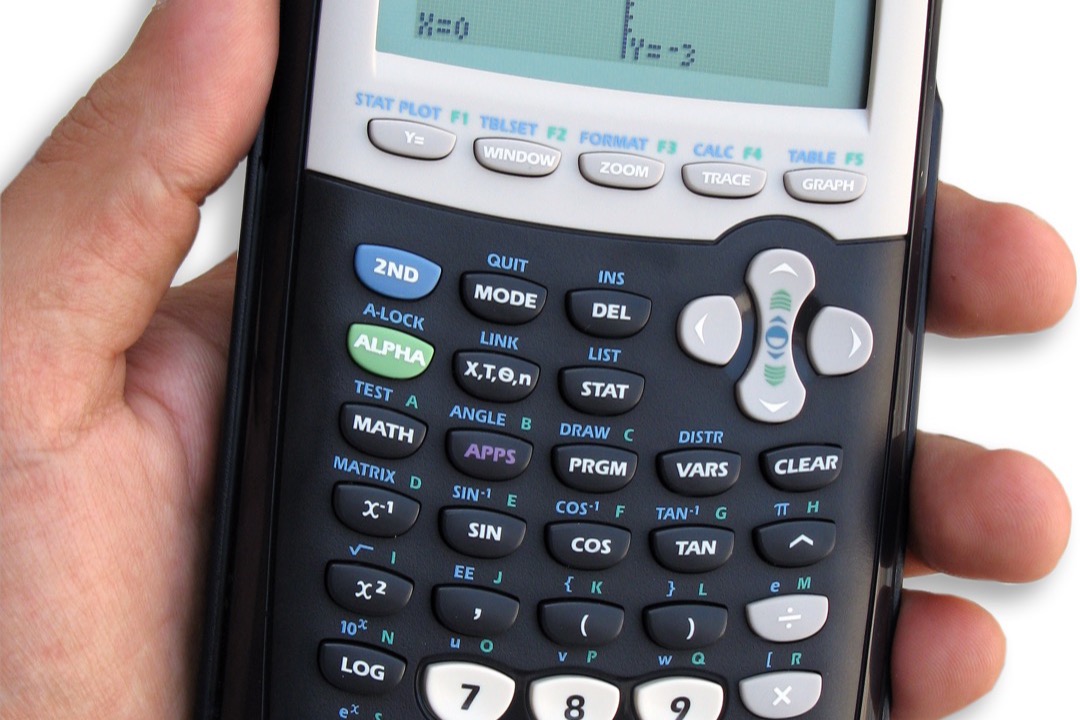
The TI-84 Plus CE is not the newest graphing calculator on the market, but it remains the right one for most students — and the reason is not specs, it is ecosystem. With 46,000+ Amazon reviews, a 30+ app library, and virtually universal adoption in American high schools and universities, the TI-84 Plus CE benefits from the most extensive third-party tutorial and teacher resource infrastructure of any calculator in its category. If you buy this calculator, every YouTube walkthrough, Khan Academy problem, and AP exam prep course you encounter has already been written for your exact device.
The color display is a genuine functional improvement over its monochrome predecessors, not a marketing feature. When graphing three or four functions simultaneously — standard in pre-calculus and calculus coursework — color-coded curves eliminate the ambiguity of pattern-matched dashes and dots that B&W graphing calculators rely on. The rechargeable USB design solves a real problem: older TI graphing calculators consumed AAA batteries at a pace that became genuinely disruptive during exam season, with replacement batteries becoming a line item in school supply budgets.
Exam approval coverage is comprehensive. The TI-84 Plus CE is explicitly listed on the College Board’s approved calculator list for SAT and AP exams, the ACT’s approved list, and the IB organization’s permitted equipment list. It covers every standardized test a U.S. high school student will take before college. The absence of CAS is a deliberate design choice that makes it exam-compliant — students who need CAS for college-level courses should evaluate the TI-Nspire CX II CAS as a separate purchase decision. For the 99% of students who do not need CAS, the TI-84 Plus CE is the correct choice and a device they will carry from 9th grade through college graduation.

Texas Instruments TI-84 Plus CE Color Graphing Calculator
by Texas Instruments
The universally accepted graphing calculator for students — exam-approved everywhere, rechargeable, and backed by 46,000+ reviews.
Pros
- Full-color backlit 2.8" LCD makes graph differentiation instant — multiple functions render in distinct colors, eliminating the guesswork that B&W displays force
- Rechargeable via USB eliminates the constant AAA battery rotation common in older graphing calculators — one charge lasts weeks of classroom use
- Approved for SAT, ACT, AP, IB, and PSAT exams — a single device covers every major standardized test a high school or college student will encounter
- 46,000+ verified reviews and 30+ built-in apps with Python readiness make this the most comprehensively documented graphing calculator on the market
Cons
- No built-in CAS (computer algebra system) means it cannot perform symbolic algebra — students needing CAS must step up to the TI-Nspire CX II CAS
- Premium price point is the highest among graphing calculators on this list — a meaningful consideration for budget-constrained students
Casio fx-115ES Plus 2nd Edition Scientific Calculator
The Casio fx-115ES Plus 2nd Edition holds the highest user rating in this roundup at 4.8 stars across 7,000+ reviews — an unusually strong signal for a device that costs less than many restaurant meals. What users respond to is the Natural Textbook Display, a screen technology that renders equations the way they appear in textbooks: fractions with numerators above denominators, exponents elevated above the baseline, and radicals with proper radical signs. For students who have been entering fractions as (3/4) on a basic calculator for years, the first time they see a real fraction on the fx-115ES Plus display is a meaningful cognitive relief.
The 280+ function count covers everything from basic arithmetic to definite integrals, matrix operations, complex number arithmetic, base-n calculations, and statistical analysis. For the FE (Fundamentals of Engineering) exam — the first of the two professional engineering licensing exams — the Casio fx-115ES Plus is one of a small set of explicitly approved models, making it the scientific calculator of choice for engineering students who need a single device that is both coursework-appropriate and exam-permitted.
The solar-plus-battery power design is operationally excellent. The solar cell provides primary power in any normal indoor lighting environment; the backup battery activates only when ambient light drops below the solar cell’s operating threshold. In practice, most users go years without replacing the backup battery. The one legitimate criticism — screen visibility at certain lighting angles — is a screen coating issue rather than a brightness issue and can be addressed by minor repositioning. At this price point, the Casio fx-115ES Plus is the most rational purchase on this list when your needs fall within scientific calculator scope. Pair it with a paper shredder from our office security guide to complete your desk setup essentials.

Casio fx-115ES Plus 2nd Edition Scientific Calculator
by Casio
The highest-rated calculator in this roundup at 4.8 stars — astonishing functionality at under $20 that outperforms calculators costing three times as much.
Pros
- Highest-rated calculator in this roundup at 4.8 stars — outperforms models costing three times as much based on verified buyer satisfaction
- Natural Textbook Display renders fractions, roots, and integrals exactly as written in textbooks — reduces transcription errors during homework and exams
- Solar primary power with battery backup means it is virtually always ready — no mid-exam battery anxiety or emergency AAA runs
- 280+ functions covering integrals, matrices, statistics, and complex numbers handles every calculation need from Algebra I through college engineering
Cons
- Screen can be difficult to read at certain lighting angles — particularly under fluorescent office or classroom ceiling lights
- No dedicated engineering notation shortcut key, which slows repeated EE/ENG conversions for physics and electrical engineering courses
Casio fx-9750GIII Graphing Calculator
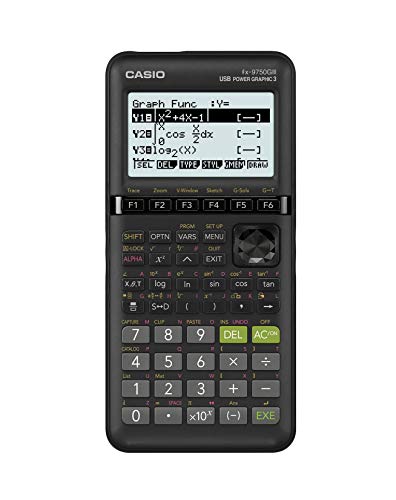
The Casio fx-9750GIII occupies a strategically important position: it delivers full exam approval credentials — SAT, ACT, AP, IB — at approximately half the price of the TI-84 Plus CE. For students whose primary motivation for buying a graphing calculator is exam compliance rather than ecosystem access, the fx-9750GIII makes a strong case. The trade-off is visibility and community support, not functionality.
The Natural Textbook Display works well for equation entry and verification. Where the fx-9750GIII falls behind the TI-84 Plus CE is in multi-function graph readability: the black-and-white dot-matrix display uses dashed patterns to differentiate multiple functions, which is workable but slower to parse visually than the TI’s color differentiation. Students who regularly graph three or more functions simultaneously will feel this limitation most acutely in calculus coursework.
The Python programming capability is genuinely unique at this price point and worth noting for families with students in AP Computer Science or middle school coding programs. The Casio’s Python implementation allows students to write and run programs natively on the device — a feature that otherwise appears only in higher-tier graphing calculators and programmable models. For STEM-oriented families who want to give a student both graphing capability and an introduction to programming through a single device, the fx-9750GIII offers meaningful value that the TI-84 Plus CE, despite its larger ecosystem, does not match at this price.
Casio fx-9750GIII Graphing Calculator
by Casio
The smart budget pick for graphing — fully exam-approved with Python programming at half the price of the TI-84 Plus CE.
Pros
- Fully exam-approved for SAT, ACT, AP, and IB at half the price of the TI-84 Plus CE — the same exam credentials at dramatically lower cost
- Python programming built-in is unique at this price tier — adds coding capability useful for AP Computer Science and STEM coursework
- Natural Textbook Display shows equations in proper mathematical notation, reducing cognitive load when cross-referencing with textbook problems
- Covers Pre-Algebra through AP Statistics and Calculus — appropriate for the full high school math curriculum without an upgrade mid-year
Cons
- Black-and-white display makes distinguishing multiple graphed functions harder than the color display on the TI-84 Plus CE
- Smaller online tutorial community than TI means fewer YouTube walkthroughs and teacher-created resources available for self-study
Texas Instruments TI-34 MultiView Scientific Calculator
The TI-34 MultiView is designed for one specific population: students in 6th through 10th grade who need a capable scientific calculator that is intuitive enough for younger users but substantive enough to carry them through high school science and math coursework without an early replacement. The MathPrint display — TI’s equivalent of Casio’s Natural Textbook Display — is the key feature. For students making the transition from doing math exclusively on paper to using a calculator as a computational tool, seeing fractions and exponents rendered visually rather than typed linearly reduces cognitive load and entry errors.
The scrollable calculation history is more valuable than it initially appears. During multi-step algebra or physics problems — the kind common in middle school and early high school — being able to scroll back through previous calculations, identify an error, and correct it without retyping the entire problem sequence saves real time and reduces the frustration that leads to dropped problems rather than completed ones. The protective slide cover addresses a practical reality: middle school backpacks are hard on equipment.
The limitation is equally clear and worth stating directly: the TI-34 MultiView is not appropriate for calculus, linear algebra, or any advanced college-level course. Students heading into AP courses or college math should plan for an upgrade. For its defined use case — supporting students through the 6th to 10th grade math curriculum — it performs that role reliably, and 9,500+ reviews validate that assessment at scale.

Texas Instruments TI-34 MultiView Scientific Calculator
by Texas Instruments
The go-to scientific calculator for 6th through 10th grade — MathPrint display and scrollable history make math homework easier.
Pros
- MathPrint display renders real fractions, stacked exponents, and roots visually rather than as typed notation — makes the transition from paper math to calculator math natural for younger students
- Scrollable calculation history lets students review and correct previous entries without retyping, which is especially valuable during multi-step problem sets
- Protective slide cover survives the inside-of-a-backpack conditions middle and high school calculators routinely face
- Solar primary power with battery backup provides reliable operation through full school days without battery management overhead
Cons
- Screen protective cover surface scratches easily under normal backpack use — a cosmetic issue but one that accumulates quickly
- Not appropriate for advanced college-level mathematics — students moving into calculus or linear algebra will need to upgrade to the Casio fx-115ES Plus
Texas Instruments BA II Plus Financial Calculator
The Texas Instruments BA II Plus is the calculator that the finance world runs on. It is approved for the CFA Level I, II, and III exams, the CPA exam, the CFP certification exam, and the FRM exam — a credential sweep that makes it the single device a finance student or professional needs to own. With 22,000+ Amazon reviews, it also has the most documented real-world reliability record of any financial calculator available, with users reporting sustained use through multi-year CFA exam prep cycles, MBA programs, and daily professional financial analysis.
The worksheet-based interface is the defining characteristic of the BA II Plus experience. Rather than a traditional equation-entry paradigm, the calculator presents structured prompts for TVM problems (N, I/Y, PV, PMT, FV), cash flow analysis (C0, C01, F01, etc.), and amortization schedules. This structure reduces the procedural errors that financial calculation is prone to — it is harder to omit a sign convention or misplace a variable when the calculator explicitly prompts for each input in sequence. For exam use, where errors in TVM calculation are penalized, this structure is a practical advantage.
The steep learning curve acknowledged in the cons is real but bounded. Most CFA prep programs include explicit BA II Plus instruction, and the device has sufficient tutorial resources — from official TI guides to YouTube series to third-party exam prep materials — that the learning investment is well-supported. Plan for two to four hours of deliberate practice before the device’s workflow becomes intuitive. That investment pays dividends across multiple exam cycles and, for those who pursue finance careers, across years of professional use.
Texas Instruments BA II Plus Financial Calculator
by Texas Instruments
The #1 bestselling financial calculator on Amazon and the CFA exam standard — 22,000+ reviews confirm this is the finance student must-have.
Pros
- The definitive CFA exam calculator — approved for CFA, CPA, CFP, and FRM exams, making it the required tool for virtually every finance credential
- Worksheet-based entry prompts guide users through TVM, amortization, and cash flow calculations step by step, reducing procedural errors on complex problems
- 22,000+ verified reviews make this the most-reviewed financial calculator on Amazon, providing an extensive real-world reliability and usability data set
- Widely documented by finance professors and exam prep providers — thousands of tutorials, worked examples, and study guides are built around this specific model
Cons
- Steep initial learning curve — the worksheet-based interface requires deliberate study of the manual before it becomes intuitive, especially for users new to financial calculators
- Base model does not include a protective cover, leaving the keyboard exposed during transport in bags and briefcases
HP 12C Financial Calculator
The HP 12C has been in continuous production since 1981 — a product lifespan with no parallel in the calculator market. Its longevity is not nostalgia: the HP 12C remains the preferred tool of senior real estate professionals, investment bankers, and financial analysts who learned on it and have never found a reason to switch. It shares CFA exam approval with the BA II Plus, making it a legitimate exam choice, but its real value proposition is professional workflow efficiency for users willing to invest in learning RPN.
Reverse Polish Notation is the central adoption barrier and the core efficiency advantage. In RPN, operands are entered before the operator — you type 5, Enter, 3, + to get 8, rather than 5, +, 3, =. This eliminates the need for parentheses in complex calculations and reduces keystroke count meaningfully in multi-step TVM chains once the workflow is internalized. Finance professionals who perform repeated structured calculations — mortgage amortizations, IRR iterations, bond pricing — report that RPN mastery produces a measurable speed advantage over algebraic calculators.
The programmability is the second professional differentiator. Users can store calculation sequences in the HP 12C’s programmable memory and execute them with a single keystroke. For professionals who run the same analysis type daily — a mortgage broker calculating payment schedules, a real estate investor running cap rate analyses — the ability to program that sequence once and execute it repeatedly is a genuine productivity feature that the BA II Plus does not offer. The HP 12C earns the upgrade designation for professionals, not students preparing for their first finance exam.

HP 12C Financial Calculator
by HP
The professional's financial calculator since 1981 — HP's legendary 12C with RPN mastery is the tool preferred by real estate and banking professionals.
Pros
- 40-year professional legacy in real estate, banking, and investment finance — the HP 12C is the calculator that closes deals, not just the one that passes exams
- RPN (Reverse Polish Notation) entry system enables faster calculation workflows once mastered — eliminates parenthesis entry and reduces keystroke count on complex TVM chains
- Programmable keys allow repeated custom calculation sequences to be stored and recalled, a genuine productivity multiplier for professionals performing the same analysis daily
- Includes a protective case in the box — a practical detail that the BA II Plus base model omits
Cons
- RPN learning curve is steep and non-intuitive for users accustomed to algebraic entry — expect a full week of dedicated practice before efficiency gains appear
- Single-line display limits equation visibility compared to the BA II Plus's two-line display — harder to verify inputs mid-calculation
Amazon Basics LCD 8-Digit Desktop Calculator
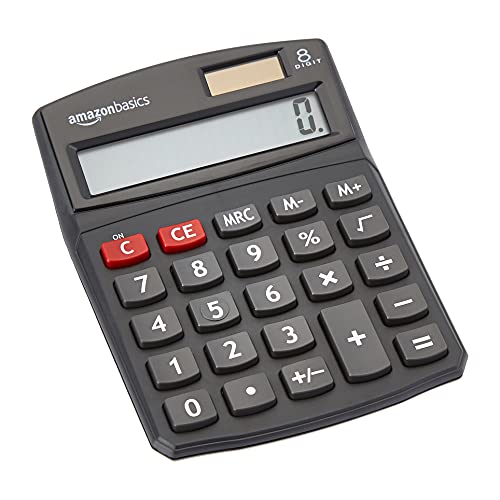
Not everyone needs trigonometry functions or TVM worksheets. For home offices tracking household budgets, classrooms needing a reliable basic calculator on every desk, retail environments where employees need quick arithmetic, or seniors who want simple and legible number entry, the Amazon Basics 8-Digit Desktop Calculator does exactly what it advertises at the lowest price on this list.
The dual solar-plus-battery power design is the standout feature relative to competing basic calculators. Solar primary power with battery backup means the device is functionally always-on — unlike battery-only basic calculators that go dark mid-calculation when batteries exhaust. The large LCD display and standard button layout are intuitive for all ages, and the desktop form factor provides the stability that phone-calculator use lacks for serious number entry sessions.
With 11,600+ verified reviews and a sustained bestseller ranking, the Amazon Basics calculator has earned a reliability track record that off-brand basic calculators at similar prices cannot match. The limitations — 8-digit display, no power-off button — are known at purchase and represent appropriate trade-offs for a device in this category. For anyone who has been using a phone calculator for desk arithmetic and wants a dedicated device that does not require unlocking a screen, the Amazon Basics Desktop Calculator is the correct and obvious choice.
Amazon Basics LCD 8-Digit Desktop Calculator
by Amazon Basics
The #1 bestselling basic calculator on Amazon at the lowest price on this list — does exactly what most people need a desk calculator to do.
Pros
- Unbeatable entry price with Prime shipping — covers the desk calculator need for home offices, students, and seniors without budget trade-offs
- Dual solar and battery power means it is ready immediately in any lighting condition — no dead-battery surprises
- Simple enough for all ages including young students and older adults who want straightforward number entry without navigation menus
- 11,600+ verified reviews provide a strong real-world reliability signal for what appears to be a basic device
Cons
- 8-digit display is insufficient for accounting or bookkeeping tasks where totals routinely exceed eight figures
- No dedicated power-off button — the unit times out automatically but cannot be manually switched off
How to Choose the Best Calculator
Buyer's Guide
Choosing the right calculator means matching the device's type and capabilities to your specific coursework, professional exam requirements, and daily use context — most buyer regret comes from buying the wrong type, not a bad calculator within the right type.
Calculator Type
The four categories — basic, scientific, graphing, and financial — are not interchangeable. Basic calculators handle the four arithmetic operations and are appropriate for simple office math, expense tracking, and everyday number work. Scientific calculators add trigonometry, logarithms, fractions, and statistics for coursework through Algebra II and introductory physics. Graphing calculators plot functions visually and are required for pre-calculus and above. Financial calculators are purpose-built for TVM, NPV, IRR, and bond pricing — the tools of finance courses and credentialing exams. Buy the type that matches your immediate and near-future needs; most students should plan two to three years ahead when selecting a graphing calculator.
Exam Approval
If you are preparing for a standardized exam — SAT, ACT, AP, IB, CFA, CPA, CFP, or an engineering licensing exam like the FE/PE — verify that your calculator is on the official approved list before purchasing. The SAT and ACT prohibit CAS capability, wireless connectivity, and QWERTY keyboards. The CFA Institute approves only the TI BA II Plus and HP 12C. The FE exam approves specific models including the Casio fx-115ES Plus on this list. Using a non-approved calculator on exam day results in confiscation and a voided score. Exam approval lists are updated periodically — check the current list on the administering organization's official website before your exam, not just at purchase time.
Display Quality
Display quality affects how quickly you can read results and verify input accuracy. Entry-level calculators use single-line LCD displays that show only the current result. Scientific calculators with Natural Textbook Display (Casio's term) or MathPrint (TI's term) show multi-line output where fractions appear as stacked numerators and denominators, exponents render above the baseline, and equation history is scrollable. Graphing calculators extend this further with dot-matrix displays that render function curves. The TI-84 Plus CE's full-color backlit display is the most visually clear on this list for multi-function graph analysis. For office use without graphing needs, any multi-line display scientific calculator is significantly easier to verify than a single-line model.
Power Source
The three power configurations on this list are battery-only, solar-only, and dual solar-plus-battery. Battery-only models require periodic battery replacement — not a meaningful burden for occasional professional use but a nuisance for daily classroom use. Solar-only calculators can dim or fail under low lighting. Dual solar-plus-battery models are the most reliable for classroom and office use because they operate in any lighting condition with the battery as fallback. The TI-84 Plus CE's rechargeable USB power is the most convenient for daily student use — one charge lasts weeks and eliminates battery purchases entirely.
Function Count
Function count is the most commonly cited specification in calculator comparisons, but raw function count is less meaningful than whether the specific functions you need are included. A basic calculator with four functions is correct for simple arithmetic; a scientific calculator with 280+ functions covers every calculation from Algebra I through engineering physics. Graphing calculators add programming, regression analysis, and matrix operations beyond the function count. Financial calculators prioritize TVM worksheets, cash flow analysis, and bond pricing — their function counts are lower than scientific models but the functions present are purpose-matched to finance work. Focus on function relevance to your use case, not total function count.
Build Quality and Portability
Calculator durability matters most for student use, where devices spend years inside backpacks, are dropped on classroom floors, and endure daily handling. Slide covers on models like the TI-34 MultiView protect the keypad from abrasion inside bags. The TI-84 Plus CE at 3.0 oz is the lightest graphing calculator on this list. Financial calculators like the HP 12C include a protective case in the box. Desktop calculators prioritize a stable work surface footprint over portability. For students selecting between otherwise equal models, a slide cover or included case is a meaningful durability differentiator over a multi-year ownership horizon.
How to Choose Between the TI-84 Plus CE and the Casio fx-9750GIII
This specific comparison comes up frequently enough to warrant dedicated treatment, because it is the most common decision point for families buying a graphing calculator for a high school student.
Both calculators carry identical exam approvals for SAT, ACT, AP, and IB. Both display equations in natural textbook notation. Both cover the full high school math curriculum from pre-algebra through AP Calculus and AP Statistics.
The TI-84 Plus CE has color display, rechargeable USB power, and an ecosystem advantage that is genuinely difficult to quantify in spec terms: virtually every graphing calculator tutorial published by a teacher, every AP exam prep video, and every in-class instruction resource references the TI-84 interface specifically. Students who rely on external instruction resources will find the TI-84 workflow assumed as a baseline throughout their academic career.
The Casio fx-9750GIII has Python programming built-in and costs significantly less. For families where the price difference is meaningful, or for students with a specific interest in combining graphing capability with Python instruction, the Casio is the rational choice.
The practical answer: if budget is not a constraint, the TI-84 Plus CE’s ecosystem advantage justifies the premium for most students. If budget is a real consideration, the Casio fx-9750GIII delivers every exam-critical feature without compromise.
Final Verdict
Our best overall pick is the Texas Instruments TI-84 Plus CE. No other graphing calculator matches its combination of exam approval breadth, tutorial ecosystem depth, rechargeable convenience, and color display clarity. With 46,000+ verified reviews, it is the most validated student graphing calculator on the market, and it will serve a student from freshman year of high school through college graduation without requiring an upgrade for any standard math or science course.
For students who only need scientific calculator functionality, the Casio fx-115ES Plus 2nd Edition is the best value on this entire list — the highest-rated calculator in the roundup at 4.8 stars, with 280+ functions and FE exam approval, at a price that makes it an easy recommendation. For finance students and professionals, the Texas Instruments BA II Plus is the CFA exam standard and the most documented financial calculator available.
If you are setting up a complete home office workspace, pair your calculator pick with the right desk setup — the right work surface makes a meaningful difference in day-to-day productivity alongside the right tools.
Frequently Asked Questions
What is the best calculator for high school students?
What calculators are approved for the SAT and ACT?
What is the difference between a scientific calculator and a graphing calculator?
What is a CAS calculator and are they allowed on standardized exams?
What is the best financial calculator for the CFA exam?
Related Articles
About the Reviewer

Sarah Chen, CAP, PMP
B.A. Business Administration, UCLA
Sarah Chen spent 10 years in office management and operations at Fortune 500 companies before founding DeskRated in 2026. After managing supply budgets for teams of 50+ people and testing thousands of products through daily use, she started writing the honest, no-fluff supply reviews that office professionals actually need. Sarah holds both CAP and PMP certifications and is based in Los Angeles.