7 Best Classroom Projectors of 2026
Sarah Chen reviews the best classroom projectors for schools, training rooms, and lecture halls. Compare top-rated projectors by brightness, resolution, throw distance, and connectivity.
Updated
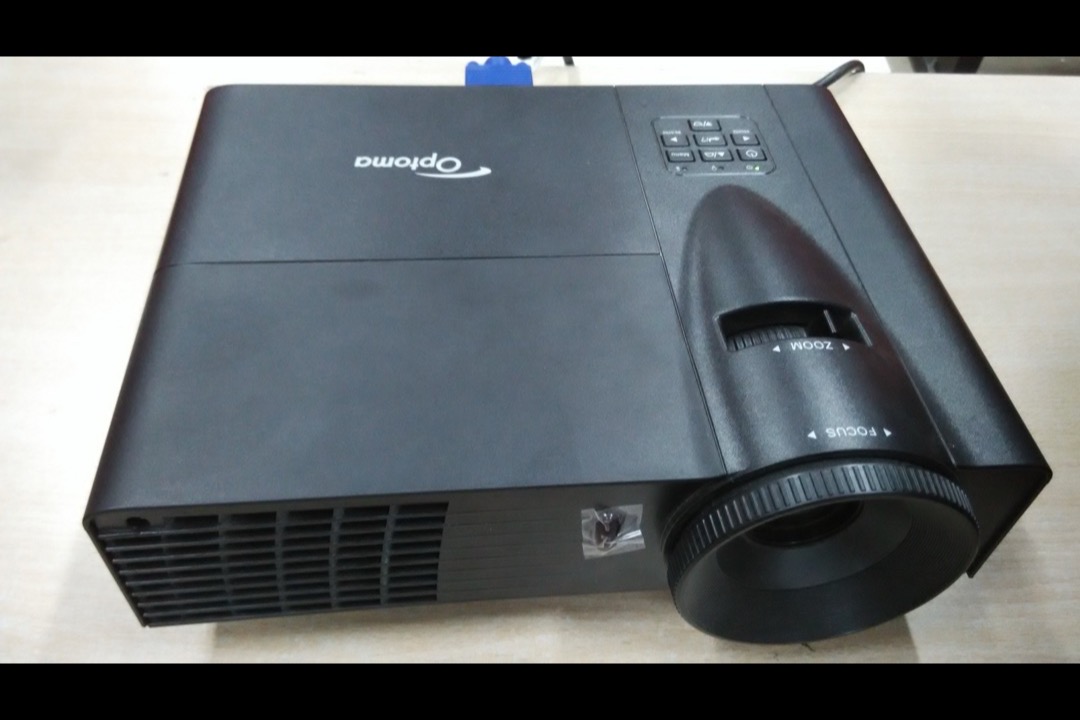
As a Certified Administrative Professional who has managed technology procurement for school districts and corporate training facilities, I can tell you that the classroom projector decision is one of the most consequential technology purchases an institution makes — and one of the most frequently botched. The projector is the single piece of technology that every person in the room looks at simultaneously for hours. When it works well, nobody notices it. When it fails — dim image, washed-out colors, presenter shadow blocking the screen, speaker so quiet that back-row students cannot hear the video — it undermines every lesson taught in that room for the next five to ten years.
For this review, we evaluated seven of the best classroom projectors currently available on Amazon, spanning budget workhorses under 360 dollars, purpose-built classroom 3LCD models, short throw units that eliminate presenter shadows, and the only true 1080p option for video-heavy curricula. We assessed brightness against real classroom lighting conditions (not manufacturer demo rooms), resolution against actual content types used in K-12 and corporate training, connectivity against daily multi-device workflows, lamp life against institutional replacement budgets, and speaker output against room size requirements. If you are also setting up a classroom or training room, our guides to the best whiteboards and desk lamps cover the other equipment decisions that affect how well the projected image integrates into the learning environment.
| Product | Price | Buy |
|---|---|---|
| Epson PowerLite E20 XGA 3LCD ProjectorBest Overall | $479.00 | View on Amazon |
| ViewSonic PS502W WXGA Short Throw DLP ProjectorPremium Pick | $579.99 | View on Amazon |
| ViewSonic PA503S SVGA DLP ProjectorBudget Pick | $359.99 | View on Amazon |
| Epson PowerLite X49 XGA 3LCD ProjectorRunner-Up | $492.00 | View on Amazon |
| Epson PowerLite 118 XGA 3LCD Projector | $563.00 | View on Amazon |
| BenQ MS560 SVGA DLP Projector | $359.00 | View on Amazon |
| Epson EpiqVision Flex CO-FH02 1080p 3LCD Projector | $549.99 | View on Amazon |
Why These Classroom Projectors Made the Cut
Our selection criteria prioritized the metrics that matter for institutional deployment: brightness sufficient for lights-on classrooms, lamp life that minimizes maintenance disruption, connectivity that supports real teaching workflows, and verified buyer data that establishes reliability beyond manufacturer claims. We required a minimum of 30 verified Amazon reviews with documented classroom or institutional use cases — not home theater reviewers evaluating color accuracy for movie night. Every projector on this list has been purchased and reviewed by educators, IT administrators, or training facility managers who use projectors under the conditions your projector will face: fluorescent lighting, daily power cycling, multiple presenters, and students who expect the image to be readable from 30 feet away.
We evaluated across four distinct use-case tiers: budget deployment (schools equipping multiple rooms at minimum cost), standard classroom (the broadest buyer profile), upgrade/short throw (rooms with presenter shadow problems or premium requirements), and multimedia (curricula that demand HD resolution and streaming capability). No two projectors on this list serve the same primary buyer, and each earns its position by being the best available option for a specific, common classroom scenario.
Epson PowerLite E20 — Best Overall
The Epson PowerLite E20 earns the best-overall position through a combination that no other classroom projector on Amazon replicates at this price: 3LCD technology that eliminates the rainbow effect, a 4:3 native aspect ratio purpose-built for the document and presentation content that dominates classroom use, a 12,000-hour lamp life in ECO mode, and a 4.8-star rating backed by over 1,000 verified reviews — the largest and highest-rated review pool of any dedicated classroom projector currently available.
The 3LCD advantage is not a marketing distinction — it is a fundamental optical difference that affects every student in the room. Single-chip DLP projectors create color by spinning a physical color wheel and displaying red, green, and blue sequentially faster than the eye can perceive. For most viewers, this works. For a documented subset (estimates range from 5 to 25 percent of the population), the sequential color creates visible rainbow artifacts — brief flashes of separated red, green, and blue that appear when the eye moves across the projected image. In a classroom where students look at the projected image for 45 to 90 minutes continuously, this is not a minor annoyance. It causes eye strain, headaches, and reduced comprehension. The E20’s 3LCD system projects all three colors simultaneously through separate LCD panels, eliminating this effect entirely. For any classroom where you cannot pre-screen every student for DLP sensitivity, 3LCD is the responsible technology choice.
The 4:3 native aspect ratio is a deliberate design decision that deserves recognition rather than criticism. Modern consumer projectors default to 16:9 or 16:10 widescreen because home theater content is widescreen. Classroom content is not. PowerPoint presentations, Word documents, Google Docs, PDF textbook pages, and spreadsheets are all formatted for 4:3 or portrait orientation. A 4:3 projector displays this content using the full screen area — no black bars on the sides, no wasted projected light, no documents displayed at reduced size to fit a widescreen frame. The E20 is designed for the content classrooms actually use, not the content Netflix streams.

Epson PowerLite E20 XGA 3LCD Projector
by Epson
The most trusted classroom projector on Amazon — 3LCD technology, 4:3 aspect ratio built for presentations, 12,000-hour lamp life, and 1,000+ verified reviews from educators.
Pros
- 4.8-star rating across 1,000+ verified reviews is the highest reliability signal of any classroom projector currently on Amazon — real-world validation from educators and IT departments
- 3LCD technology eliminates the rainbow effect (color separation flicker) that plagues single-chip DLP projectors — critical for classrooms where students stare at the projected image for hours
- Native 4:3 aspect ratio matches the document, spreadsheet, and presentation formats that dominate K-12 and corporate training content — no black bars wasting screen real estate
- 12,000-hour lamp life in ECO mode keeps replacement costs low and reduces mid-semester maintenance disruptions that frustrate teachers and IT staff
Cons
- XGA 1024x768 resolution looks soft when projecting video content or detailed web pages — adequate for slides and documents but visibly inferior to 1080p for media-heavy lessons
- Single HDMI input with no wireless capability means only one device connects at a time — teachers switching between a laptop and document camera need an HDMI switcher
ViewSonic PS502W — Upgrade Pick (Short Throw)
The ViewSonic PS502W solves the single most frustrating problem in classroom projection: the presenter’s shadow. In any room where a teacher stands between a standard throw projector and the screen — which is the default layout in most classrooms worldwide — the teacher’s body blocks a significant portion of the projected image every time they approach the board. This is not an edge case. It happens in every class, multiple times per session, and it disrupts visibility for every student in the room. The PS502W’s 0.52:1 short throw ratio projects a 100-inch image from just 4.5 feet, mounting the projector directly above or below the screen where no presenter can cast a shadow.
The 4,000-lumen output is the practical enabler that makes short throw work in real classrooms. Short throw projectors that sacrifice brightness for throw ratio create a different problem: a shadow-free image that is too dim to read in a lit room. The PS502W delivers full brightness at the short throw distance, maintaining readability under the fluorescent lighting conditions that define most K-12 classrooms. The 10W built-in speaker is meaningfully more powerful than the 2W and 5W units on competing models — adequate for a standard 30-student classroom without external speakers, which simplifies installation and reduces the total equipment count on the ceiling mount.
The WXGA 1280x800 resolution in 16:10 format is a practical compromise for classrooms that split time between document-oriented content (where 4:3 excels) and web-based or video content (where widescreen matters). The 16:10 format displays standard presentations with minimal black bars while handling widescreen content natively. Dual HDMI inputs round out the package — a genuine daily convenience when teachers routinely switch between a laptop and a document camera or second device. The DLP rainbow effect is the one consideration that should give buyers pause: if your student population includes individuals sensitive to DLP color separation, test the PS502W in the actual room before committing to a permanent ceiling installation.

ViewSonic PS502W WXGA Short Throw DLP Projector
by ViewSonic
The best short throw projector for classrooms — eliminates presenter shadows from 4.5 feet, 4,000 lumens for lights-on teaching, and dual HDMI for multi-device setups.
Pros
- Short throw 0.52:1 ratio projects a 100-inch image from just 4.5 feet — eliminates presenter shadow problems that plague standard throw projectors in every classroom with a front-facing teacher
- 4,000 lumens output is the brightest short throw on this list — maintains image clarity in fully lit classrooms where pulling blinds is not practical or allowed
- Widescreen 16:10 native aspect ratio displays modern content (websites, videos, widescreen presentations) without the cropping or black bars that 4:3 projectors introduce
- Dual HDMI inputs allow simultaneous connection of a laptop and document camera without manual cable swapping — a genuine daily workflow improvement for teachers
Cons
- DLP technology produces visible rainbow effect (brief color flashes) for a sensitive subset of viewers — test with your audience before committing to a permanent ceiling mount installation
- No built-in WiFi or wireless screen sharing — BYOD classrooms that need wireless connectivity will require a separate wireless adapter or dongle
ViewSonic PA503S — Budget Pick
The ViewSonic PA503S exists for a specific and extremely common purchasing scenario: a school or training facility that needs to equip multiple rooms with functional projectors at the lowest possible per-unit cost. At under 360 dollars with 4,000 lumens of brightness, the PA503S delivers the raw light output of projectors costing 200 dollars more — and brightness, more than any other spec, determines whether a classroom projector is usable or decorative.
The 1,266 verified reviews spanning multiple product years establish something that brightness specs alone cannot: real-world durability data. A projector used 6 hours daily in a dusty classroom with fluorescent lighting and daily power cycling faces conditions that no manufacturer spec sheet can fully predict. The PA503S review history confirms that the unit survives these conditions across thousands of deployments — fan motors hold up, color wheels maintain calibration, and HDMI ports remain functional through years of daily cable insertion and removal.
The SVGA resolution is the trade-off that makes this price point possible, and it should be evaluated honestly. At 800x600 pixels, projected text is visibly softer than XGA or WXGA at screen sizes above 80 inches. For classrooms that primarily project large-font presentations, basic documents, and images, SVGA is adequate. For classrooms that project spreadsheets, web pages with small text, or detailed diagrams, the resolution limitation becomes visible from mid-room seating positions. The 2W speaker limitation is more straightforward: plan to budget for external speakers in any room larger than a small conference room. The built-in speaker is functional for a quiet office at close range but insufficient for a 30-student classroom where ambient noise from HVAC, hallway traffic, and student activity competes with the audio output. If you are equipping a media cart that moves between rooms, pairing the PA503S with a portable Bluetooth speaker solves the audio limitation at minimal additional cost.

ViewSonic PA503S SVGA DLP Projector
by ViewSonic
The best budget classroom projector — 4,000 lumens brightness at the lowest price point, 1,266 proven reviews, and 15,000-hour lamp life that keeps total cost of ownership low.
Pros
- 4,000 lumens at under 360 dollars delivers the best brightness-per-dollar ratio on this list — matches projectors costing 200 dollars more in raw light output
- 1,266 verified reviews spanning multiple years prove long-term reliability across diverse classroom environments — not a new product with unproven durability
- SuperEco mode reduces power consumption by up to 70 percent and extends lamp life to 15,000 hours — measurable savings for schools purchasing multiple units
- Under 5 pounds makes this the lightest full-size projector on the list — practical for teachers who carry equipment between rooms or buildings
Cons
- SVGA 800x600 resolution is the lowest on this list — text appears noticeably fuzzy at screen sizes above 80 inches, limiting usefulness for detailed spreadsheets or small-font content
- 2W speaker is inadequate for any room larger than a small office — plan to budget for external speakers in any standard classroom deployment
Epson PowerLite X49 — Runner-Up
The PowerLite X49 is the E20’s network-capable sibling, and the Moderator function is the feature that separates it from every other projector in this price range. Epson’s Moderator software allows up to 50 devices to connect to the projector simultaneously over a network, with the instructor controlling which device’s screen is displayed. In a BYOD classroom where students bring laptops or tablets and need to share their screens during presentations, group work, or collaborative exercises, this eliminates the physical cable-passing and HDMI-switching that creates dead air and disrupts lesson flow.
The RJ-45 Ethernet port serves a different but equally important institutional function: centralized fleet management. An IT administrator managing 40 projectors across a school building can monitor lamp hours, check power status, push firmware updates, and remotely power cycle units from a single network console — without physically visiting each classroom. For a single projector purchase, this capability is irrelevant. For a 20-unit institutional deployment, it reduces projector management from a full-time maintenance task to an automated monitoring dashboard. The 3,600-lumen output provides a modest but measurable brightness improvement over the E20, which matters in larger lecture halls where every additional lumen contributes to back-row readability.
The purchase decision between the X49 and the E20 comes down to one question: does your classroom actively use multi-device screen sharing or require network management? If yes, the X49’s premium over the E20 is justified by features you will use daily. If your classroom connects one laptop to the projector and leaves it there, the E20 delivers the same 3LCD image quality and lamp life at a lower price. Similar to how a good monitor stand improves the ergonomics of a desk setup, the X49 improves the workflow ergonomics of a multi-device classroom — but only if the multi-device workflow actually exists.

Epson PowerLite X49 XGA 3LCD Projector
by Epson
The best network-managed classroom projector — Epson Moderator for 50-device BYOD classrooms, RJ-45 for IT fleet management, and 3LCD reliability in a proven Epson chassis.
Pros
- Epson Moderator function connects up to 50 devices simultaneously — purpose-built for BYOD classrooms where students and presenters share screens without passing cables
- RJ-45 Ethernet port enables centralized network management across an entire school building — IT departments can monitor lamp hours, power status, and usage remotely
- 3,600 lumens is 200 lumens brighter than the E20 while maintaining the same 3LCD color accuracy — a measurable visibility improvement in medium-sized lecture halls
- 3LCD technology delivers the same rainbow-free image quality as the E20 — consistent Epson color performance across the product line
Cons
- Priced higher than the E20 for a marginal brightness increase — the Moderator function justifies the premium only if your classroom actively uses multi-device screen sharing
- XGA resolution has the same video-softness limitation as the E20 — not the right projector for media-heavy curricula or frequent video playback
Epson PowerLite 118 — Best for Long-Term Deployment
The PowerLite 118 is engineered for buyers who evaluate projectors on total cost of ownership rather than purchase price — and for institutional procurement, that is the correct evaluation framework. The headline spec is the 17,000-hour lamp life in ECO mode, which is the longest of any lamp-based projector on this list. At 6 hours of daily classroom use across a 180-day school year, that is over 15 years before a lamp replacement. At 8 hours daily in a corporate training facility, it is over 10 years. For all practical purposes, the lamp will outlast the projector chassis, the HDMI standard it connects to, and likely the curriculum it projects.
The 16W built-in speaker is the second specification that changes the total cost equation. Budget projectors with 2W speakers require external classroom speakers — a 50 to 150 dollar additional purchase, plus mounting hardware, cable runs, and a separate power connection. The PowerLite 118’s 16W output fills a standard 30-student classroom at adequate volume for video playback and audio content without any external audio equipment. The microphone input extends this further: a teacher can connect a wireless microphone and amplify their voice through the same 16W speaker, creating a single-device audio solution for rooms that would otherwise need a separate voice amplification system. For a medium-sized lecture hall or training room, this consolidation of projector, speaker, and voice amplification into one ceiling-mounted unit significantly reduces installation complexity and equipment management.
The 33-review count is the legitimate concern. While Epson’s brand reliability across the PowerLite line is well-established, this specific model has a shorter track record than the E20 or the ViewSonic PA503S. The 4.8-star average across those 33 reviews is encouraging, but the sample size does not provide the same confidence interval as the E20’s 1,000+ reviews. For risk-averse procurement departments, the E20 with an external speaker may represent a more conservative path to the same classroom outcome — at a lower upfront cost with a larger reliability dataset.

Epson PowerLite 118 XGA 3LCD Projector
by Epson
The best classroom projector for long-term deployment — 17,000-hour lamp life, powerful 16W speaker with mic input, and dual HDMI for schools that prioritize low total cost of ownership.
Pros
- 17,000-hour lamp life in ECO mode is the longest on this list — at 6 hours of daily classroom use, that is over 11 years before a lamp replacement, effectively eliminating ongoing maintenance costs
- 16W built-in speaker is eight times more powerful than budget projectors on this list — fills a standard classroom without external speakers, reducing equipment count and cable management
- Microphone input allows a teacher to connect a wireless mic and amplify voice through the projector speaker — a genuine single-device audio solution for medium lecture halls
- Dual HDMI inputs plus Moderator function provides the most versatile connectivity package of any Epson on this list — wired and wireless devices connect without adapter purchases
Cons
- Highest price on this list at 563 dollars — the premium is justified by lamp life and speaker power but exceeds many K-12 per-unit procurement budgets
- Only 33 reviews means limited long-term reliability data compared to the E20 and PA503S — the Epson brand reputation carries weight, but the specific model has a shorter track record
BenQ MS560 — Best Auto-Correcting Budget Projector
The BenQ MS560 occupies a specific niche: the budget projector for classrooms where the projector gets moved. Permanently ceiling-mounted projectors are aligned once during installation and never touched again. Cart-mounted projectors, shared projectors that travel between rooms, and projectors placed on desks or tables get repositioned constantly — and every repositioning creates a keystone distortion that requires manual correction before class can begin. The MS560’s auto vertical keystone correction detects its angle relative to the screen and corrects the image geometry automatically, eliminating the five minutes of manual adjustment that precedes every class when a standard projector gets bumped or moved.
The glass lens element is a less visible but practically significant upgrade over the plastic optics in competing budget units. Glass maintains sharper edge-to-edge focus over the projector’s lifetime — plastic lenses can develop micro-scratches and thermal warping that softens the image at screen edges over years of use. For a projector expected to serve a classroom for five or more years, the glass lens is a durability advantage that compounds over time. The SmartEco power mode addresses a procurement concern that individual buyers rarely calculate but facilities managers care about deeply: electricity cost at scale. A school running 25 projectors for 8 hours daily consumes meaningful power — the MS560’s 70 percent power reduction during dark-scene projection creates measurable savings across a building-wide deployment.
The dual HDMI inputs at this price point deserve emphasis because connectivity is where most budget projectors cut corners. The PA503S — the MS560’s direct competitor at an identical price — offers only a single HDMI alongside a VGA port. The MS560’s dual HDMI means a teacher can leave both a laptop and a document camera permanently connected, switching between them without cable management. The heat output and SVGA resolution limitations are real: ensure adequate ventilation around the exhaust vent, and evaluate SVGA resolution against your content requirements using the same framework as the PA503S analysis above.

BenQ MS560 SVGA DLP Projector
by BenQ
The best auto-correcting budget projector — auto keystone saves setup time, glass lens sharpens text clarity, and SmartEco mode cuts power costs across multi-projector school deployments.
Pros
- Auto vertical keystone correction eliminates the manual alignment step that wastes the first five minutes of every class when a projector is moved or bumped — set it down and it self-corrects
- Glass lens element produces sharper edge-to-edge focus than the plastic optics used in competing budget projectors — noticeable improvement in text clarity at screen edges
- SmartEco mode reduces power consumption by up to 70 percent during dark scenes — measurable electricity savings for schools running 20 or more projectors across a building
- Dual HDMI inputs at the 359-dollar price point match the connectivity of projectors costing 200 dollars more — no adapter or switcher needed for two-device setups
Cons
- Heat output is higher than competing units — the exhaust vent runs noticeably warm in enclosed spaces, and placement near combustible materials or in poorly ventilated ceiling mounts requires caution
- SVGA resolution and DLP rainbow effect carry the same limitations as the PA503S — budget brightness comes with visible trade-offs in image quality for sensitive viewers
Epson EpiqVision Flex CO-FH02 — Best for Multimedia Classrooms
The CO-FH02 is the outlier on this list — and intentionally so. Every other projector here is designed first for document and presentation projection, with video capability as a secondary consideration. The CO-FH02 inverts that priority: it is designed first for HD video and multimedia content, with document projection as a secondary function. The full 1080p native resolution is immediately, visibly sharper than every other projector on this list when displaying video content, detailed web pages, or any content with fine text or complex imagery.
The built-in Android TV platform is the feature that either justifies or disqualifies this projector depending on your use case. For classrooms that rely heavily on YouTube educational content, streaming platforms, and web-based learning applications, the ability to access content directly from the projector — without a connected laptop — removes a layer of complexity from every lesson. No laptop boot-up time, no cable connection, no display-mirroring configuration. The teacher walks in, powers on the projector, and navigates to the content using the included remote. For classrooms that primarily project from a connected laptop or document camera, the Android TV platform adds cost without adding daily value.
The 30,000-hour light source is the other headline specification. Unlike the lamp-based projectors that dominate this list, the CO-FH02 uses an LED/laser hybrid light source that never needs replacement. Over a 10-year deployment, this eliminates two to three lamp replacement cycles that would cost 100 to 400 dollars total on a lamp-based unit. The trade-off is brightness: at 3,000 lumens, the CO-FH02 is the dimmest projector on this list. In a classroom with controllable lighting — dimmable fixtures, window shades, or a dedicated media room — 3,000 lumens is adequate. In a fully lit K-12 classroom with fluorescent fixtures and uncovered windows, the image will wash out noticeably compared to the 4,000-lumen units. The 4.0-star rating reflects this tension: buyers who use the projector in appropriate lighting conditions rate it highly, while those who install it in bright rooms are disappointed. Match the projector to the room, not the feature list.

Epson EpiqVision Flex CO-FH02 1080p 3LCD Projector
by Epson
The only 1080p projector in the roundup — full HD for video-heavy classrooms, built-in Android TV for streaming, and a 30,000-hour light source that never needs a lamp replacement.
Pros
- Full 1080p native resolution is the only true HD projector on this list — the sharpness difference is immediately visible when projecting video content, detailed diagrams, or web pages with small text
- Built-in Android TV with WiFi and streaming apps eliminates the need for a separate media player — teachers can pull up YouTube, educational platforms, and streaming content directly
- 30,000-hour light source eliminates lamp replacements entirely — at 8 hours of daily use, that is over 10 years of operation with zero lamp maintenance cost
- Bluetooth audio output allows wireless connection to classroom speakers or a teacher's Bluetooth headset — flexible audio routing without cable runs across the ceiling
Cons
- 3,000 lumens is the dimmest projector on this list — image washes out in brightly lit classrooms, requiring window shades or reduced room lighting for acceptable image quality
- 4.0-star average is the lowest rating on this list, with recurring complaints about Android TV lag and limited app compatibility — the smart features that justify the price are also its weakest point
How to Choose the Best Classroom Projector
The six factors below cover the procurement decisions that determine whether a classroom projector enhances teaching or creates a daily obstacle. Get these right, and the projector disappears into the background of every lesson. Get them wrong, and teachers, students, and IT staff will remind you about it for the next decade.
Brightness Determines Classroom Usability
Brightness is not a premium feature — it is the baseline requirement that determines whether a projector is functional in your specific room. A 3,000-lumen projector in a dark media room produces a stunning image. The same projector in a fluorescent-lit classroom with south-facing windows produces a washed-out rectangle that students in the back three rows cannot read. Before selecting a projector, assess your room’s actual lighting conditions during teaching hours — not during the evening walkthrough when the building is empty. For lights-on classrooms (the majority of K-12 environments), target 3,500 lumens minimum and 4,000 preferred. For rooms with controllable lighting, 3,000 lumens is the floor.
Resolution Should Match Your Content, Not Your Aspirations
The resolution upgrade path — SVGA to XGA to WXGA to 1080p — carries increasing cost at each step. The right resolution is the one that makes your actual content readable, not the one that looks best on a spec comparison chart. If your classroom projects PowerPoint slides, Word documents, and basic web pages, XGA (1024x768) is genuinely adequate and has been the classroom standard for a reason. If your classroom projects HD video content, detailed scientific visualizations, or web applications with small interface elements, 1080p provides a visible improvement. SVGA is appropriate only when budget constraints make brightness the priority over text sharpness. The resolution that matters is the one at your projected screen size — a 1080p projector on a 60-inch screen offers no visible advantage over XGA from 15 feet away.
Short Throw Solves the Shadow Problem Permanently
If presenters stand between the projector and the screen in your classroom — and in most front-of-room teaching configurations, they do — a short throw projector is not a luxury upgrade. It is the solution to a problem that disrupts every lesson, every day, for the life of the projector. Standard throw projectors mounted at the back of the room work when the presenter stays seated or stands to the side. The moment a teacher approaches the screen to point at content, gesture toward a diagram, or write on an adjacent whiteboard, their shadow blocks the projected image for every student in the room. Short throw projectors eliminate this by projecting from directly above or below the screen at a steep angle that no person can interrupt. Evaluate whether your room layout creates this problem before defaulting to standard throw based on lower cost.
Lamp Life Drives Total Cost Over the Deployment Cycle
The lamp replacement cost is the single largest variable expense in projector ownership, and it is the expense most frequently ignored in purchase-price-focused procurement. A projector with a 5,000-hour lamp running 6 hours daily needs its first replacement in under 2 years — a 50 to 150 dollar cost plus IT staff time to source, install, and dispose of the old lamp. A projector with a 17,000-hour lamp running the same schedule does not need a replacement for over 15 years. Over a 7-year deployment, the difference between one lamp replacement and three is 100 to 300 dollars per unit — meaningful when multiplied across a 20-projector school deployment. LED and laser light sources eliminate the variable entirely but carry higher upfront cost. Run the 5-year total cost calculation for your deployment size before selecting based on purchase price.
Connectivity Should Match Your Daily Workflow
Dual HDMI is the connectivity threshold that separates a projector designed for classroom use from one adapted for it. A teacher who connects a laptop at the start of class and disconnects it at the end needs one HDMI port. A teacher who switches between a laptop and a document camera — or a laptop and a student presentation device — needs two HDMI ports or an external HDMI switcher that adds cost, complexity, and a failure point. RJ-45 Ethernet matters only for multi-projector institutional deployments where centralized monitoring reduces IT workload. Wireless screen sharing matters only in BYOD environments where multiple devices need to project without cables. Evaluate connectivity against the workflow that will happen in the room every day, not against a feature comparison table.
Speaker Output Determines Whether You Need External Audio
The built-in speaker specification is the most misleading number on a projector spec sheet because the watt rating alone does not predict classroom adequacy. A 2W speaker is functional at desk distance in a quiet office. It is inaudible from the back row of a 30-student classroom with HVAC noise, hallway activity, and the ambient sound level of 30 people in a room. A 10W speaker fills a standard classroom adequately for video playback and presentation audio. A 16W speaker with microphone input can serve as the room’s complete audio system. If the built-in speaker is inadequate for your room size, factor the cost of external speakers (50 to 150 dollars) into the total projector cost — a budget projector plus external speakers may cost more than a mid-range projector with an adequate built-in speaker.
Buyer's Guide
Choosing the right classroom projector is a procurement decision with a 5 to 10 year impact on every lesson taught in that room. These six factors separate a projector that enhances teaching from one that creates daily frustration.
Brightness for Your Room Conditions
Brightness is the single most important spec for classroom projectors because it determines whether the image is readable under real lighting conditions — not demo-room conditions. A projector rated at 3,000 lumens looks impressive in a dark showroom but washes out in a fluorescent-lit classroom with uncovered windows. For classrooms where lights stay on during projection (the reality in most K-12 environments), 3,500 lumens is the practical floor and 4,000 is preferred. For rooms with controllable lighting, 3,000 lumens is adequate. Never evaluate brightness from spec sheets alone — the claimed lumens figure is measured under ideal conditions that do not match real classroom environments.
Resolution Requirements
Resolution determines text clarity and image sharpness at your projected screen size. XGA (1024x768) is adequate for standard presentations, spreadsheets, and document projection up to approximately 100 inches — and it remains the most common classroom resolution for good reason: the content matches the format. WXGA (1280x800) adds widescreen compatibility for modern web content and video without the premium of full HD. Full 1080p is justified only when the curriculum involves frequent video playback, detailed web browsing, or content where pixel density materially affects comprehension. SVGA (800x600) should only be considered for tight budgets where brightness matters more than text sharpness.
Throw Type and Installation
Throw type determines where the projector sits relative to the screen, which directly affects presenter shadow, room layout flexibility, and installation cost. Standard throw projectors need 10 to 15 feet of clear space between the projector and screen for a 100-inch image — ideal for permanent ceiling mounts at the back of the room. Short throw projectors achieve the same image size from 4 to 5 feet, mounting above or below the screen — ideal for rooms where presenters stand at the front. Ultra-short throw models project from inches away but cost significantly more. The throw type decision should be made based on the room's physical layout and teaching style, not on spec-sheet comparison.
Light Source: Lamp vs Laser vs LED
The light source determines ongoing maintenance cost and long-term reliability. Traditional lamps cost 50 to 150 dollars to replace and last 5,000 to 17,000 hours depending on model and ECO mode usage. Laser light sources last 20,000 to 30,000 hours with zero replacement cost but carry a higher upfront price. LED sources offer similar longevity to laser at lower brightness levels. For schools purchasing 10 or more projectors, the total cost of ownership calculation over a 7-year deployment cycle almost always favors laser or LED despite the higher initial investment. For single-unit purchases or short deployment cycles under 3 years, lamp-based projectors deliver identical classroom performance at lower upfront cost.
Connectivity and Wireless Sharing
The minimum connectivity requirement for a modern classroom projector is one HDMI input. Dual HDMI is strongly preferred because it eliminates the daily cable-swap between a laptop and a secondary device (document camera, media player, or student presentation laptop). USB input for firmware updates and media playback adds flexibility. RJ-45 Ethernet enables IT fleet management — monitoring lamp hours, power cycling, and firmware updates across an entire building from a single console. Wireless screen sharing (built-in WiFi or Moderator-style multi-device connection) is increasingly expected in BYOD classrooms but adds cost and potential reliability issues. Evaluate connectivity against your actual daily workflow, not a theoretical feature checklist.
Total Cost of Ownership
The purchase price is typically 60 to 70 percent of the total cost of owning a classroom projector over its useful life. The remaining costs are lamp replacements (one to three over a 7-year cycle at 50 to 150 dollars each), ceiling mount hardware and installation labor (100 to 300 dollars), external speakers if the built-in speaker is inadequate (50 to 150 dollars), and power consumption (measurable at scale across 20-plus units). A projector with a 17,000-hour lamp life and a 16W speaker like the Epson PowerLite 118 has a higher sticker price but a lower total cost than a budget projector that needs a lamp replacement in year two and external speakers from day one. Procurement decisions should be evaluated on 5-year total cost, not unit price.
Final Verdict
The Epson PowerLite E20 is our best overall pick because it delivers exactly what the majority of classrooms need without paying for features they do not: 3LCD technology that eliminates the rainbow effect, a 4:3 aspect ratio designed for the content classrooms actually project, 12,000-hour lamp life in ECO mode, and the confidence of 1,000+ verified educator reviews. For a single-classroom purchase where the projector connects to one laptop and projects slides and documents, the E20 is the correct default choice.
For classrooms where presenter shadow is a daily problem, the ViewSonic PS502W short throw eliminates it permanently from 4.5 feet — and at 4,000 lumens with a 10W speaker, it does so without sacrificing brightness or audio quality. For schools equipping multiple rooms at minimum per-unit cost, the ViewSonic PA503S and BenQ MS560 deliver 4,000 lumens of brightness at under 360 dollars — the MS560 adding auto keystone correction and dual HDMI that justify its position for cart-mounted or frequently relocated projectors.
For institutional buyers evaluating total cost of ownership over a 5-to-10-year deployment cycle, the Epson PowerLite 118 is the projector that costs more to buy and less to own — the 17,000-hour lamp life and 16W speaker with microphone input eliminate the two most common ongoing expenses (lamp replacements and external audio equipment) that accumulate across multi-year, multi-room deployments. And for the growing number of classrooms where video content, streaming platforms, and HD web applications are central to the curriculum, the Epson CO-FH02 is the only 1080p option on this list — with the caveat that its 3,000-lumen brightness requires controllable room lighting to perform at its best.
Frequently Asked Questions
How many lumens does a classroom projector need?
Is a laser projector worth the extra cost over a lamp projector for classroom use?
Does 4K resolution matter for a classroom projector?
What is the best throw type for a classroom projector?
How long do classroom projectors typically last?
Related Articles
About the Reviewer

Sarah Chen, CAP, PMP
B.A. Business Administration, UCLA
Sarah Chen spent 10 years in office management and operations at Fortune 500 companies before founding DeskRated in 2026. After managing supply budgets for teams of 50+ people and testing thousands of products through daily use, she started writing the honest, no-fluff supply reviews that office professionals actually need. Sarah holds both CAP and PMP certifications and is based in Los Angeles.