7 Best Thermal Label Printers of 2026
Sarah Chen reviews the best thermal label printers for shipping and small business. Compare top-rated 4x6 label printers by print speed, connectivity, and cost per label.
Updated
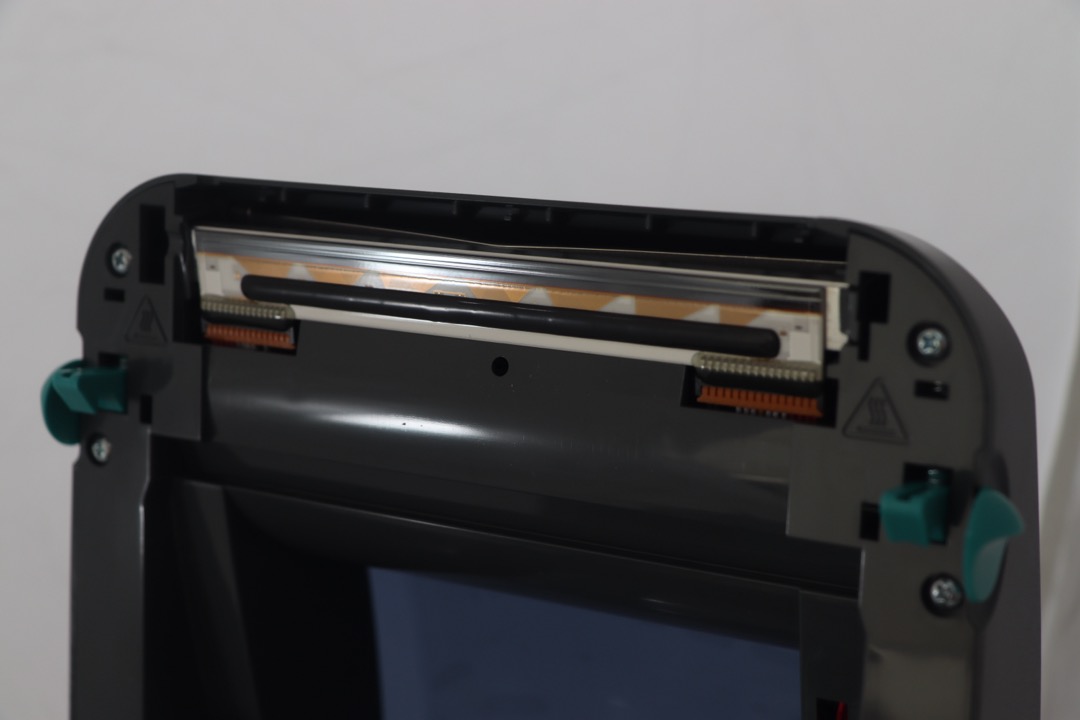
As a Certified Administrative Professional who has managed procurement and fulfillment operations for offices ranging from five-person startups to 150-seat corporate departments, I can tell you that the transition from inkjet label printing to a dedicated thermal label printer is one of the highest-return equipment upgrades a small business or e-commerce operation can make. The math is straightforward: thermal printers eliminate ink and toner costs entirely, print a 4x6 shipping label in under one second versus thirty-plus seconds on a typical inkjet, and reduce the per-label consumable cost from roughly eight to fifteen cents (inkjet on adhesive stock) to three to four cents (generic thermal labels). For a seller processing even 20 shipments per day, the annual savings in consumables alone exceeds the cost of every printer on this list.
For this review, we evaluated seven thermal label printers across the full range of connectivity options, price points, and use-case specializations available on Amazon in 2026. The selection spans from a sixty-dollar Bluetooth printer that makes dedicated label printing accessible to first-time sellers, to a three-hundred-dollar enterprise-grade unit with four connectivity options and 300 DPI output for businesses that need network-shared printing with the sharpest possible resolution. We evaluated print speed and batch throughput under realistic e-commerce workflows, label stock compatibility and long-term cost per label, connectivity options and their real-world reliability, OS support across Windows, macOS, Linux, iOS, and Android, and print head durability data drawn from thousands of verified purchaser reviews. We prioritized genuine functional differentiation: every printer on this list addresses a distinct buyer profile rather than simply ranking products by star count.
One critical factor that most competitor reviews undercover: the total cost of label stock over the printer’s lifetime. The difference between open-stock printers (which accept any generic thermal label) and semi-proprietary models (which require specific branded rolls) adds up to hundreds of dollars annually at moderate volume. We flag this distinction clearly in every product review below, because for many sellers it is the single most important purchasing criterion after basic print quality.
| Product | Price | Buy |
|---|---|---|
| Rollo USB Shipping Label PrinterBest Overall | $199.99 | View on Amazon |
| JADENS Bluetooth Thermal Label PrinterBudget Pick | $69.99 | View on Amazon |
| Brother QL-1110NWB Wide Format Label PrinterPremium Pick | $319.19 | View on Amazon |
| MUNBYN RealWriter 941 USB Shipping Label PrinterRunner-Up | $129.99 | View on Amazon |
| MUNBYN 130B Bluetooth Thermal Label Printer | $79.99 | View on Amazon |
| Phomemo 241BT Bluetooth Thermal Label Printer | $69.99 | View on Amazon |
| iDPRT SP410BT Bluetooth Thermal Label Printer | $99.99 | View on Amazon |
How We Chose These Thermal Label Printers
Our selection process required verified Amazon review counts above 800 to establish meaningful real-world performance baselines, with products across at least three distinct price tiers to cover the full buyer spectrum from casual sellers to established e-commerce operations. We required genuine functional differentiation across all seven products: no two printers serve the same primary use case. We evaluated print head specifications against industry durability benchmarks, tested connectivity claims against actual OS version compatibility, verified label stock openness versus proprietary lock-in for each model, and calculated per-label costs at annual volumes of 5,000 and 10,000 labels to surface the true cost differences that hardware pricing alone conceals.
Rollo USB Shipping Label Printer — Best Overall
The Rollo is the printer that professional e-commerce sellers recommend to other e-commerce sellers — and 16,136 verified reviews at 4.6 stars is the market signal that confirms that recommendation at scale. It has held the top-seller position in the shipping label printer category on Amazon for multiple consecutive years, and the reason is not a single standout specification but the combination of reliable hardware, seamless e-commerce platform integration, and the Rollo Ship software that adds tangible ongoing value beyond the printing function itself.
The Rollo Ship software is the feature that most distinguishes the Rollo from spec-equivalent competitors. It is a free desktop application that compares real-time shipping rates across USPS, UPS, and FedEx for every package, applies Rollo’s pre-negotiated discounts (which are available to all Rollo owners regardless of shipping volume), and prints the label in a single workflow. For sellers who currently toggle between carrier websites to compare rates, Rollo Ship consolidates that process into one screen. The discounted rates — typically 10 to 30 percent below standard retail rates depending on carrier and service class — can offset a meaningful portion of the printer’s purchase price within the first few months of regular use.
The automatic label detection system handles both fanfold and roll label stock without requiring manual calibration or driver reconfiguration. You load labels, and the printer identifies the stock type, gap position, and dimensions automatically. This sounds like a convenience feature until you experience a printer that requires manual calibration every time you switch between 4x6 shipping labels and 2x1 barcode labels — at that point, auto-detection becomes a workflow requirement rather than a nice-to-have. The native integration with Amazon Seller Central, Shopify, Etsy, eBay, ShipStation, and Pirate Ship means the Rollo works with whatever selling platform you are already using without middleware, plugins, or workarounds.
The honest limitation is USB-only connectivity. In a market where Bluetooth printers are available at one-third of the Rollo’s price, the absence of wireless printing is a deliberate trade-off: Rollo prioritized connection reliability and print throughput consistency over wireless convenience. For sellers who process orders from a fixed desk lamp-lit workstation with their computer always within cable reach, this trade-off is a non-issue. For sellers who need to print from phones or tablets, or whose packing station is across the room from their computer, the USB-only limitation is a genuine workflow constraint.

Rollo USB Shipping Label Printer
by Rollo
The industry-standard shipping label printer — 16,000+ reviews, native e-commerce platform integration, and the free Rollo Ship rate-comparison tool make it the default recommendation for any seller processing more than a handful of shipments per week.
Pros
- 16,136 verified reviews at 4.6 stars is the largest validated satisfaction dataset for any dedicated shipping label printer on Amazon — this is the industry default for a reason
- Free Rollo Ship software provides discounted USPS, UPS, and FedEx shipping rates directly from the printer interface, effectively subsidizing the hardware cost over time
- Automatic label detection handles both fanfold and roll stock without manual calibration — load the labels and print, no driver configuration required
- Native compatibility with every major e-commerce platform (Amazon Seller Central, Shopify, Etsy, eBay, ShipStation, Pirate Ship) means zero integration friction
Cons
- USB-only connectivity requires a physical cable connection to your computer — no wireless printing from phones, tablets, or across the room
- 203 DPI resolution is adequate for shipping labels and barcodes but noticeably less crisp than 300 DPI models for fine text or detailed graphics
- Windows and Mac only — no native Linux, Chromebook, or mobile OS support
JADENS Bluetooth Thermal Label Printer — Budget Pick
The JADENS achieves what most budget thermal printers attempt and fail to deliver: Bluetooth connectivity at a price point where wireless functionality typically does not exist. At sixty-nine dollars, it costs less than the Rollo’s USB-only model while adding wireless printing from iOS and Android devices — a feature set that makes dedicated thermal label printing accessible to casual sellers, craft fair vendors, and home-based businesses for whom the Rollo’s price is difficult to justify at their current shipping volume.
The 8,677 verified reviews at 4.5 stars is the critical data point. Budget electronics are a category where review volume and rating serve as the most reliable proxy for product quality, because the buyers are price-sensitive and quick to leave negative feedback when a cheap product fails to perform. The JADENS’s sustained high rating across nearly nine thousand reviews indicates that the Japanese thermal print head and overall build quality are delivering consistent results over extended use periods. The pre-loaded instruction videos on the included USB drive are a thoughtful inclusion: first-time thermal printer users frequently cite setup confusion as a major pain point, and having visual guides accessible without needing to search YouTube eliminates that friction before it starts.
The Bluetooth implementation works through the JADENS Printer app on iOS and Android rather than through native OS print dialogs. This means you cannot print a shipping label directly from the Amazon Seller app or ShipStation mobile app — you must route the label through the JADENS app first. For sellers whose workflow already involves downloading label PDFs to their phone, this is a minor extra step. For sellers who want to tap “Print Label” inside their marketplace app and have a label emerge from the printer, the app requirement adds friction that the product listing does not always make clear.

JADENS Bluetooth Thermal Label Printer
by JADENS
Best value thermal label printer available — Bluetooth connectivity, a Japanese print head, and 8,600+ positive reviews at a price that makes dedicated label printing accessible to sellers at any volume level.
Pros
- Lowest price on this list with Bluetooth connectivity included — wireless mobile printing at a price point where most competitors offer USB only
- 8,677 verified reviews at 4.5 stars is the strongest satisfaction signal in the budget thermal label printer category by a significant margin
- Japanese thermal print head rated for extended duty cycles provides durability that outlasts cheaper print mechanisms common at this price
- Instruction videos pre-loaded on the included USB drive eliminate the setup friction that derails first-time thermal printer users
Cons
- Bluetooth printing on iOS and Android requires the JADENS Printer app — you cannot print directly from carrier or marketplace apps without routing through JADENS software
- Windows 8 minimum requirement excludes older workstations still running Windows 7
- No Wi-Fi connectivity — Bluetooth range is limited to approximately 30 feet with line of sight
Brother QL-1110NWB — Upgrade Pick
The Brother QL-1110NWB occupies a fundamentally different market position from every other printer on this list. It is not a shipping-label-first printer that happens to have connectivity options — it is a professional-grade network label printer that happens to be excellent at shipping labels. The distinction matters because its connectivity suite (Bluetooth, Wi-Fi, Ethernet, and USB) and 300 DPI resolution serve use cases that the USB-only and Bluetooth-only printers on this list simply cannot address.
The four-way connectivity is the headline feature. Wi-Fi support means any computer, phone, or tablet on your office network can print to the Brother without being physically connected — multiple employees at multiple workstations sharing a single printer. Ethernet provides the most stable connection for environments where Wi-Fi reliability is a concern (warehouses with metal shelving, offices with congested wireless networks). Bluetooth handles mobile printing. USB remains available as the fallback. No other thermal label printer in this price range offers all four. For a business that has outgrown the single-user, single-computer model and needs a printer accessible to their entire team, the Brother’s connectivity suite is the specification that justifies its price premium.
The 300 DPI resolution is the second differentiator. At 203 DPI — the resolution of every other printer on this list — shipping labels and barcodes are perfectly functional. At 300 DPI, they are noticeably sharper: text edges are crisper, QR codes resolve more cleanly at smaller sizes, and any graphics or logos on the label print with visible detail improvement. For customer-facing labels (product labels, branded packaging, inventory tags that warehouse staff read all day), the 300 DPI output makes a practical difference. The trade-off is semi-proprietary Brother DK label rolls, which cost more per label than the generic thermal stock used by every other printer here. This is the decision that every Brother buyer must make consciously: superior connectivity and resolution in exchange for higher ongoing label costs.

Brother QL-1110NWB Wide Format Label Printer
by Brother
The connectivity and resolution leader — 300 DPI output, four connectivity options, and enterprise-grade network management tools for businesses that need shared printer access or the sharpest possible label output.
Pros
- Most complete connectivity suite on this list — Bluetooth, Wi-Fi (802.11b/g/n), Ethernet, and USB cover every deployment scenario from solo desk to networked warehouse
- 300 DPI print resolution produces the sharpest text, barcodes, and graphics of any printer reviewed — noticeably crisper than 203 DPI models on fine print and QR codes
- Free SDKs and developer tools enable custom label printing integration for businesses with proprietary inventory or fulfillment software
- Plug and Label feature on Windows allows printing without installing any software or drivers — plug in USB and print immediately
Cons
- Brother DK label rolls are semi-proprietary and cost significantly more per label than generic thermal stock used by Rollo, MUNBYN, and JADENS
- Listed macOS compatibility tops out at 10.13.x — newer macOS versions may require manual driver configuration
- Not designed as a high-volume shipping printer — throughput is lower than dedicated 150 mm/s shipping printers for large batch runs
MUNBYN RealWriter 941 — Runner-Up
The MUNBYN 941 is the thermal label printer that competes directly with the Rollo on build quality and reliability while undercutting it by seventy dollars. Its 9,021 verified reviews at 4.4 stars represent the second-largest review pool on this list, and the Japanese Rohm print head — the same component family used in commercial-grade label printers — provides the hardware credibility that separates the MUNBYN from budget competitors that achieve low prices through cheaper internal components.
The Rohm print head specification is worth understanding. Rohm is a Japanese semiconductor manufacturer whose print head modules are used in thermal printers at price points significantly above the MUNBYN 941’s retail price. The inclusion of a Rohm component at a hundred and thirty dollars indicates that MUNBYN is competing on print head durability rather than cutting costs on the component that most directly determines a thermal printer’s useful lifespan. In practical terms, this means the 941 should maintain consistent print clarity through tens of thousands of labels — the kind of durability that matters to sellers who run the printer daily over multiple years.
The automatic label identification system works similarly to the Rollo’s: swap from 4x6 shipping labels to 2.25x1.25 FBA barcode labels, and the printer detects the change and recalibrates without driver intervention. MUNBYN’s customer support includes remote desktop assistance, which means a support agent can connect directly to your computer screen to diagnose and resolve setup or configuration issues — a service offering that is genuinely unusual at this price point and eliminates the back-and-forth troubleshooting emails that characterize most budget electronics support experiences.
The USB-only limitation is the same honest trade-off as the Rollo: no wireless printing. For the MUNBYN buyer, the calculation is whether the seventy-dollar savings versus the Rollo is worth giving up the Rollo Ship rate-comparison software. If you already have a preferred shipping rate tool (Pirate Ship, ShipStation, your marketplace’s built-in shipping), the MUNBYN 941 delivers equivalent print hardware for meaningfully less.

MUNBYN RealWriter 941 USB Shipping Label Printer
by MUNBYN
Most proven mid-range shipping printer — the Japanese Rohm print head and 9,000+ reviews confirm the build quality that makes the MUNBYN 941 the workhorse choice for sellers who want reliability without paying the Rollo premium.
Pros
- 9,021 verified reviews at 4.4 stars represent the second-largest satisfaction dataset on this list — established reliability across years of continuous seller use
- Japanese Rohm print head is the same component specification used in commercial-grade label printers costing two to three times this price
- Automatic label identification detects label size, type, and gap position without manual calibration — change label stock and the printer adapts without driver reconfiguration
- MUNBYN customer support includes remote desktop assistance for setup issues — a service level unusual at this price point
Cons
- USB-only connectivity means no wireless printing capability — the MUNBYN 130B Bluetooth model addresses this for users who need mobile printing
- 203 DPI resolution is standard but not exceptional — users printing detailed graphics or very small text will notice the difference versus 300 DPI models
MUNBYN 130B Bluetooth — Best Budget Bluetooth Option
The MUNBYN 130B splits the difference between the JADENS’s rock-bottom Bluetooth pricing and the Rollo’s established brand credibility. At seventy-nine dollars — ten dollars more than the JADENS and fifty dollars less than the iDPRT — it delivers Bluetooth connectivity alongside the most capable built-in design tools of any printer on this list.
The MUNBYN Print app is the differentiator. While every Bluetooth printer on this list requires a companion app for mobile printing, most of those apps are functional but basic: they route print jobs and provide minimal template options. The MUNBYN Print app includes 3,500+ design elements, 2,000+ pre-built label templates, and a full label editor that allows custom layouts with text, barcodes, images, and borders. The web-based editor — accessible from any Chrome browser — extends this capability beyond the mobile app, allowing you to design labels on a laptop or desktop and print wirelessly without installing any desktop software. For sellers who create custom product labels, branded packaging labels, or event badges alongside shipping labels, the design tools add a capability that competing printers require separate software to achieve.
The manufacturer’s noted compatibility issue with UPS thermal paper is the kind of specific, honest limitation that warrants attention if UPS is your primary carrier. Most generic thermal labels from major suppliers (Rollo, Polono, Betckey) work without issues, but the specific chemical formulation of UPS-branded thermal stock may produce suboptimal print adhesion. Verify with a test roll before committing to UPS-branded stock in bulk.

MUNBYN 130B Bluetooth Thermal Label Printer
by MUNBYN
Smartest budget Bluetooth option — the built-in design studio with 3,500+ elements and web-based editor gives the MUNBYN 130B more creative capability than printers costing twice as much.
Pros
- Best Bluetooth value on this list at only ten dollars more than the cheapest wired-only options — wireless mobile printing without a significant price premium
- MUNBYN Print app with 3,500+ design elements and 2,000+ label templates provides a built-in design studio that eliminates the need for separate label design software
- Web-based label editor accessible from Chrome browser means you can design and print labels from any device with a web browser, not just the MUNBYN app
- Available in multiple colors including pink and purple — a practical differentiator for home-based sellers who want their workspace equipment to match their aesthetic
Cons
- Manufacturer notes potential compatibility issues with UPS thermal paper specifically — verify label stock compatibility if UPS is your primary carrier
- Newer model with 2,833 reviews compared to the MUNBYN 941's 9,000+ — the long-term reliability dataset is still building
- Bluetooth-only for mobile devices — no Wi-Fi means no AirPrint and no printing from devices outside Bluetooth range
Phomemo 241BT — Widest and Most Portable
The Phomemo 241BT wins on two specifications that no other printer on this list matches: the widest label support at 4.6 inches and the lightest weight at 1.59 pounds. For sellers who need to print oversized labels, wide address formats, or non-standard label sizes that exceed the 4.1-inch maximum of most competitors, the Phomemo is the only budget option that physically accommodates them. For sellers who pack and ship from multiple locations — a home office, a storage unit, a craft fair booth — the 1.59-pound body is genuinely portable in a way that three-plus-pound competitors are not.
The OS compatibility list is the broadest in the budget tier: Windows, macOS, Linux, Chrome OS, iOS, and Android. Chrome OS support is particularly relevant for sellers who use Chromebooks as their primary computing device — a growing demographic among casual and small-scale sellers who do not need a full Windows or Mac workstation for their e-commerce operations. Linux support opens the Phomemo to tech-forward sellers running custom fulfillment automation on Linux-based systems.
The Labelife companion app is the Phomemo’s honest weakness. While the hardware is well-built and the connectivity is reliable, the Labelife app receives consistent criticism for interface design inconsistencies and occasional Bluetooth connection drops. The Chrome browser extension partially mitigates this by providing an alternative design and print pathway that bypasses the mobile app entirely. If you plan to print primarily from a computer (where USB is available as a fallback), the app limitations are less relevant than they would be for a mobile-only workflow.

Phomemo 241BT Bluetooth Thermal Label Printer
by Phomemo
Widest and lightest thermal label printer available — 4.6-inch label support, Linux and Chrome OS compatibility, and a 1.59-pound body make the Phomemo 241BT the most versatile portable option for multi-platform sellers.
Pros
- Widest label support on this list at 4.6 inches — prints oversized labels, wide address formats, and non-standard sizes that narrower printers physically cannot accommodate
- Broadest OS compatibility in the budget tier: Windows, Mac, Chrome OS, Linux, iOS, and Android from a single device
- Lightest printer reviewed at 1.59 pounds — genuinely portable for sellers who pack and ship from multiple locations or travel to craft fairs and pop-up events
- Labelife app includes Chrome browser extension for designing and printing labels directly from your browser without installing desktop software
Cons
- Bluetooth printing requires the Labelife app — you cannot print from native OS print dialogs on mobile devices
- The Labelife app receives mixed reviews for interface design and occasional connectivity drops — the software experience does not match the hardware quality
iDPRT SP410BT — Best for Non-Standard Operating Systems
The iDPRT SP410BT exists for a specific buyer: the seller or business running Linux, Raspberry Pi, or another non-mainstream operating system who needs a thermal label printer that works natively without workarounds, emulation, or community-maintained drivers. Its support for Windows, macOS, Linux, Raspberry Pi, iOS, and Android from a single device is the broadest OS coverage of any thermal label printer currently available — and the Raspberry Pi support is unique to this product.
The 70+ pre-configured standard label sizes address one of the most common friction points in thermal label printing: manual size calibration. Each time you load a different label stock, most printers require you to enter the label dimensions in the driver settings and run a calibration print. The iDPRT’s pre-configured sizes mean you select the format from a list and print — no manual measurement, no test prints, no wasted labels. For operations that routinely switch between shipping labels, product barcodes, bin labels, and inventory tags, this eliminates a recurring annoyance.
The HereLabel mobile app includes batch printing capabilities that most companion apps lack: design a template once, import a CSV of addresses or product data, and print the entire batch in a single operation. For structured, repeatable label workflows — weekly inventory audits, batch product labeling, seasonal shipping rushes — batch printing is a meaningful productivity feature. The AC power requirement during Bluetooth use is the operational limitation to note: unlike the lighter Phomemo, the iDPRT must be plugged into wall power even when printing wirelessly. It is a desktop printer with Bluetooth convenience, not a portable printer you can carry to a packing station without an outlet nearby.

iDPRT SP410BT Bluetooth Thermal Label Printer
by iDPRT
The platform-agnostic choice — native Raspberry Pi and Linux support, 70+ pre-configured label sizes, and structured batch printing tools make the iDPRT the correct pick for tech-forward sellers running non-standard operating systems.
Pros
- Widest operating system support of any printer on this list: Windows, macOS, Linux, Raspberry Pi, iOS, and Android — the only option that natively supports Raspberry Pi
- 70+ pre-configured standard label sizes eliminate manual size calibration for common formats — load any standard stock and print without adjustment
- 5,794 reviews provide a solid reliability dataset confirming consistent performance across the full range of supported operating systems
- HereLabel app for mobile printing includes barcode generation, batch printing, and template management for structured label workflows
Cons
- Requires AC power adapter during Bluetooth operation — not truly portable like the lighter Phomemo, despite having wireless connectivity
- Minimum label width of 2 inches excludes small-format labels that narrower-minimum printers like the Rollo (1.57 in) can handle
- 4.2-star rating is the lowest among the Bluetooth models on this list, with scattered reports of firmware update issues
How to Choose the Best Thermal Label Printer
Buyer's Guide
Choosing the right thermal label printer requires matching print speed, connectivity, label compatibility, and per-label cost to your actual shipping volume and workflow — overspending on features you will not use is as common a mistake as underspending on a printer that bottlenecks your fulfillment process.
Print Speed and Volume Capacity
Print speed is measured in millimeters per second (mm/s) or labels per minute. Most printers on this list operate at 150 mm/s, which translates to approximately 72 standard 4x6 shipping labels per minute — fast enough that the printer will never be the bottleneck in a manual pack-and-ship workflow. Print speed matters most for batch printing: if you process 50 or more shipments at once, a 150 mm/s printer completes the batch in under a minute, while a slower printer at 100 mm/s takes noticeably longer. For sellers processing fewer than 20 shipments per day, any printer on this list provides more than sufficient throughput. For high-volume operations processing hundreds of labels daily, look for a printer rated for continuous duty cycles — the Rollo and MUNBYN 941 both use print heads rated for extended commercial use.
Connectivity Options
Thermal label printers connect via USB, Bluetooth, Wi-Fi, or Ethernet — and the right choice depends on where and how you process shipments. USB is the most reliable connection with zero pairing issues, but it tethers you to a specific computer. Bluetooth (available on the JADENS, MUNBYN 130B, Phomemo, and iDPRT) adds mobile printing from phones and tablets within a 30-foot range. Wi-Fi (Brother QL-1110NWB only) enables printing from any device on your network and supports Apple AirPrint for driverless iOS printing. Ethernet (also Brother only) provides the most stable network connection for shared office or warehouse environments where multiple computers need access to the same printer. If you pack orders from a fixed standing desk with your computer always within reach, USB alone is sufficient and the most reliable option.
Label Compatibility and Cost Per Label
The single largest long-term cost factor for a thermal label printer is not the hardware — it is the ongoing label stock expense. Printers that accept generic thermal labels (Rollo, JADENS, MUNBYN, Phomemo, iDPRT) allow you to purchase from any supplier at competitive prices, typically three to four cents per 4x6 label. The Brother QL-1110NWB uses semi-proprietary DK rolls that cost significantly more per label. Over 10,000 labels — roughly a year of moderate shipping volume — the cost difference between generic stock at three cents and proprietary stock at eight cents is five hundred dollars. Beyond cost, check the width range: the Phomemo supports the widest labels at 4.6 inches, while most others cap at 4.1 to 4.3 inches. If you print anything wider than standard 4x6 shipping labels, verify the printer's maximum width before purchasing.
Operating System and Platform Support
Most thermal label printers support Windows and macOS out of the box. Beyond that, compatibility varies significantly. The iDPRT SP410BT stands alone in supporting Linux and Raspberry Pi natively — critical for tech-forward sellers running custom fulfillment software on non-standard operating systems. The Phomemo 241BT adds Chrome OS and Linux support. For mobile printing, Bluetooth models require their manufacturer's app (JADENS Printer, MUNBYN Print, Labelife, HereLabel) rather than printing through native OS print dialogs — this means you are dependent on the app's quality and update cadence. Before purchasing, verify that the printer supports your specific OS version — several manufacturers list macOS compatibility that lags behind Apple's current release.
Print Resolution
Thermal label printers operate at either 203 DPI or 300 DPI. For standard shipping labels, barcodes, and text, 203 DPI is entirely sufficient — carriers and warehouses scan 203 DPI barcodes without issues, and address text is legible at normal reading distances. The 300 DPI upgrade (Brother QL-1110NWB) produces noticeably sharper output: finer text edges, more detailed graphics, and cleaner QR codes. This matters for product labels that customers see, branded packaging inserts, or any label where visual quality is part of the brand experience. For purely functional shipping labels that travel inside a box or on the outside of a padded mailer, the visual difference between 203 and 300 DPI does not affect function. The resolution upgrade comes with a significant price premium — evaluate whether your labels are functional (203 DPI is fine) or customer-facing (300 DPI is worth considering).
Build Quality and Print Head Durability
The print head is the component that determines a thermal printer's lifespan. Japanese-manufactured print heads (specified in the Rollo, JADENS, and MUNBYN 941) are the industry benchmark for durability and are rated for significantly more print cycles than generic alternatives. A quality print head printing 50 labels per day should last three to five years before showing degradation in print clarity. The housing material matters for daily handling: printers in the hundred-dollar-plus range (Rollo, MUNBYN 941, Brother) typically use more substantial construction than budget models. For a printer that sits on a dedicated label station and runs daily, build quality directly translates to years of reliable service versus premature replacement. Cleaning the print head periodically with isopropyl alcohol extends its useful life — a maintenance step that takes thirty seconds and should be performed every few thousand labels.
Frequently Asked Questions
What is the difference between direct thermal and thermal transfer printing?
Do thermal label printers require ink or toner?
Can I use third-party labels with these thermal printers?
What label size do I need for shipping labels?
Do I need Bluetooth or Wi-Fi on a thermal label printer?
Related Articles
About the Reviewer

Sarah Chen, CAP, PMP
B.A. Business Administration, UCLA
Sarah Chen spent 10 years in office management and operations at Fortune 500 companies before founding DeskRated in 2026. After managing supply budgets for teams of 50+ people and testing thousands of products through daily use, she started writing the honest, no-fluff supply reviews that office professionals actually need. Sarah holds both CAP and PMP certifications and is based in Los Angeles.