Standing Desks vs Sit-Stand Converters: Which Is Right for Your Workspace?
Sarah Chen compares full standing desks and sit-stand converters — cost, ergonomics, setup, and which option fits your workspace and budget in 2026.
Updated
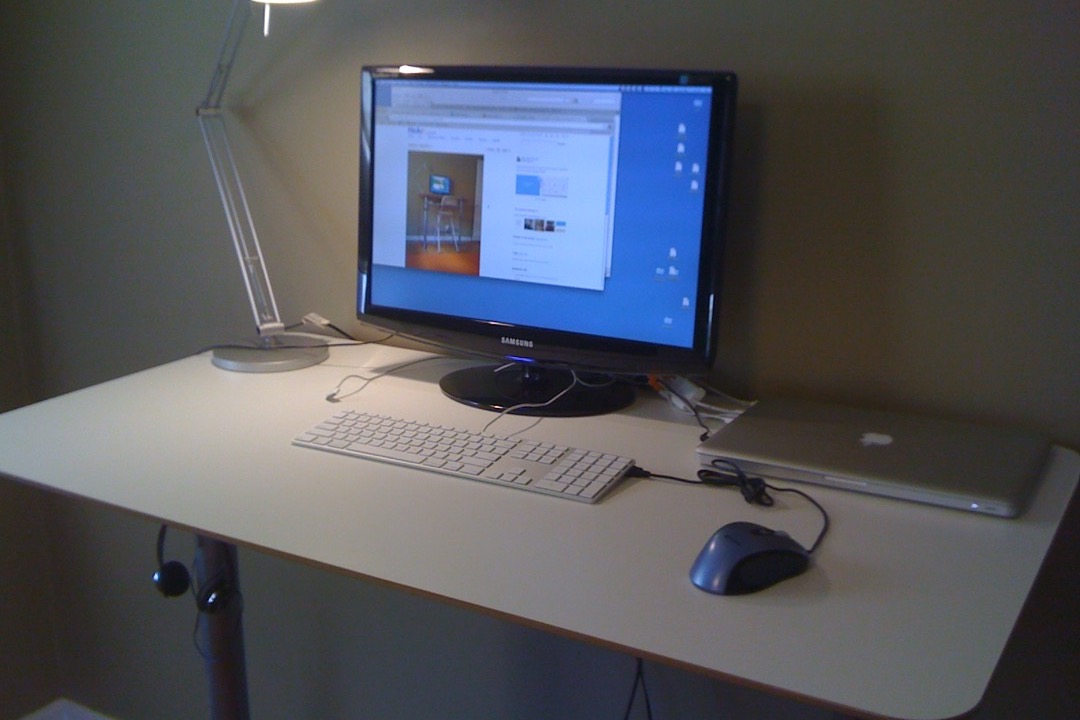
If you have been sitting at the same desk for years and started paying attention to the research on prolonged sitting, you have almost certainly landed on the same fork in the road: full standing desk or sit-stand converter?
Both solve the same problem — giving you the option to stand while working — but they are very different products. One replaces your desk entirely. The other sits on top of what you already have. The price gap between entry-level options of each can be substantial, and the wrong choice can mean significant money spent on a product that does not actually fit your workflow or space.
I have spent the past several years in office management and administrative operations, evaluating workspace setups across both individual and shared office environments. I have configured both full standing desks and converters for colleagues across a range of budgets, desk sizes, and use cases. This guide is the comparison I wish had existed when I was making my first purchase. Our full roundup of the best standing desks covers the top electric and manual options in detail if you are already leaning that direction.
What Is a Full Standing Desk?
A full standing desk (also called a sit-stand desk or height-adjustable desk) replaces your existing desk entirely. The entire desktop surface adjusts in height — from a standard sitting height of around 28–30 inches up to a standing height of 45–49 inches, depending on the model.
There are three main drive mechanisms:
Electric (motor-driven): A motor in the frame raises and lowers the desk at the push of a button, typically in 1–3 seconds per inch of travel. Most electric desks include memory presets so you can save your preferred sitting and standing heights for one-button recall. Electric desks range from single-motor (adequate for most setups) to dual-motor (better for heavier loads or wider desktops).
Manual crank: A hand crank on the frame adjusts height. These are slower to adjust — about 15–20 turns to move the full height range — which means most users adjust them less frequently than they intend to. They are mechanically simpler and require no electricity, but the friction of crank operation tends to discourage the frequent height changes that make alternating sitting and standing actually effective.
Pneumatic (gas lift): Less common for full standing desks but used in some designs. A gas cylinder assists with height adjustment. Generally faster than crank but slower than electric, and the pressure can degrade over several years.
Most buyers looking for a genuine sit-stand habit should prioritize electric desks. The one-touch convenience is what drives actual behavior change. If adjusting your desk height requires effort, you will do it less, and the health benefit you purchased the desk for diminishes accordingly.
What Is a Sit-Stand Converter?
A sit-stand converter is a device that sits on top of your existing desk and raises a portion of the surface — along with your monitor and keyboard — to standing height. The underlying desk does not move. Only the converter platform elevates.
Converters come in three main designs:
Z-lift (or scissor-lift): The most common and affordable design. Two crossing arms create a Z or X shape that rises and lowers when you push down on the platform. Height adjustment is done manually and the converter can typically be adjusted at any point during the workday without clearing the desk first.
Pneumatic (gas-assisted): A gas cylinder helps counterbalance the weight of the monitor and keyboard, making adjustment nearly effortless. These are quieter and smoother than Z-lifts and generally preferred for heavy multi-monitor setups where the Z-lift mechanism would require significant downward force.
Fixed-height riser: Not technically a sit-stand converter since you cannot adjust the height during the day, but worth noting. These are simple platforms that elevate your monitor to standing height permanently. Relevant if you intend to stand for most of the day and only need a separate lower surface for the keyboard, not true sit-stand functionality.
The fundamental limitation of any converter is that it raises only a portion of your desk. Your working surface at standing height is typically 28–36 inches wide — enough for a laptop or single monitor, but constraining if you work with multiple displays or large physical documents.
Side-by-Side Comparison
| Feature | Full Standing Desk | Sit-Stand Converter |
|---|---|---|
| Price range (entry) | Low | Very low |
| Price range (premium) | Moderate–high | Low–moderate |
| Setup time | 45–90 minutes | 5–10 minutes |
| Portability | Low — semi-permanent | High — movable |
| Standing surface width | Full desktop (48”–72”) | Platform only (28”–36”) |
| Adjustment speed | Electric: ~3 sec; Crank: ~60 sec | Z-lift: ~5 sec; Pneumatic: ~2 sec |
| Requires existing desk | No — replaces it | Yes — works on top |
| Cable management complexity | Moderate to high | Low to moderate |
| Memory presets | Yes (electric models) | Rarely |
| FSA/HSA eligible (with LMN) | Yes | Yes |
| Typical warranty | 3–5 years | 1–2 years |
| Best for | Dedicated home office | Renters, shared offices, budget buyers |
Pros and Cons of Full Standing Desks
Advantages
Full surface area at every height. When you raise a full standing desk, you raise the entire workspace — all 60 inches (or whatever width you have) of desktop travel with you. This is the decisive advantage for anyone with multiple monitors, large physical work materials, or a demanding workstation setup. A sit-stand converter simply cannot replicate this.
One-touch convenience drives actual habits. Electric memory presets mean you press a button and your desk moves to your saved standing height without any thought or effort. Research consistently shows that the easier a behavior change is to execute, the more consistently it is adopted. Manual converters and crank desks both suffer from friction that erodes the habit over time.
Better long-term ergonomic consistency. Because keyboard and monitor travel together on a full desk, you set up the ergonomic relationship once and it stays correct at every height. This is simpler to get right and easier to maintain than converter setups where the keyboard and monitor may be on different platforms.
Cleaner aesthetics for a dedicated workspace. A full standing desk looks intentional. Converters — particularly the boxy Z-lift designs — are visually prominent and can look somewhat cluttered. For a dedicated home office or a client-facing workspace, aesthetics are a legitimate consideration.
Disadvantages
Assembly and permanence. Most electric standing desks take 45–90 minutes to assemble and require two people for the frame steps. Once assembled, they are essentially permanent — relocating one requires full disassembly. For renters or anyone in a transitional living situation, this is a significant drawback.
Higher entry cost. A decent electric standing desk costs meaningfully more than a sit-stand converter that achieves similar functionality. If budget is the primary constraint, a converter on a solid existing desk will deliver most of the sitting-standing benefit at a fraction of the cost.
Cable management adds setup time. A full standing desk that moves 18–20 inches of vertical range requires careful cable routing. Cables need to be long enough to accommodate the full range of travel, organized in a loop or bundle that does not bind, and routed so they do not catch on the frame during adjustment. This is manageable but adds 20–30 minutes to setup and is something most desk reviews do not warn buyers about adequately. A monitor stand with built-in cable management slots can help tame the wiring on a full standing desk setup.
Pros and Cons of Sit-Stand Converters
Advantages
Cost-effective entry into sit-stand working. Converters let you test whether you will actually use the sit-stand functionality before committing to a full desk replacement. Many people discover they do not stand as much as they expected — a converter validates the habit at lower cost before you invest in a full desk.
Works with your existing desk. If you already have a desk you like — one with a specific size, style, or built-in storage — a converter preserves that investment. Replacing a perfectly good desk to add height adjustability is a significant sunk cost that a converter avoids entirely.
Fast setup and high portability. A converter is unpacked and functional in under ten minutes. It can be moved between desks, taken to a co-working space, or stored in a closet if your work situation changes. For anyone who moves frequently or works in multiple locations, a converter’s portability is a meaningful operational advantage.
Lower cable management burden. Peripherals on the converter’s platform move with it, but the cables only need to reach the fixed desk surface below — they do not need to accommodate a wide range of vertical travel. A simple cable bundle with a velcro strap is typically sufficient.
Disadvantages
Narrow working surface at standing height. This is the most commonly cited frustration among converter owners. Most platforms are 28–34 inches wide — workable for a single monitor and keyboard, but limiting for dual-monitor setups or anyone who works with physical documents alongside their computer. If your work requires more than one display, evaluate this dimension carefully before purchasing.
Less ergonomic flexibility. Without memory presets, most converters require you to manually dial in your preferred height each time you transition. Small calibration inconsistencies accumulate over weeks of daily use, and many users report that they stop fine-tuning the height over time and settle on an approximate height that is “close enough” but not truly optimized.
Some designs clutter the desk surface. Z-lift converters have a visible mechanical footprint on the desk. When lowered, the crossed arms sit above the desk surface and reduce the usable workspace below the converter. This is less of an issue with pneumatic converters, which have a lower profile when not in use.
Which Should You Choose?
The right choice depends almost entirely on three variables: how permanent your workspace is, how much surface area you need at standing height, and whether you are starting from a desk you want to keep or a desk you are willing to replace.
Choose a full standing desk if:
- You are setting up a dedicated home office that will not change for at least two to three years
- You work with two or more monitors, large documents, drawing tablets, or any peripheral arrangement that requires the full desk surface
- You want memory presets for frictionless, one-button height adjustment
- You are replacing a desk that is already inadequate — old, the wrong size, or worn out
- You want a clean, permanent aesthetic without visible mechanical hardware on your desktop
Our detailed reviews of the best standing desks will help you select the right motor type, width, and weight capacity for your setup.
Choose a sit-stand converter if:
- You rent your home or office, or your workspace is likely to change in the next one to two years
- You already own a desk you like and want to preserve that investment
- Your work is primarily single-screen and your surface area needs are modest
- You want to test the sit-stand habit before committing to a full desk replacement
- Budget is a significant constraint and you need the most cost-effective path to standing capability
The hybrid case worth considering:
If you already own a full-size desk and a decent office chair, a sit-stand converter is often the fastest way to add standing capability without disrupting your workspace. Pair the converter with an adjustable office chair with a wide seat height range, and you can dial in an ergonomically sound setup at both sitting and standing heights without replacing any major furniture.
What to Expect to Pay in 2026
Price transparency is a gap in most comparisons of these two product types, so here is a realistic breakdown of what the market currently looks like.
Full standing desks: Entry-level manual or single-motor electric desks are widely available, and mid-range electric models with solid-frame construction, memory presets, and two to three year warranties represent the best value for most buyers. Premium dual-motor models with wider frames, commercial-grade construction, and five-year warranties command a higher price but offer meaningfully better long-term reliability for demanding setups.
Sit-stand converters: Entry-level Z-lift models are available for under $100 and are adequate for laptop or single small-monitor use. Mid-range pneumatic converters with dual-monitor capacity and smooth gas-assisted adjustment represent the sweet spot for most buyers. High-end converters with electric lift, memory presets, and wide platforms can approach the cost of a budget full standing desk — at which point the calculus shifts toward the full desk unless portability is a hard requirement.
One often-overlooked cost factor: cable management accessories. Both product types typically require some additional investment in cable management — cable trays, velcro wraps, and appropriate-length cables. Budget a modest amount for these accessories when planning your total cost.
Ergonomic Setup Tips for Both Options
Getting the height adjustment right is the single most impactful thing you can do after purchasing either product type. Incorrect height is the most common reason people abandon their standing desks.
For keyboard and mouse height: Stand in front of your desk or converter with your arms at your sides. Bend your elbows to 90 degrees. Your forearms are now approximately at the right desk height. Your wrists should be neutral — flat, not angled up toward the ceiling or down toward the floor — when resting on the keyboard. If you feel tension in your wrists or forearms after 15 minutes of standing, your height calibration is off.
For monitor height: The top of your monitor should be at or just below eye level. Most people need a monitor stand or adjustable arm to achieve this independently of desk height — especially with sit-stand converters where the platform height is set for your keyboard. Raising your monitor on a monitor stand by two to four inches is a simple fix that dramatically reduces neck and upper back tension.
For standing duration: Start with 15–20 minute standing intervals and increase gradually. Most ergonomic research recommends targeting a 1:1 or 2:1 sitting-to-standing ratio as a sustainable long-term habit. Many electric standing desks include reminder alerts that prompt you to change positions — these are worth using during the first few weeks while you are building the habit.
Footwear and floor surface matter. Standing on a hard floor in flat shoes for extended periods causes lower leg fatigue that makes people abandon the standing habit quickly. An anti-fatigue mat under your standing area is a worthwhile companion purchase with any standing solution. Supportive footwear — the same type you would choose for standing at a retail counter — makes a significant difference in how long you can stand comfortably.
Can You Use FSA or HSA Funds?
Both sit-stand converters and full standing desks can qualify for FSA or HSA reimbursement, but not automatically. The key requirement is a Letter of Medical Necessity (LMN) from a licensed healthcare provider that specifically connects the product to a diagnosed condition.
Medical conditions that commonly support a standing desk LMN include:
- Chronic low back pain or lumbar disc disease
- Sciatica or lumbar radiculopathy
- Degenerative disc disease
- Post-surgical recovery requiring position alternation
- Conditions where prolonged sitting is medically documented as harmful
Without an LMN, standing desks and converters are classified as general wellness products and are not FSA or HSA eligible. With an LMN, they typically qualify — but you should confirm with your plan administrator before purchasing, as rules vary by plan and some administrators may require pre-authorization or specific documentation formats.
If you have a qualifying condition, the FSA/HSA route can effectively reduce the out-of-pocket cost of a full standing desk by 20–30%, which changes the calculus for buyers who are on the fence about the higher upfront cost. This makes the full desk an even more compelling choice when medical eligibility applies.
Final Verdict
For most people setting up a long-term home office workspace who want genuine, daily sit-stand functionality, a full electric standing desk is the better investment. The one-touch adjustment that electric memory presets provide is not a luxury — it is the mechanism by which people actually build the sit-stand habit instead of giving up on it. Our best standing desks roundup identifies the top picks across budget, mid-range, and premium tiers with verified ASINs and current pricing.
That said, a sit-stand converter is the right call for a real and specific set of circumstances: renters and frequent movers, anyone who already owns a desk they want to keep, buyers on a tight budget who need to test the habit before committing, and anyone in a corporate or shared office environment where desk permanence is not an option. Pair it with a good office chair with a wide height range and a monitor stand to hit the right screen height, and you can build an ergonomically sound sit-stand setup without a full desk replacement.
The worst outcome is buying a standing desk or converter and never using the height adjustment. Whichever product you choose, the habit is the investment — the hardware just makes it easier or harder to sustain.
Frequently Asked Questions
Can a sit-stand converter damage my existing desk?
Do standing desks actually improve health?
Are sit-stand converters FSA or HSA eligible?
How much desk space does a sit-stand converter take up?
What is the best height for a standing desk or converter?
Related Articles
7 Best Standing Desks of 2026
desk-setup-furniture
7 Best Office Chairs of 2026
desk-setup-furniture
7 Best Monitor Stands of 2026
desk-setup-furniture
Mesh vs Leather Office Chairs: Which Is Right for Your Workspace in 2026?
desk-setup-furniture
7 Best Anti-Fatigue Standing Desk Mats of 2026
desk-setup-furniture
About the Reviewer

Sarah Chen, CAP, PMP
B.A. Business Administration, UCLA
Sarah Chen spent 10 years in office management and operations at Fortune 500 companies before founding DeskRated in 2026. After managing supply budgets for teams of 50+ people and testing thousands of products through daily use, she started writing the honest, no-fluff supply reviews that office professionals actually need. Sarah holds both CAP and PMP certifications and is based in Los Angeles.