7 Best Webcams of 2026
Sarah Chen reviews the best webcams for working from home. Compare 1080p, 2K, and 4K models for Zoom, Teams, and Google Meet by image quality, FoV, and microphone.
Updated
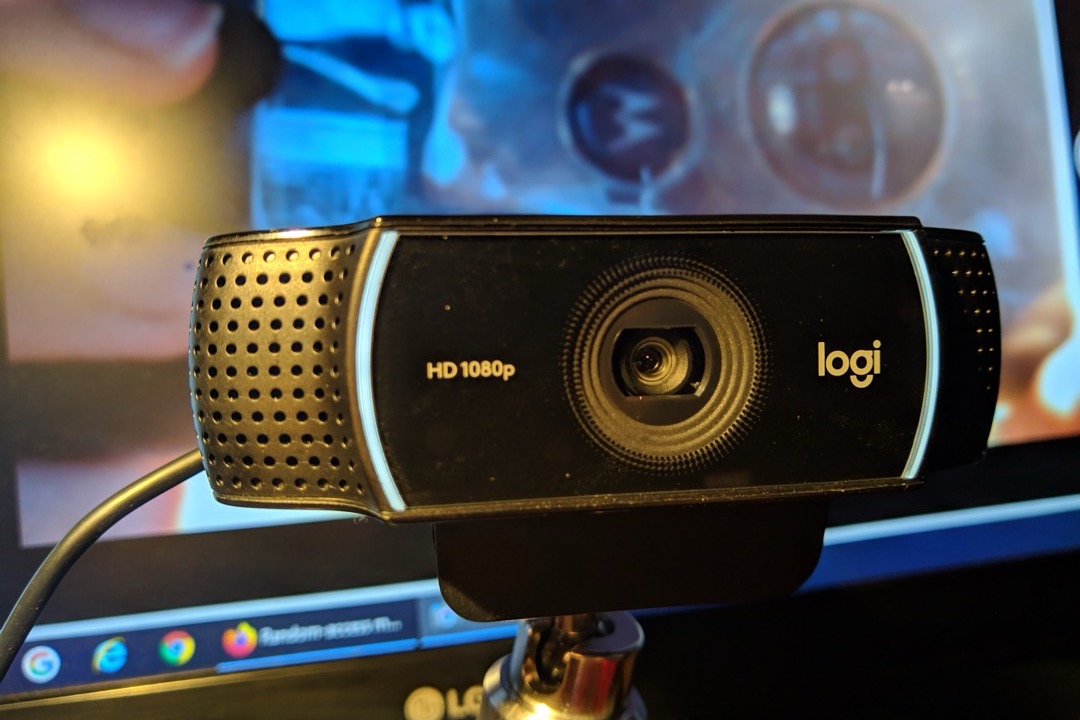
After running administrative operations for executive teams for the better part of two decades — and having sat in on more videoconferenced board meetings, client presentations, and hybrid all-hands than I can count — I can tell you with some confidence that the webcam is the single most undervalued piece of office equipment most desk professionals own. People will spend hundreds of dollars on an ergonomic keyboard they touch all day and accept whatever potato-quality 720p sensor came baked into the lid of their laptop for the meetings that determine how their colleagues, clients, and leadership perceive them. The math does not work. If you are on three or more video calls a day, the webcam is on the same critical-equipment tier as your chair and your monitor — and unlike either of those, a meaningful upgrade costs less than a hundred dollars. The best webcams of 2026 cover every realistic budget and use case, from the entry-tier Logitech Brio 101 that simply gets you out of laptop-camera territory to 4K PTZ models that physically pan to follow you around the room.
For this review, we evaluated seven webcams across the full spectrum of resolution, field of view, autofocus capability, and price. We weighted real-world performance characteristics — low-light handling, microphone quality, autofocus reliability, USB-A versus USB-C compatibility — over headline resolution numbers, because the platforms most desk workers actually use (Zoom, Microsoft Teams, Google Meet) cap participant video at 1080p regardless of what your sensor can produce. We prioritized webcams with verified review counts large enough to indicate reliability, including the Logitech C920x with more than 22,000 reviews and the Anker PowerConf C200 with more than 9,000.
October 2026 update: I re-checked every listing this month. The Logitech MX Brio has come down in price and now costs noticeably less than the Insta360 Link 2, which makes it the easier upgrade if you sit still on calls and mainly want better low-light video. The OBSBOT Tiny 2 Lite remains the lower-cost way into physical PTZ tracking. The rankings are unchanged.
A good webcam works best as part of a complete on-camera setup, not as a single upgrade in isolation. Honestly, the most common mistake I see professionals make is upgrading the camera before fixing their lighting — an inexpensive desk lamp positioned thirty degrees off-center will produce a more visible improvement in how you look on camera than spending twice that on a sharper sensor. Pair the webcam with a quality microphone (or noise-canceling headphones with a credible boom mic) and you have built the on-camera presence equivalent of a corner office for less than the cost of a mid-tier office chair.
| Product | Price | Buy |
|---|---|---|
| Logitech C920x HD Pro WebcamBest Overall | $67.90 | View on Amazon |
| Logitech Brio 101 Full HD WebcamBudget Pick | $34.90 | View on Amazon |
| Logitech MX Brio Ultra HD 4K WebcamPremium Pick | $197.99 | View on Amazon |
| Insta360 Link 2 4K PTZ WebcamPremium Pick | $199.99 | View on Amazon |
| Anker PowerConf C200 2K WebcamRunner-Up | $69.99 | View on Amazon |
| Logitech Brio 501 Full HD WebcamRunner-Up | $129.99 | View on Amazon |
| OBSBOT Tiny 2 Lite 4K PTZ WebcamRunner-Up | $119.00 | View on Amazon |
Find the Best Webcam for Your Need
Jump straight to the pick that matches your setup:
- Overall best webcams
- Best for streaming & content creation
- Best for video conferencing & working from home
- Best for Mac & MacBook
- Best for low light
- Best for gaming & Twitch
- Best for laptop use
How We Chose These Webcams
Our selection process required each webcam to occupy a distinct position on the price-to-capability curve — no two cameras on this list solve the same problem the same way. We set a minimum review threshold of approximately 1,000 verified Amazon ratings to ensure each pick had a meaningful real-world data set behind it, with the Logitech C920x’s more than 22,000 reviews providing the most established reliability record on the list. We evaluated each camera’s headline resolution claim against its actual sensor size, because resolution alone does not determine image quality — a smaller sensor at 4K often produces noisier video than a larger sensor at 1080p in the same lighting. We assessed connectivity against the modern reality of mixed USB-A and USB-C laptop ports, microphone quality against the realistic background-noise environment of a typical home office, and field of view against the real-world distances at which desk workers actually sit from their monitors.
Best Webcams Overall
Each webcam below is reviewed once in full, then referenced again in the use-case sections further down the page. Start here for the across-the-board picks — the proven best-overall, the budget option, and the upgrade and runner-up models — then jump to the use-case section that matches your specific setup, whether that is streaming, conferencing, a Mac, low light, gaming, or a laptop.
Logitech C920x HD Pro Webcam — Best Overall
The Logitech C920x earns its best-overall position the same way it has earned that position for years: by being the webcam that does the basics extremely well, has done so for an unusually long time, and has the verified review count to prove it. With more than 22,000 ratings on Amazon, the C920x is by an order of magnitude the most-reviewed dedicated webcam in the office category — a data set large enough that the long-term reliability is essentially settled. In a world where video calls are no longer optional infrastructure, the strongest argument for the C920x is that it almost certainly will not be the thing that breaks during the meeting that matters.
The autofocus is the feature that holds up best under day-to-day use. Most fixed-focus webcams set a single focal distance at the factory and trust the user not to move during calls, which works fine until you lean in to read a chat message or back to think. The C920x’s full-time autofocus continuously adjusts, keeping facial detail sharp through every natural movement during a call. For executives, presenters, and anyone who gestures at all on camera, autofocus is the single most important feature you can buy — and the C920x does it as well as any 1080p competitor at this price. The premium glass lens contributes the second half of the equation: where plastic-lens budget webcams produce a subtly soft image even when in focus, the C920x’s optics resolve fine detail with the clarity that makes the difference between looking professional and looking improvised.
The honest gap is the missing privacy shutter. In 2026, the absence of a physical slide cover at this price is a real omission — the Brio 101, Brio 501, MX Brio, and Anker PowerConf C200 all include one. Logitech has chosen to maintain the original C920 industrial design rather than redesign for a shutter, which is a defensible product decision but leaves a hole at the top of the price tier. The practical workaround is a five-dollar third-party stick-on slide cover, which fits cleanly on the C920x bezel and adds the missing physical privacy without compromising the camera in any other way. The USB-A connector is the second friction point — it works fine through any USB-C dock or hub, but it does require an adapter on USB-C-only laptops. If both of those concerns matter to you, the Brio 501 addresses them, at a higher price and with a slight tradeoff in the verified-reliability data set.

Logitech C920x HD Pro Webcam
by Logitech
The webcam to buy when you need video that just works for the next five years — proven autofocus, credible stereo audio, and 21,000+ verified reviews behind a model that has remained the office default for good reason.
Pros
- More than 22,000 verified reviews establish a long-term reliability track record that no newer webcam on this list can match — this is the model that has anchored the category for years
- Premium glass lens with full-time autofocus produces consistently sharp video in mixed light without the focus-hunting that plagues fixed-focus competitors when you shift forward to read or lean back to think
- Dual stereo microphones with automatic noise reduction handle typical home-office background noise — HVAC, distant conversation, fan hum — without requiring a separate USB mic for credible call audio
- Standard tripod mount on the underside accepts any 1/4-20 tripod or boom arm, useful when the monitor clip cannot achieve eye-level framing for taller users or unusual desk setups
Cons
- No physical privacy shutter — a meaningful gap at this price tier in 2026, when even entry-level webcams routinely include a slide cover
- USB-A connection only requires a hub or adapter on USB-C-only laptops like recent MacBooks and ultrabooks, adding setup friction the newer Logitech models avoid
Logitech Brio 101 Full HD Webcam — Best Budget
The Logitech Brio 101 makes the cheapest credible argument on this list: that you do not need to spend triple-digit money to stop showing up to meetings looking like you are dialing in from 2014. It is the lowest-priced pick here, it carries more than eight thousand verified reviews, one of the deepest review bases of any webcam in its price tier, and that volume indicates something genuine — the camera works, it works with every major video platform without driver downloads or sign-in friction, and the visible upgrade over a built-in laptop camera is dramatic. For a recent college graduate setting up their first work-from-home situation, a contractor outfitting a temporary remote setup, or anyone who simply needs to stop being embarrassed by their laptop camera quality, the Brio 101 is the obvious answer.
The privacy shutter at this price is genuinely unusual and worth specific mention. Most webcams in the entry tier either ship without a privacy cover entirely or include a flimsy clip-on accessory that gets lost within a few weeks of normal use. The Brio 101’s slide cover is built into the bezel, takes a fraction of a second to actuate, and produces immediate physical confirmation that the camera cannot capture video. For users in client-facing roles where periodic camera coverage matters — confidential conversations, after-hours availability without on-camera obligation, or simple peace of mind — having that feature at this price is a meaningful inclusion that the more expensive Logitech C920x notably omits.
The 58-degree field of view is the honest limitation. It is narrower than the standard 78-degree spec on most webcams in this category, which means you will need to sit closer to the camera than feels natural in a typical desk setup — or accept that only your face and shoulders fit the frame, with no room for a colleague joining the call or a meaningful backdrop visible behind you. For executive setups where tight head-and-shoulders framing is appropriate, this is fine. For collaborative environments where a wider frame matters, step up to the Brio 501 or the Anker PowerConf C200 with its adjustable FoV.

Logitech Brio 101 Full HD Webcam
by Logitech
The cheapest webcam on this list that still does the job — a privacy shutter, plug-and-play setup, and a real upgrade over a laptop camera at a price that makes it the obvious answer when you just need to stop showing up to meetings looking like you are in 2014.
Pros
- Genuine plug-and-play with Zoom, Teams, Google Meet, and Webex — the camera is recognized within seconds of plugging in, with no driver download or sign-in process required
- Even at this price, the visible upgrade over a built-in laptop camera is dramatic — sharper detail, more accurate skin tones, and far better color reproduction than the integrated cameras shipping in most laptops
- Privacy shutter slide is unusual at this price point — most entry-level webcams ship without one or use a flimsy clip-on cover that gets lost within weeks
- Over 8,000 verified reviews at this price point, one of the largest review bases of any entry-level webcam, indicating it is bought in genuine volume rather than being a thin-data listing
Cons
- 58° field of view is narrow — you will need to sit closer to the camera than feels natural, or accept that only your face and shoulders fit the frame, with no room for a colleague joining the call
- Fixed focus and a single mono microphone are honest limitations — if you move during calls or want stereo conferencing audio, step up to the Brio 501 or Anker C200
Logitech MX Brio Ultra HD 4K Webcam — Upgrade Pick
The Logitech MX Brio is the webcam to buy when video is a primary part of how you work — when you are on camera in client meetings, board calls, recorded presentations, or executive interviews more often than you are in face-to-face meetings. The Sony Starvis CMOS sensor is the headline upgrade. In genuinely dim home-office lighting — late afternoon in winter, an overcast day with the blinds drawn, or a poorly-lit basement office — the MX Brio produces visibly cleaner video than any other webcam on this list, including in cases where both cameras are outputting the same 1080p resolution. Sensor size matters more than resolution for image quality in real-world conditions, and the MX Brio’s larger sensor is the thing you are actually paying for.
The Manual Fine Controls are a feature most users will not need, but for the users who do, they are unique in the Logitech consumer webcam lineup. ISO, shutter speed, white balance, tint, and vibrance can all be adjusted directly through Logi Tune, allowing you to dial in consistent on-camera color across different rooms, different lighting setups, or different times of day. For a senior executive recording video messages for distribution to a global team, or a creator producing video content where consistent color matters across episodes, this control is the difference between professional and amateur output. The Works With certifications across Zoom, Teams, Chromebook, Google Meet, and Streamlabs matter more than the spec sheet suggests — they indicate that Logitech has tested and validated the camera against each platform’s specific encoding pipeline, which translates into fewer compatibility surprises during the calls that matter.
The honest tradeoffs are worth naming. The AI-enhanced image processing can flatten skin texture in a way that some viewers find off-putting — the smoothing is adjustable in Logi Tune, but it is on by default and aggressive. There is no Windows Hello IR sensor despite the price, which is a notable omission at this tier and a feature the older Logitech Brio 4K Pro included. Some users have reported LED bulb flickering or banding when HDR is enabled in mixed-source lighting, which is fixable by disabling HDR but not always desirable. For the right buyer — executives, recorded-content creators, anyone for whom consistent on-camera presence is part of the job — none of these tradeoffs outweigh the sensor advantage. For everyone else, the C920x or Brio 501 costs meaningfully less and is the more sensible choice.

Logitech MX Brio Ultra HD 4K Webcam
by Logitech
The webcam for executives, creators, and senior professionals who use video as a primary communication channel — Sony sensor, manual color controls, and certifications that make it the most credible 4K option for hybrid leadership roles.
Pros
- Sony Starvis CMOS sensor delivers the best low-light performance of any Logitech webcam — usable image quality holds up in genuinely dim home offices where the C920x and Brio 501 visibly struggle
- Manual Fine Controls expose ISO, shutter speed, white balance, tint, and vibrance for the first time on a Logitech consumer webcam — useful when you need consistent on-camera color across different rooms or lighting conditions
- 4K at 30fps for recording plus smooth 1080p at 60fps for high-motion calls covers both the recorded-content and live-meeting use cases without compromise
- Certified Works With for Zoom, Teams, Chromebook, Google Meet, and Streamlabs — if you bridge corporate, education, and creator workflows, the certifications matter more than the spec sheet suggests
Cons
- AI-enhanced autofocus and image processing can flatten skin texture in a way that some users find off-putting — turn the smoothing down in Logi Tune if it bothers you
- No Windows Hello IR sensor despite the price, and some users report LED bulb flickering or banding when HDR is enabled in mixed-source lighting
Insta360 Link 2 4K PTZ Webcam — Upgrade Pick (Hybrid Presenters)
The Insta360 Link 2 occupies a category that most desk workers do not realize exists: webcams with actual physical pan-tilt-zoom mechanisms, not the cropped digital pseudo-tracking that most “AI tracking” webcams use. The camera sits on a small physical gimbal, and when AI tracking is enabled, the gimbal physically rotates to follow you as you move — to a whiteboard, to a wall display, across a small classroom, to a sketchpad on the corner of your desk. For a remote teacher, a hybrid presenter who moves during stand-up calls, or anyone whose work involves periodically referencing something other than the screen directly in front of them, this transforms what video on a webcam can do.
The Whiteboard Mode and DeskView features are the second part of the value proposition, and they are genuinely useful in the right context. Whiteboard Mode automatically detects and corrects perspective on a physical whiteboard behind you, allowing you to write while remote attendees see a perfectly framed, perspective-corrected feed of what you are writing — without a second camera, without a phone-on-a-stand workaround, and without screen-sharing software. DeskView tilts the camera 90 degrees down to share what is on your desk surface — a built-in document camera mode that replaces the awkward improvisation of holding a piece of paper up to your laptop’s webcam. For hybrid teaching, technical interviews involving sketches or printed materials, or any meeting that periodically requires showing a physical artifact, these features replace expensive specialized equipment.
The HDR plus 1/2-inch sensor combination handles the single hardest lighting situation for webcams: sitting in front of a window that backlights you. Without HDR, the camera exposes for the bright window and turns your face into a silhouette. The Link 2’s HDR pipeline manages both ranges simultaneously, keeping your face properly exposed while preserving detail in the bright background. The honest limitations are real: the camera is not compatible with ARM-based Windows machines, which is a meaningful issue if you have moved to a Snapdragon Surface or Copilot+ PC; the most useful features require the Insta360 Link Controller app running in the background, adding setup complexity compared to plug-and-play webcams; and at this price, if you do not move during calls, you are paying for capabilities you will not use.

Insta360 Link 2 4K PTZ Webcam
by Insta360
The webcam for remote teachers, hybrid presenters, and anyone whose calls involve actual movement — physical PTZ tracking and Whiteboard Mode replace a separate document camera and a producer at a fraction of the cost of either.
Pros
- Physical PTZ gimbal — not a cropped digital track — physically pans, tilts, and zooms to follow you as you move around the room, the most genuinely useful version of AI subject tracking on any webcam
- Half-inch CMOS sensor combined with HDR handles backlit windows and mixed-source lighting better than any 1080p webcam on this list, including the C920x in identical conditions
- Whiteboard Mode and DeskView (top-down camera angle) are practical for remote teaching, hybrid meetings with a physical whiteboard, or anyone who needs to share what is on the desk without a separate document camera
- Gesture control starts AI tracking hands-free with a simple palm-up gesture — useful on calls where reaching for the mouse to enable tracking would be visibly disruptive
Cons
- Not compatible with ARM-based Windows machines, a real limitation if you have moved to a Snapdragon-based Surface or Copilot+ PC
- The most useful features require the Insta360 Link Controller app running in the background, which adds complexity compared to plug-and-play webcams
Anker PowerConf C200 2K Webcam — Best Value 2K
The Anker PowerConf C200 is the webcam I recommend most often to professionals who want more sensor than the 1080p picks deliver without stepping into the 4K tier. For the money, it does three things that webcams in this class usually do not: it captures genuine 2K resolution with a sensor that can actually use the detail, it includes adjustable field of view (a feature that does not appear at any cheaper price tier on this list), and it ships with AI noise-canceling stereo microphones that approach the audio quality of a separate USB mic. For users who care about audio as much as video — anyone whose typical environment includes HVAC, distant traffic, or a partner working in the next room — the C200’s noise cancellation is the standout feature.
The 2K resolution itself is worth thinking about clearly. Zoom, Teams, and Google Meet cap participant streams at 1080p, which means in a typical meeting your colleagues will see your video downsampled from 2K to 1080p before reaching their screen. The 2K sensor is still useful, though: the larger pixel count provides more detail headroom when the encoder downsamples, which produces a visibly cleaner final image than a true 1080p sensor. For recorded content, webinar platforms that preserve higher resolution, or any scenario where the full 2K stream is delivered intact, the resolution advantage is real and visible. The adjustable 65/78/95-degree FoV is the second meaningful differentiator at this price — the ability to switch from a tight executive frame to a two-person collaborative frame without moving the camera or yourself is a feature usually reserved for webcams that cost twice as much.
The honest tradeoffs are fixed focus and occasional audio over-processing. Fixed focus means the camera sets a single focal distance and stays there — fine for typical seated calls where you do not move much, but visible when you lean in to share a document or back to think. The AI noise cancellation, on rare occasion, over-processes voice during quiet pauses and produces a brief swallowed-syllable artifact that some listeners notice. Neither tradeoff is unusual at this price tier, and both are mitigated by the camera’s standout features.

Anker PowerConf C200 2K Webcam
by Anker
The sharpest sensor on this list short of the 4K tier — genuine 2K, adjustable FoV, and AI noise-canceling stereo audio, with the privacy shutter the C920x omits.
Pros
- 2K (2560x1440) resolution is visibly sharper than 1080p competitors at the same price — facial detail, text on a held-up document, and color gradients all show meaningful improvement
- Adjustable 65/78/95-degree field of view is useful in real desk setups — narrow when you want a head-and-shoulders frame, wide when a colleague joins the call or you want to show a presentation slide on a wall behind you
- Dual AI noise-canceling stereo microphones filter HVAC, traffic, and typing in a way that approaches the audio quality of a separate USB microphone — meaningful for the budget tier
- Privacy shutter slide and a standard tripod mount are both included at this price, where most 2K webcams omit one or the other
Cons
- AI noise cancellation occasionally over-processes voice during quiet pauses, producing a brief swallowed-syllable artifact that some listeners notice
- Fixed focus only — the 2K resolution masks the limitation in most static seated calls, but it shows when you lean in close to share a document held to the camera
Logitech Brio 501 Full HD Webcam — Best for USB-C Laptops
The Logitech Brio 501 is the webcam I recommend to professionals on USB-C-only laptops who are trying to decide between the Logitech C920x and the more expensive MX Brio. Native USB-C connectivity is the headline practical advantage — no dongle, no adapter, no troubleshooting compatibility on a recent MacBook Air or ultrabook. Plug it into your laptop directly and it works. The friction the C920x’s USB-A cable creates on USB-C-only systems is gone. For anyone outfitting a 2024-or-newer laptop, this matters more than the spec sheet alone suggests.
The RightLight 4 image processing is the second meaningful differentiator. RightLight is Logitech’s automatic exposure compensation system, and version 4 — exclusive to the Brio 501 and MX Brio — visibly outperforms the version on the older C920x in challenging mixed-source lighting. If your home office has a window behind you, an overhead fixture above you, and a monitor in front of you all at different color temperatures, RightLight 4 manages the exposure trade-offs more competently than the older system. For desk professionals whose lighting situation cannot be controlled, this is a real-world advantage. The 90-degree adjustable field of view comfortably fits two people at a desk for in-office collaboration calls, the Bluetooth-style dual beamforming microphones provide credible call audio, and the rotate-to-cover privacy shutter addresses the gap the C920x leaves open.
The Show Mode feature is a clever inclusion that I have not seen elsewhere at this price: the camera physically tilts down 90 degrees to share what is on your desk — a built-in document camera mode that replaces the phone-on-a-stand workaround for desk-based demos. For consultative roles where periodically showing a physical printout, sketch, or document is part of the meeting, this matters. The honest tradeoffs are the micro-suction monitor mount (purpose-built and does not accept a tripod, which limits unusual mounting scenarios) and a review base meaningfully thinner than the C920x’s. For users who prioritize the longest possible reliability track record, the C920x is still the safer choice. For users on USB-C-only systems, the Brio 501 is the better practical pick.

Logitech Brio 501 Full HD Webcam
by Logitech
The right webcam for newer USB-C laptops where the C920x's USB-A cable is friction — RightLight 4, a 90-degree FoV, and a clever Show Mode that tilts the camera down for desk demos, for buyers who want native USB-C and a wider frame than the long-running C920x.
Pros
- RightLight 4 image processing delivers the best automatic exposure compensation in Logitech's 1080p lineup — it visibly outperforms the older C920x in challenging mixed-source office lighting
- 90-degree adjustable field of view comfortably fits two people at a desk for in-office collaboration calls — the C920x's 78-degree FoV does not
- Native USB-C connection means no dongle, no adapter, and no troubleshooting on USB-C-only MacBooks and recent ultrabooks — the friction the C920x creates is gone
- Show Mode tilts the camera down 90 degrees to share what is on your desk — a built-in document camera mode that replaces a phone-on-a-stand workaround for desk-based demos
Cons
- Micro-suction monitor mount is purpose-built and does not accept a tripod — if you need flexible mounting positions, the C920x or MX Brio is the better choice
- The review base is meaningfully thinner than the C920x's — the long-term reliability data set is not yet established
OBSBOT Tiny 2 Lite 4K PTZ Webcam — Best Automatable PTZ
The OBSBOT Tiny 2 Lite undercuts the Insta360 Link 2 while delivering the same physical-gimbal capability, so the choice between the two is about strengths rather than tier. The Tiny 2 Lite delivers the same fundamental capability, a physical gimbal that pans, tilts, and zooms to follow the subject, with a deeper integration story for prosumer setups. The 1/2-inch CMOS sensor matches the Link 2’s sensor size, which means low-light performance is competitive; the 4K at 30fps plus 1080p at 60fps output options match the Link 2’s spec sheet; and the gesture control plus Stream Deck integration make this the most automatable webcam on this list.
The Stream Deck integration and published SDK matter for users running prosumer studio setups — hybrid classrooms with multiple cameras and triggered scene changes, recorded video production with on-air buttons, or live streaming setups where camera control is part of the broader production workflow. For a content creator or hybrid educator who has already invested in a Stream Deck, the ability to map the Tiny 2 Lite’s PTZ presets to physical buttons replaces software camera control with hardware shortcuts. The compact palm-sized form factor (roughly the size of a stack of three quarters) is a real advantage for travel — it ships smaller than any other webcam on this list and includes a tripod mount on the underside for unconventional positioning.
The honest tradeoffs are autofocus speed and USB bandwidth. The phase-detection autofocus is slightly slower to lock than the full-pixel AF on the Insta360 Link 2 — most users will not notice the difference in seated calls, but it shows during fast subject movement, which is precisely the scenario PTZ tracking is designed for. The USB 2.0 bandwidth despite the USB-C connector is a notable engineering compromise: 4K is delivered, but headroom for additional features over the same connection is constrained. For a prosumer who values the SDK and Stream Deck integration over absolute autofocus precision, the Tiny 2 Lite is the one to take. For an educator or presenter who needs the cleanest possible AF and HDR for backlit windows, the Insta360 Link 2 is the better camera, though it costs noticeably more.

OBSBOT Tiny 2 Lite 4K PTZ Webcam
by OBSBOT
The 4K PTZ webcam for hybrid teachers, presenters, and prosumers who want real motion tracking they can script — same physical-gimbal mechanism as the Insta360 Link 2 for meaningfully less, with deeper SDK and Stream Deck support and modest tradeoffs in autofocus speed.
Pros
- Physical gimbal pan-tilt-zoom AI tracking includes multiple framing modes — close-up, medium, and full-body — useful for stand-up presenters or anyone who teaches with a whiteboard or moves to a wall display during calls
- Half-inch CMOS sensor delivering 4K at 30fps and 1080p at 60fps performs noticeably better in dim home-office light than the 1/3-inch sensors common in this price tier
- Gesture control plus Stream Deck integration and a published SDK make this the most automatable webcam on this list — useful for studio setups, hybrid classroom recording, or any scenario where hands-free control matters
- Compact palm-sized form factor stows easily for travel — the camera ships at roughly the size of a stack of three quarters and includes a tripod mount on the underside
Cons
- Phase-detection autofocus is slightly slower to lock than the full-pixel AF on flagship competitors — most users will not notice in seated calls, but it shows during fast subject movement
- USB 2.0 bandwidth despite the USB-C connector — 4K is delivered, but headroom for additional features over the same connection is constrained
How to Choose the Best Webcam
Buyer's Guide
Choosing the right webcam means matching the camera to how you actually use video — most desk professionals overspend on resolution and underinvest in lighting, microphone quality, and field of view, which are the variables that actually determine how credible you look on camera.
Resolution & Frame Rate
1080p at 30fps is the floor for credible meeting video in 2026, and for most desk professionals it is also the ceiling — Zoom, Teams, and Google Meet all cap participant streams at 1080p, with further downsampling on larger calls. 2K (Anker C200) produces noticeably crisper output if your platform passes the full stream through, which is more common in webinar and recorded contexts than in standard meetings. 4K (MX Brio, Insta360 Link 2, OBSBOT Tiny 2 Lite) is justifiable in three scenarios: recording video content for distribution, streaming to a platform that preserves higher resolution, or wanting the larger sensor's low-light advantage even when the output downsamples to 1080p. 1080p at 60fps is rarely useful for meetings (calls run at 30fps regardless) but matters for fast-action content. For pure conference call use, do not pay extra for 4K — invest the money in lighting and audio instead.
Field of View & Framing
Field of view is the single most under-discussed webcam spec, and it is the variable most likely to make a webcam feel wrong in your setup. Narrow FoV (the Logitech Brio 101 at 58 degrees) requires you to sit closer to the camera and shows only your face and shoulders — appropriate for users with small desks, executive setups where the framing should be tight and formal, or anyone whose backdrop they specifically do not want visible. Standard FoV (Logitech C920x at 78 degrees, Insta360 Link 2 at 79.5 degrees) is the most common choice and works well at typical desk distances of 18 to 30 inches. Wide FoV (Logitech Brio 501 at 90 degrees) fits two people at a desk, comfortably accommodates a backdrop, and lets the user sit further back without the camera framing too tightly. Adjustable FoV (Anker PowerConf C200, MX Brio) is the most flexible — you can change the framing depending on the meeting context without moving the camera or yourself.
Autofocus & Image Sharpness
Autofocus matters more than people expect because we move during calls — leaning forward to read a chat message, leaning back to think, picking up a notebook to take notes. A fixed-focus webcam (the Brio 101 and Anker C200) sets a single focus distance and stays there, which means the moment you shift forward or back, parts of your face go soft. Full-time autofocus (C920x, Brio 501, MX Brio) compensates continuously and keeps you sharp regardless of how you move. The exception is short-money budget setups where the user genuinely does not move during calls — for those users, fixed focus is fine. For executives, instructors, and anyone who gestures, autofocus is worth the price difference. The Insta360 Link 2 and OBSBOT Tiny 2 Lite go further with PTZ tracking — the camera physically follows you around the room, which is overkill for a seated desk worker but transformative for hybrid presenters.
Microphone Quality & Noise Handling
Webcam microphones range from barely-acceptable single mono mics (Brio 101) to genuinely capable AI noise-canceling stereo arrays (Anker PowerConf C200, MX Brio, Insta360 Link 2). For a typical home office without significant background noise, dual stereo mics with basic noise reduction (the C920x baseline) are credible. If your environment includes HVAC, background conversation, traffic, or a partner working in the next room, an AI noise-canceling array meaningfully improves how you sound to the other end of the call. The honest acknowledgment is that no built-in webcam microphone will match a dedicated USB microphone, and if you spend more than two or three hours per day on calls, a separate USB mic produces more noticeable improvement than any webcam upgrade. For everyone else, the AI-stereo webcams on this list are sufficient.
Lighting Performance
Sensor size matters more for webcam image quality than resolution, and it is the single biggest determinant of how you look in the dim afternoon light common to most home offices. Larger sensors gather more light, which produces less noise, more accurate color, and better dynamic range when the lighting is imperfect. The 1/2-inch sensors in the MX Brio, Insta360 Link 2, and OBSBOT Tiny 2 Lite outperform the smaller sensors in the C920x and Brio 501 in low light, even when both output the same resolution. HDR support (Insta360 Link 2) handles backlit windows behind you better than non-HDR cameras, which is a real-world advantage if your desk faces away from a window. None of this is a substitute for actual lighting — a forty-dollar key light produces more improvement than any webcam upgrade in the same budget — but if you cannot control your lighting, a larger sensor mitigates the problem more than higher resolution does.
Connection & Compatibility (USB-A vs USB-C)
The connector matters more in 2026 than it did even two years ago. Older webcams (Logitech C920x, Brio 101, Anker PowerConf C200) ship with USB-A connectors, which work fine on desktops, docking stations, and older laptops but require an adapter or dongle on USB-C-only laptops like recent MacBook Air, MacBook Pro, and many ultrabooks. Newer webcams (Logitech Brio 501, MX Brio, OBSBOT Tiny 2 Lite, Insta360 Link 2) ship with native USB-C, eliminating the adapter entirely. The Insta360 Link 2 includes a USB-A adapter in the box, which is the most flexible approach. ARM-based Windows compatibility is the other emerging issue — the Insta360 Link 2 explicitly does not support ARM Windows, while Logitech's lineup generally does. If you have moved to a Snapdragon-based Surface or Copilot+ PC, verify ARM compatibility before purchasing.
Best Webcam for Streaming & Content Creation
For streaming and recorded content, sensor size and motion handling matter more than the conferencing platform’s 1080p ceiling — you are usually delivering the full stream to Twitch, YouTube, or a recording. The Logitech MX Brio is my first pick here for pure image quality: the Sony Starvis sensor and manual color controls give you consistent, dialed-in output across episodes. If you present on your feet or move around a set, the Insta360 Link 2 physically tracks you with its PTZ gimbal, and the OBSBOT Tiny 2 Lite delivers the same physical-gimbal capability for less, with deeper Stream Deck and SDK integration.
| Product | Price | Buy |
|---|---|---|
| Logitech MX Brio Ultra HD 4K WebcamBest streaming pick overall Sony Starvis sensor and manual ISO/white-balance controls for consistent, color-accurate streaming output. | $197.99 | View on Amazon |
| Insta360 Link 2 4K PTZ WebcamBest for moving on camera Physical PTZ gimbal tracks you around the set hands-free with HDR for backlit windows. | $199.99 | View on Amazon |
| OBSBOT Tiny 2 Lite 4K PTZ WebcamBest scriptable 4K streamer Same physical-gimbal 4K tracking, with Stream Deck and SDK control for scripted scene changes. | $119.00 | View on Amazon |
Best Webcam for Video Conferencing & Working From Home
For everyday Zoom, Teams, and Google Meet calls, reliability and credible audio beat headline resolution every time — these platforms cap participant video at 1080p anyway. The Logitech C920x is the safest everyday pick: full-time autofocus, proven stereo audio, and 22,000-plus reviews behind it. On a newer USB-C laptop, the Brio 501 is the equivalent with native USB-C and a wider 90-degree frame for two-person calls. If you want more resolution than the C920x delivers for a little more money, the Anker PowerConf C200 brings 2K sharpness and AI noise-canceling stereo mics.
| Product | Price | Buy |
|---|---|---|
| Logitech C920x HD Pro WebcamBest for everyday Zoom/Teams Full-time autofocus, credible stereo audio, and the largest verified review base on the list. | $67.90 | View on Amazon |
| Logitech Brio 501 Full HD WebcamBest premium WFH pick Native USB-C, RightLight 4 exposure, and a 90-degree frame that fits two at a desk. | $129.99 | View on Amazon |
| Anker PowerConf C200 2K WebcamBest budget conferencing 2K sharpness and AI noise-canceling stereo mics at the budget tier. | $69.99 | View on Amazon |
Best Webcam for Mac & MacBook
Every webcam on this list is UVC-class and driver-free on macOS — they are recognized in seconds with no software to install, which is exactly what you want on a Mac. The catch on recent MacBooks is the USB-C-only port: the MX Brio is my top Mac pick because it ships with native USB-C and a Sony sensor that holds up in a dim home office. The Insta360 Link 2 is the best plug-and-play UVC option with PTZ tracking (USB-C with a USB-A adapter in the box), and the Anker PowerConf C200 is the value Mac pick — just route its USB-A cable through your dock or a USB-C adapter.
| Product | Price | Buy |
|---|---|---|
| Logitech MX Brio Ultra HD 4K WebcamBest Mac webcam overall Native USB-C and a Sony sensor — no dongle, no driver, strong low-light output on a MacBook. | $197.99 | View on Amazon |
| Insta360 Link 2 4K PTZ WebcamBest UVC plug-and-play Driver-free UVC PTZ tracking; ships USB-C with a USB-A adapter included. | $199.99 | View on Amazon |
| Anker PowerConf C200 2K WebcamBest budget Mac pick Budget 2K pick; route the USB-A cable through a dock or USB-C adapter. | $69.99 | View on Amazon |
Best Webcam for Low Light
Low-light performance comes down to sensor size, not resolution — a larger sensor gathers more light and produces cleaner video in the dim afternoon light common to most home offices. The MX Brio’s Sony Starvis sensor is the best low-light performer on this list. The Insta360 Link 2 pairs a half-inch sensor with HDR, which is the single best answer when a bright window is backlighting you. And if you are on a budget, the C920x’s full-time autofocus keeps you sharp in imperfect light better than the fixed-focus budget cameras — though no sensor replaces a proper desk lamp offset to one side.
| Product | Price | Buy |
|---|---|---|
| Logitech MX Brio Ultra HD 4K WebcamBest low-light sensor Sony Starvis sensor delivers the cleanest video on the list in genuinely dim rooms. | $197.99 | View on Amazon |
| Insta360 Link 2 4K PTZ WebcamBest AI exposure Half-inch sensor plus HDR handles backlit windows that turn other cameras into silhouettes. | $199.99 | View on Amazon |
| Logitech C920x HD Pro WebcamBest budget low-light Full-time autofocus keeps you sharp in imperfect light at a budget price. | $67.90 | View on Amazon |
Best Webcam for Gaming & Twitch
For a gaming facecam, you want clean image quality and framing that holds you in shot whether you are leaning into a clutch moment or pushing back from the desk. The MX Brio gives you the best raw image quality and manual color control for a polished overlay. The OBSBOT Tiny 2 Lite is my pick for the framing problem: its physical gimbal tracks you as you move, and the Stream Deck integration lets you map camera presets to physical buttons mid-stream. The Insta360 Link 2 is the alternative when you want the cleanest facecam tracking with HDR for a backlit setup.
| Product | Price | Buy |
|---|---|---|
| Logitech MX Brio Ultra HD 4K WebcamBest image quality for streaming Best raw image quality and manual color for a polished stream overlay. | $197.99 | View on Amazon |
| OBSBOT Tiny 2 Lite 4K PTZ WebcamBest framing while gaming Physical-gimbal tracking plus Stream Deck preset buttons for live control. | $119.00 | View on Amazon |
| Insta360 Link 2 4K PTZ WebcamBest for facecam tracking Clean PTZ facecam tracking with HDR for backlit gaming setups. | $199.99 | View on Amazon |
Best Webcam for Laptop Use
For a laptop you carry between desks, you want a compact clip-on that mounts cleanly on a thin lid and travels without fuss. The Logitech Brio 101 is the best clip-on for laptops — tiny, plug-and-play, with a built-in privacy shutter, at a price that makes it an easy second camera for the bag. If you want a noticeable step up in sharpness while keeping a small footprint, the Anker PowerConf C200 brings 2K resolution and adjustable field of view in a compact body that still clips to a laptop lid.
| Product | Price | Buy |
|---|---|---|
| Logitech Brio 101 Full HD WebcamBest clip-on for laptops Tiny plug-and-play clip-on with a built-in privacy shutter at the lowest price on the list. | $34.90 | View on Amazon |
| Anker PowerConf C200 2K WebcamBest compact 2K for laptops Compact 2K body with adjustable field of view that still clips to a laptop lid. | $69.99 | View on Amazon |
The Lighting Conversation Most Webcam Reviews Avoid
One of the gaps in most webcam coverage is the candid acknowledgment that lighting matters more than the camera. I have watched professionals spend close to two hundred dollars on a 4K webcam, plug it into the same dim corner of the same poorly-lit home office, and look exactly as washed-out as they did with their laptop camera — because the sensor cannot manufacture light that does not exist in the room. A useful rule of thumb: if your face on camera looks dark, soft, or color-shifted, the camera is rarely the bottleneck. The light source is.
The single most impactful lighting upgrade for video calls is moving your primary light source from in front of you (where most people instinctively put it) to thirty to forty-five degrees off-center. Frontal lighting flattens facial features and produces glasses glare; side-offset lighting adds dimension, sharpens the apparent contrast of your features, and minimizes glasses reflections. A daylight-balanced 5000K to 6500K color temperature matches the white balance most webcams calibrate to, producing the most natural skin tones; warmer 2700K to 3000K bulbs produce an orange cast that webcam software then over-corrects, creating that subtle “looks unwell” appearance many home-office workers cannot diagnose.
For desk professionals on a budget, an inexpensive daylight-balanced desk lamp positioned slightly off-center, paired with a mid-tier webcam like the Anker PowerConf C200, will produce dramatically better on-camera presence than a flagship 4K webcam in the same uncontrolled lighting. Order matters. Lighting first. Camera second. Microphone third — unless you are spending more than two hours daily on calls, in which case microphone moves up to second.
Webcams for Specific Office Roles
Different roles have different on-camera priorities, and matching your webcam choice to your actual use case is more useful than matching it to a generic spec ranking.
Executive and senior management roles: Tight head-and-shoulders framing communicates authority more effectively than wide collaborative framing. The Logitech C920x at 78 degrees, the Brio 501 with its narrower 90-degree mode, or the Brio 101 at 58 degrees all produce the executive-appropriate frame. Avoid wide-FoV webcams unless your specific role calls for a more casual visual register.
Sales, client-facing, and consultative roles: Reliability and audio quality matter more than maximum resolution. The Logitech C920x is the safest choice — 22,000+ reviews and no surprises. If you are on USB-C, the Brio 501 is the equivalent. Both deliver credible stereo audio that does not require a separate USB microphone.
Hybrid teachers and presenters: PTZ tracking and Whiteboard Mode are transformative if your role involves any movement or physical reference. The Insta360 Link 2 is the strongest choice for autofocus and HDR; the OBSBOT Tiny 2 Lite is the lower-priced alternative if you want Stream Deck and SDK control over the camera. For purely seated lecture-style teaching, the Brio 501 with its 90-degree FoV and Show Mode is sufficient.
Recorded content creators and senior contributors: The Logitech MX Brio’s manual color controls and Sony sensor are the most credible 4K option for recorded video where consistent on-camera presence across episodes matters.
Casual remote workers and budget setups: The Logitech Brio 101 is the entry point here, and the Anker PowerConf C200 is the step up for anyone who wants 2K and better mics. Both are dramatic upgrades over a laptop camera; neither will embarrass you on calls.
Final Verdict
After evaluating webcams across every realistic price and use case, the Logitech C920x HD Pro remains my top recommendation for the majority of desk professionals. The combination of full-time autofocus, premium glass optics, credible stereo audio, and a verified review base past twenty-two thousand establishes a reliability and capability baseline that no newer webcam on this list has yet matched. For the next five years of meetings, board calls, and client presentations, the C920x is the camera most likely to do its job without ever requiring a second thought. For professionals on tighter budgets — recent graduates, contractors outfitting temporary remote setups, anyone who simply needs to upgrade out of laptop-camera territory — the Logitech Brio 101 is the obvious answer, with a privacy shutter that the more expensive C920x notably lacks.
If video is a primary part of how you work — recorded executive content, hybrid teaching with whiteboard reference, regular client-facing calls where consistent on-camera presence matters — the upgrade tier is genuinely worth the price difference. The Logitech MX Brio is the right pick for executives and creators, and the Insta360 Link 2 is the right pick for presenters and educators who move during calls. Whichever camera you choose, treat it as one component of a complete on-camera setup. Pair the webcam with proper lighting, credible audio, and a workspace built around the ergonomic keyboard and seating that lets you sustain on-camera energy for the whole workday — and the cumulative effect is the difference between dialing into meetings and showing up to them.
Frequently Asked Questions
Do I really need a 4K webcam if I only use Zoom and Teams?
I wear glasses. Will a webcam help with glare?
My webcam plugs into USB-A but my laptop only has USB-C. What do I do?
Is it worth upgrading my webcam, or should I just buy better lighting first?
Why does the Logitech C920x not have a privacy shutter?
Related Articles
About the Reviewer

Sarah Chen, CAP, PMP
B.A. Business Administration, UCLA
Sarah Chen spent 10 years in office management and operations at Fortune 500 companies before founding DeskRated in 2026. After managing supply budgets for teams of 50+ people and testing thousands of products through daily use, she started writing the honest, no-fluff supply reviews that office professionals actually need. Sarah holds both CAP and PMP certifications and is based in Los Angeles.