7 Best Classroom Projectors of 2026
Sarah Chen reviews the best classroom projectors for schools, training rooms, and lecture halls. Compare top-rated projectors by brightness, resolution, throw distance, and connectivity.
Updated
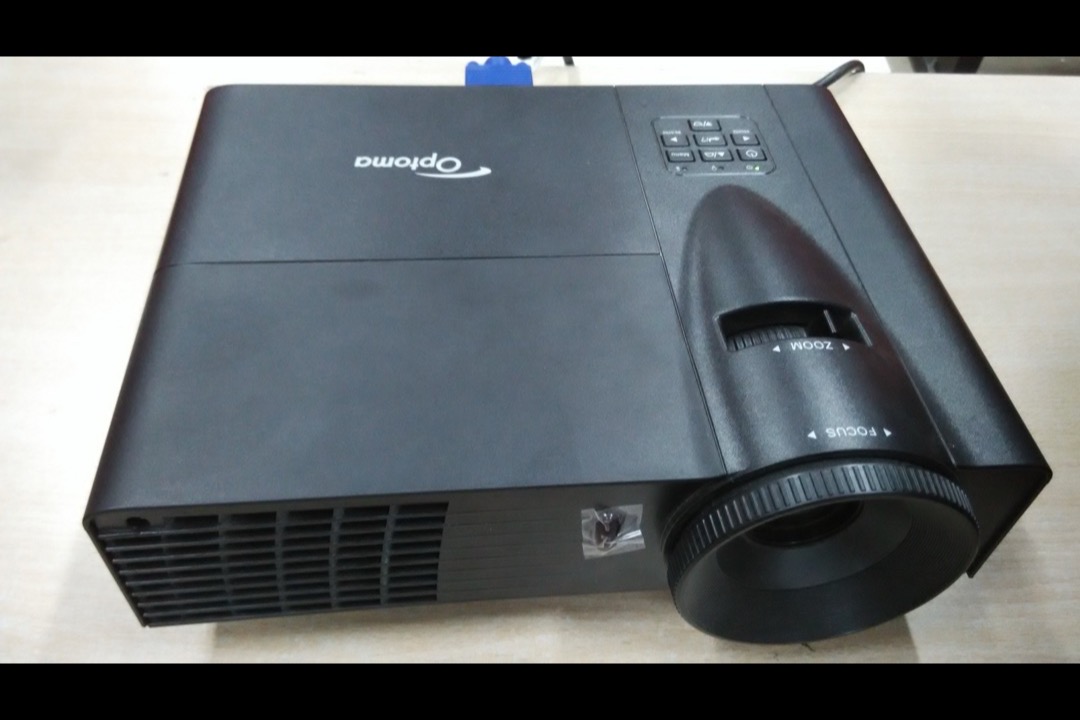
As a Certified Administrative Professional who has managed technology procurement for school districts and corporate training facilities, I can tell you that the classroom projector decision is one of the most consequential technology purchases an institution makes — and one of the most frequently botched. The projector is the single piece of technology that every person in the room looks at simultaneously for hours. When it works well, nobody notices it. When it fails — dim image, washed-out colors, presenter shadow blocking the screen, speaker so quiet that back-row students cannot hear the video — it undermines every lesson taught in that room for the next five to ten years.
For this review, we evaluated seven of the best classroom projectors currently available on Amazon, spanning a bulk-buy budget workhorse, purpose-built classroom 3LCD models, a short throw unit that eliminates presenter shadows, an HD projector for video-heavy curricula, and a laser projector built for large lecture halls. We assessed brightness against real classroom lighting conditions (not manufacturer demo rooms), resolution against actual content types used in K-12 and corporate training, connectivity against daily multi-device workflows, lamp life against institutional replacement budgets, and speaker output against room size requirements. If you are also setting up a classroom or training room, our guides to the best whiteboards and desk lamps cover the other equipment decisions that affect how well the projected image integrates into the learning environment.
October 2026 update: I re-checked every listing this month. The ViewSonic PS502W short-throw projector has dropped out: Amazon stopped stocking it and only a few weakly rated third-party sellers still list it. The Optoma ZW350ST, a short-throw laser model sold by Amazon, takes its place. The Epson CO-FH02 is back in Amazon’s own stock with a visible price, and BenQ’s spec sheet corrected two details on the MW560C: it does have an audio-out jack, and it needs about 11 to 12 feet for a 100-inch image.
| Product | Price | Buy |
|---|---|---|
| Epson PowerLite W49 WXGA 3LCD ProjectorBest Overall | $641.60 | View on Amazon |
| Optoma ZW350ST WXGA Short Throw Laser Projector | $814.99 | View on Amazon |
| ViewSonic PA503X XGA DLP ProjectorBudget Pick | $405.00 | View on Amazon |
| Epson PowerLite 118 XGA 3LCD ProjectorRunner-Up | $580.00 | View on Amazon |
| Epson EpiqVision Flex CO-FH02 1080p 3LCD Projector | $449.98 | View on Amazon |
| BenQ MW560C WXGA DLP Projector | $499.00 | View on Amazon |
| ViewSonic LS740HD 1080p Laser Projector | $999.99 | View on Amazon |
Find the Right Classroom Projector for Your Room
Jump to the pick that matches your room and how you teach:
- Best classroom projectors overall
- Best short-throw projector for small rooms
- Best budget projector for equipping many rooms
- Best for video & streaming lessons
- Best for large lecture halls & auditoriums
Why These Classroom Projectors Made the Cut
Our selection criteria prioritized the metrics that matter for institutional deployment: brightness sufficient for lights-on classrooms, lamp life that minimizes maintenance disruption, connectivity that supports real teaching workflows, and verified buyer data that establishes reliability beyond manufacturer claims. We leaned on projectors with a deep review pool from educators, IT administrators, and training facility managers rather than home theater reviewers evaluating color accuracy for movie night — buyers who use projectors under the conditions your projector will face: fluorescent lighting, daily power cycling, multiple presenters, and students who expect the image to be readable from 30 feet away. Two exceptions are deliberate. The BenQ MW560C is a current-generation listing with only nine reviews so far, included because it is BenQ’s active classroom WXGA model and its discontinued predecessor has a long institutional track record. The Optoma ZW350ST has only five ratings, included because it is the one true short-throw classroom projector Amazon currently sells and stocks itself. Both ratings are called out as provisional wherever they appear, and neither carries a pick badge.
We evaluated across five distinct use-case tiers: standard classroom (the broadest buyer profile), budget deployment (schools equipping multiple rooms at minimum cost), short throw (rooms with presenter shadow problems), multimedia (curricula that demand HD resolution and streaming capability), and large-room (auditoriums and lecture halls that lamp projectors cannot brighten). No two projectors on this list serve the same primary buyer, and each earns its position by being the best available option for a specific, common classroom scenario.
Epson PowerLite W49 — Best Overall
The Epson PowerLite W49 earns the best-overall position because it delivers the combination most classrooms actually need: reliable 3LCD image quality, a widescreen WXGA resolution that matches modern devices, a 17,000-hour lamp that all but eliminates mid-deployment maintenance, and the network and multi-device features that make a projector manageable at institutional scale. It is Amazon’s Choice in the classroom projector category, and its 4.7-star rating comes from the exact buyer profile that matters — educators and business users deploying it in real rooms.
The move to WXGA (1280x800) is the reason the W49 replaces the older 4:3 XGA classroom Epsons as our top pick. Every laptop, Chromebook, and tablet a teacher or student is likely to plug in outputs a widescreen signal. On a 4:3 projector, that signal is letterboxed with black bars top and bottom, shrinking the usable image. The W49’s native widescreen panel fills the screen with laptop and Chromebook output edge to edge, and it still handles document and slide content cleanly. Combined with 3LCD technology — which projects red, green, and blue simultaneously through separate panels rather than sequentially through a spinning color wheel — the W49 avoids the rainbow-effect flicker that causes eye strain for a sensitive subset of DLP viewers, an important consideration when students stare at the image for 45 to 90 minutes at a stretch.
Where the W49 pulls ahead of budget competitors is manageability. The Moderator function lets up to 50 student devices connect at once, with the instructor choosing which screen to display — the backbone of BYOD group work without passing cables around the room. The RJ-45 port hands IT a single console to monitor lamp hours, check power state, and push updates across an entire building’s fleet. The one gap is voice: the W49 has no microphone input, so rooms that need the teacher’s voice amplified through the projector should look at our runner-up, the PowerLite 118, instead.

Epson PowerLite W49 WXGA 3LCD Projector
by Epson
The current Epson classroom 3LCD standard — a widescreen WXGA upgrade over the old XGA E20 with a 17,000-hour lamp, 50-device Moderator sharing, and network management built in.
Pros
- Amazon's Choice with a 4.7-star rating from classroom and business buyers
- WXGA widescreen matches modern laptop and Chromebook output without black bars — an upgrade over the older 4:3 XGA classroom Epsons
- 17,000-hour lamp life in ECO mode cuts replacement cost across a multi-year deployment
- Moderator function connects up to 50 student devices at once, and RJ-45 lets IT manage a fleet from one console
Cons
- No microphone input — the PowerLite 118 is the pick if you need voice amplification through the projector
- Smaller review pool than the discontinued models it replaces, though Epson's classroom track record is long
Optoma ZW350ST — Best Short-Throw Projector
The Optoma ZW350ST solves the single most frustrating problem in classroom projection: the presenter’s shadow. In any room where a teacher stands between a standard-throw projector and the screen, which is the default layout in most classrooms, the teacher’s body blocks part of the image every time they approach the board. It happens in every class, several times a session, and every student loses the view. The ZW350ST’s 0.52:1 lens fills a 100-inch 16:10 screen from about 3.7 feet, so it mounts directly above the screen where nobody standing at the board can break the beam.
It takes this slot from the ViewSonic PS502W, which Amazon no longer stocks. On paper it is the stronger projector. The light source is a 30,000-hour DuraCore laser, so there is no lamp to buy or swap on a ladder, and Optoma rates it IP6X dust resistant for 24/7 operation, which suits a chalk-dusty classroom. At 3,600 lumens it is bright enough for a lit room at short-throw screen sizes, the 15W speaker carries video audio across a standard classroom without add-on speakers, and dual HDMI keeps a laptop and a document camera connected at once. RJ-45 and RS-232 let IT manage it alongside the rest of a building’s fleet.
The caveat is evidence, not specs. The ZW350ST has only five Amazon ratings, averaging 3.9 stars, which is far too few to read anything into either way. Buy it because your room needs a true short throw and Optoma’s spec sheet fits, not on buyer feedback. It is also single-chip DLP, so the rainbow effect applies: if your students include anyone sensitive to brief color flashes, test it in the actual room before committing to a permanent wall mount.

Optoma ZW350ST WXGA Short Throw Laser Projector
by Optoma
The short-throw answer for small rooms: a WXGA laser that fills a 100-inch screen from under 4 feet, with no lamp to replace and a 15W speaker, though its review base is still tiny.
Pros
- 0.52:1 short-throw lens fills a 100-inch screen from under 4 feet, so it mounts above the screen where a teacher standing at the board casts no shadow
- 30,000-hour DuraCore laser light source means no lamp replacements across the projector's working life
- 15W built-in speaker carries video audio across a standard classroom without external speakers
- Dual HDMI plus RJ-45 and RS-232 lets a laptop and a document camera stay connected side by side, with central IT control
Cons
- Only five ratings so far, averaging 3.9 stars, so there is no real buyer track record yet; buy it on Optoma's specs and your room's short-throw need, not on reviews
- Single-chip DLP, so viewers sensitive to the rainbow effect may see brief color flashes; test it in the room before a permanent mount
ViewSonic PA503X — Budget Pick
The ViewSonic PA503X exists for a specific and extremely common purchasing scenario: a school or training facility that needs to equip multiple rooms with functional projectors at the lowest possible per-unit cost. It is the direct successor to the long-running, discontinued PA503S, and it carries that model’s core strength forward — 4,000 lumens of brightness at the lowest price in this lineup. Brightness, more than any other spec, determines whether a classroom projector is usable or decorative, and no other projector here delivers this much light for this little money.
The 378 verified reviews accumulated over years of sales establish something that brightness specs alone cannot: real-world durability data. A projector used 6 hours daily in a dusty classroom with fluorescent lighting and daily power cycling faces conditions that no manufacturer spec sheet can fully predict. The PA503X review history confirms that the unit survives these conditions across a large installed base — fan motors hold up, and HDMI and VGA ports remain functional through years of daily cable insertion and removal. The dual VGA inputs alongside HDMI matter more in schools than anywhere else: legacy document cameras, older desktop AV, and existing wall plates are frequently still VGA, and the PA503X bridges old and new infrastructure without adapters.
The trade-offs are honest ones. The XGA (1024x768) resolution is a step below the widescreen WXGA of our top pick, which is a reasonable compromise for slide-and-document content but softer for HD video. The bigger caveat is audio: the built-in speaker is weak, so budget for external speakers in any full-size classroom — pairing the PA503X with a portable Bluetooth speaker on a media cart solves this at minimal cost. Because these units frequently ship from third-party sellers, build in a week or two of lead time when equipping many rooms on a deadline.

ViewSonic PA503X XGA DLP Projector
by ViewSonic
The established ViewSonic budget classroom projector and direct successor to the discontinued PA503S — 4,000 lumens of XGA brightness with a proven multi-year reliability record at the lowest price here.
Pros
- 4,000 lumens at the lowest price in the lineup — the best brightness-per-dollar for equipping many rooms
- 378 verified reviews over years of sales confirm long-term classroom reliability
- Dual VGA plus HDMI connects to both legacy school AV and modern laptops
- 15,000-hour SuperEco lamp keeps replacement costs low across a large deployment
Cons
- Built-in speaker is weak — budget for external speakers in any full-size classroom
- Often ships from a third-party seller, so delivery can run 1–2 weeks
Epson PowerLite 118 — Runner-Up (Long-Term Deployment)
The PowerLite 118 is our runner-up and the pick for buyers who evaluate projectors on total cost of ownership rather than purchase price — and for institutional procurement, that is the correct evaluation framework. It shares the W49’s 17,000-hour ECO-mode lamp life, the longest of any lamp-based projector on this list. At 6 hours of daily classroom use across a 180-day school year, that is over a decade before a lamp replacement. For all practical purposes, the lamp will outlast the projector chassis, the HDMI standard it connects to, and likely the curriculum it projects.
What earns the 118 its place over the W49 for a specific buyer is audio. Its 16W built-in speaker is powerful enough to fill a standard 30-student classroom for video playback without external speakers — and it adds the feature the W49 lacks entirely: a microphone input. A teacher can connect a wireless microphone and amplify their voice through the same 16W speaker, consolidating projector, speaker, and voice amplification into one ceiling-mounted unit. For a medium-sized lecture hall or training room where the teacher’s voice needs to carry, that consolidation significantly reduces installation complexity and equipment management. Dual HDMI plus the Moderator function keep its connectivity on par with the top pick.
The 33-review count is the legitimate concern. While Epson’s brand reliability across the PowerLite line is well-established, this specific model has a shorter public track record than the higher-volume ViewSonic units. The 4.9-star average across those reviews is encouraging, but the sample size is small. For most classrooms the W49 is the safer default; choose the 118 specifically when you need the built-in speaker power and the microphone input.

Epson PowerLite 118 XGA 3LCD Projector
by Epson
The best classroom projector for long-term deployment — 17,000-hour lamp life, powerful 16W speaker with mic input, and dual HDMI for schools that prioritize low total cost of ownership.
Pros
- 17,000-hour lamp life in ECO mode is the longest lamp life on this list — at 6 hours of daily classroom use, that is over 11 years before a lamp replacement, effectively eliminating ongoing maintenance costs
- 16W built-in speaker is eight times more powerful than budget projectors on this list — fills a standard classroom without external speakers, reducing equipment count and cable management
- Microphone input allows a teacher to connect a wireless mic and amplify voice through the projector speaker — a genuine single-device audio solution for medium lecture halls
- Dual HDMI inputs plus Moderator function provides the most versatile connectivity package of any Epson on this list — wired and wireless devices connect without adapter purchases
Cons
- Premium-tier pricing on this list — the cost is justified by lamp life and speaker power but exceeds many K-12 per-unit procurement budgets
- Only 33 reviews means limited long-term reliability data compared to the higher-volume models — the Epson brand reputation carries weight, but the specific model has a shorter track record
Epson EpiqVision Flex CO-FH02 — Best for Multimedia Classrooms
The CO-FH02 is the outlier on this list — and intentionally so. Every other projector here is designed first for document and presentation projection, with video capability as a secondary consideration. The CO-FH02 inverts that priority: it is designed first for HD video and multimedia content, with document projection as a secondary function. The full 1080p native resolution is immediately, visibly sharper than every other projector on this list when displaying video content, detailed web pages, or any content with fine text or complex imagery.
The built-in Android TV platform is the feature that either justifies or disqualifies this projector depending on your use case. For classrooms that rely heavily on YouTube educational content, streaming platforms, and web-based learning applications, the ability to access content directly from the projector — without a connected laptop — removes a layer of complexity from every lesson. No laptop boot-up time, no cable connection, no display-mirroring configuration. The teacher walks in, powers on the projector, and navigates to the content using the included remote. For classrooms that primarily project from a connected laptop or document camera, the Android TV platform adds cost without adding daily value.
The 30,000-hour light source is the other headline specification. Unlike the lamp-based projectors that dominate this list, the CO-FH02 uses an LED/laser hybrid light source that never needs replacement. Over a 10-year deployment, this eliminates two to three lamp replacement cycles that would cost 100 to 400 dollars total on a lamp-based unit. The trade-off is brightness: at 3,000 lumens, the CO-FH02 is the dimmest projector on this list. In a classroom with controllable lighting — dimmable fixtures, window shades, or a dedicated media room — 3,000 lumens is adequate. In a fully lit K-12 classroom with fluorescent fixtures and uncovered windows, the image will wash out noticeably compared to the 4,000-lumen units. The 4.0-star rating reflects this tension: buyers who use the projector in appropriate lighting conditions rate it highly, while those who install it in bright rooms are disappointed. Match the projector to the room, not the feature list.

Epson EpiqVision Flex CO-FH02 1080p 3LCD Projector
by Epson
The only 1080p projector in the roundup — full HD for video-heavy classrooms, built-in Android TV for streaming, and a 30,000-hour light source that never needs a lamp replacement.
Pros
- Full 1080p native resolution is the only true HD projector on this list — the sharpness difference is immediately visible when projecting video content, detailed diagrams, or web pages with small text
- Built-in Android TV with WiFi and streaming apps eliminates the need for a separate media player — teachers can pull up YouTube, educational platforms, and streaming content directly
- 30,000-hour light source eliminates lamp replacements entirely — at 8 hours of daily use, that is over 10 years of operation with zero lamp maintenance cost
- Bluetooth audio output allows wireless connection to classroom speakers or a teacher's Bluetooth headset — flexible audio routing without cable runs across the ceiling
Cons
- 3,000 lumens is the dimmest projector on this list — image washes out in brightly lit classrooms, requiring window shades or reduced room lighting for acceptable image quality
- 4.0-star average is the lowest of the established models here, with recurring complaints about Android TV lag and limited app compatibility — the smart features that justify the price are also its weakest point
BenQ MW560C — Best for Fast Setup and Energy Saving
The BenQ MW560C is the projector for classrooms where the unit does not stay in one place. It is the direct replacement for the discontinued, long-running MS560, and it carries forward that model’s most useful classroom trait — auto vertical keystone correction — while upgrading the resolution to widescreen WXGA. Permanently ceiling-mounted projectors are aligned once and never touched, but cart-mounted and shared projectors that travel between rooms get repositioned constantly, and every move creates a keystone distortion. The MW560C detects its angle and squares the image automatically, eliminating the manual adjustment that otherwise eats the first few minutes of class.
The move to WXGA is the meaningful upgrade over the old SVGA MS560: laptop and Chromebook output now fills the screen without letterboxing, and slide text is noticeably crisper. At 4,000 lumens the MW560C holds its own in a lit room, and SmartEco mode cuts lamp power by up to 70 percent during darker content — a real operating-cost saving for a facilities manager running many projectors across a building. Because it ships Prime direct from BenQ, it is also the fastest unit here to get into a room, which matters when a projector fails mid-semester and a replacement is needed now.
The caveats are straightforward. As a newer listing the MW560C has only nine reviews, averaging 4.1 stars. Nine reviews is far too thin to read as a verdict either way, so buy this one on BenQ’s design lineage and your own room requirements rather than on buyer feedback, and prefer the ViewSonic PA503X if a proven multi-year track record is what you are paying for. It is also a standard-throw projector: BenQ’s 1.55 to 1.7 throw ratio puts a 100-inch image roughly 11 to 12 feet back, so it needs the same room depth as the other standard units here and does nothing for presenter shadow. On the plus side, it has a 10W speaker plus a 3.5mm audio-out jack, so routing sound to powered classroom speakers is simple.

BenQ MW560C WXGA DLP Projector
by BenQ
BenQ's current WXGA classroom DLP and the direct replacement for the discontinued MS560 — Prime shipping, auto keystone for fast room-to-room setup, and SmartEco for schools watching energy costs.
Pros
- Ships Prime direct from BenQ — the fastest delivery in this lineup
- SmartEco mode cuts lamp power up to 70 percent, lowering operating cost across many rooms
- Auto vertical keystone squares the image instantly when the projector is moved between classrooms
- WXGA widescreen displays laptop and Chromebook output without letterboxing
Cons
- Only nine reviews so far, the thinnest feedback on this list, so treat its 4.1-star average as provisional rather than as evidence either way
- Standard throw needs roughly 11 to 12 feet for a 100-inch image, so it does nothing for presenter shadow in a small room
ViewSonic LS740HD — Best for Large Lecture Halls
The ViewSonic LS740HD is the specialist on this list, and it exists for the one room the other six projectors cannot serve well: the large, fully lit lecture hall or auditorium. In a standard 30-student classroom, a 3,800-to-4,000-lumen lamp projector is plenty. In a room seating 100 or more people, with a screen that has to be several times larger and ambient light no one can fully control, those same projectors wash out. The LS740HD answers with 5,500 lumens of laser brightness that stays readable from the back row of a big space where lamp units simply cannot deliver enough light.
The laser light source is the other reason it belongs in institutional spaces. Rated for 30,000 hours with no lamp to replace, it is one of the lowest-maintenance options here over a 10-year life — a genuine advantage in a high-use auditorium that runs all day and where climbing to service a ceiling-mounted unit is a project in itself. Full HD 1080p keeps text and video sharp on the very large screens these rooms require, and a 1.3x optical zoom plus flexible mounting makes installation in high-ceiling spaces far less fussy than a fixed-lens projector.
The trade-offs are exactly what you would expect from a room-specific tool. It is the most expensive projector here, and genuinely overkill for a standard classroom, where the money is better spent on our top pick. It is also physically large and heavy, so a permanent ceiling or shelf mount is effectively required rather than optional. Buy the LS740HD when the room is big and bright enough to need it; for anything smaller, one of the standard-room picks above is the smarter spend.

ViewSonic LS740HD 1080p Laser Projector
by ViewSonic
The large-room specialist — a 5,500-lumen 1080p laser built for auditoriums and big lecture halls, with a 30,000-hour maintenance-free light source that justifies its premium in high-use institutional spaces.
Pros
- 5,500 lumens of laser brightness stays readable in a large, fully lit lecture hall or auditorium where lamp projectors wash out
- 30,000-hour laser light source never needs a lamp replacement, which makes it one of the lowest-maintenance options here over a 10-year life
- Full HD 1080p keeps text and video sharp on the very large screens big rooms require
- 1.3x optical zoom plus flexible mounting simplifies installation in high-ceiling rooms
Cons
- The most expensive projector here, and overkill for a standard 30-student classroom
- Physically large and heavy; a permanent ceiling or shelf mount is effectively required
Best Short-Throw Classroom Projector for Small Rooms
In a small or narrow classroom, the projector problem is not brightness — it is geometry. A standard-throw projector needs 10 to 15 feet of clear space to fill a 100-inch screen, and in a tight room that space simply is not there. Worse, when a teacher steps up to the board to point at content, they stand directly in the projector’s beam and cast a shadow across the screen for every student behind them. A short-throw projector fixes both problems by projecting a large image from just a few feet away, mounted high enough that no presenter can interrupt the beam.
The Optoma ZW350ST is the true short throw in this lineup: a 0.52 throw ratio fills a 100-inch screen from about 3.7 feet, so it can be wall-mounted right above the screen where a presenter’s shadow never reaches. It is the right answer for the smallest, most shadow-prone rooms. If your room has the depth for a ceiling mount at the back, a standard-throw unit like the Epson PowerLite W49 costs less, has a far deeper review record, and keeps the shadow problem small as long as the teacher works from the side of the screen rather than in front of it. It needs several times the throw distance, though, so measure the room first.
| Product | Price | Buy |
|---|---|---|
| Optoma ZW350ST WXGA Short Throw Laser ProjectorBest true short throw 0.52 throw ratio fills a 100-inch screen from about 3.7 feet, mounted above the screen so no teacher casts a shadow; only five ratings so far | $814.99 | View on Amazon |
| Epson PowerLite W49 WXGA 3LCD ProjectorIf the room has depth for a rear mount Standard throw, so it needs a ceiling mount well back in the room; the cheaper, better-proven choice when the teacher can present from the side of the screen | $641.60 | View on Amazon |
How to Choose the Best Classroom Projector
The six factors below cover the procurement decisions that determine whether a classroom projector enhances teaching or creates a daily obstacle. Get these right, and the projector disappears into the background of every lesson. Get them wrong, and teachers, students, and IT staff will remind you about it for the next decade.
Brightness Determines Classroom Usability
Brightness is not a premium feature — it is the baseline requirement that determines whether a projector is functional in your specific room. A 3,000-lumen projector in a dark media room produces a stunning image. The same projector in a fluorescent-lit classroom with south-facing windows produces a washed-out rectangle that students in the back three rows cannot read. Before selecting a projector, assess your room’s actual lighting conditions during teaching hours — not during the evening walkthrough when the building is empty. For lights-on classrooms (the majority of K-12 environments), target 3,500 lumens minimum and 4,000 preferred. For rooms with controllable lighting, 3,000 lumens is the floor.
Resolution Should Match Your Content, Not Your Aspirations
The resolution upgrade path — SVGA to XGA to WXGA to 1080p — carries increasing cost at each step. The right resolution is the one that makes your actual content readable, not the one that looks best on a spec comparison chart. If your classroom projects PowerPoint slides, Word documents, and basic web pages, XGA (1024x768) is genuinely adequate and has been the classroom standard for a reason. If your classroom projects HD video content, detailed scientific visualizations, or web applications with small interface elements, 1080p provides a visible improvement. SVGA is appropriate only when budget constraints make brightness the priority over text sharpness. The resolution that matters is the one at your projected screen size — a 1080p projector on a 60-inch screen offers no visible advantage over XGA from 15 feet away.
Short Throw Solves the Shadow Problem Permanently
If presenters stand between the projector and the screen in your classroom — and in most front-of-room teaching configurations, they do — a short throw projector is not a luxury upgrade. It is the solution to a problem that disrupts every lesson, every day, for the life of the projector. Standard throw projectors mounted at the back of the room work when the presenter stays seated or stands to the side. The moment a teacher approaches the screen to point at content, gesture toward a diagram, or write on an adjacent whiteboard, their shadow blocks the projected image for every student in the room. Short throw projectors eliminate this by projecting from directly above or below the screen at a steep angle that no person can interrupt. Evaluate whether your room layout creates this problem before defaulting to standard throw based on lower cost.
Lamp Life Drives Total Cost Over the Deployment Cycle
The lamp replacement cost is the single largest variable expense in projector ownership, and it is the expense most frequently ignored in purchase-price-focused procurement. A projector with a 5,000-hour lamp running 6 hours daily needs its first replacement in under 2 years — a 50 to 150 dollar cost plus IT staff time to source, install, and dispose of the old lamp. A projector with a 17,000-hour lamp running the same schedule does not need a replacement for over 15 years. Over a 7-year deployment, the difference between one lamp replacement and three is 100 to 300 dollars per unit — meaningful when multiplied across a 20-projector school deployment. LED and laser light sources eliminate the variable entirely but carry higher upfront cost. Run the 5-year total cost calculation for your deployment size before selecting based on purchase price.
Connectivity Should Match Your Daily Workflow
Dual HDMI is the connectivity threshold that separates a projector designed for classroom use from one adapted for it. A teacher who connects a laptop at the start of class and disconnects it at the end needs one HDMI port. A teacher who switches between a laptop and a document camera — or a laptop and a student presentation device — needs two HDMI ports or an external HDMI switcher that adds cost, complexity, and a failure point. RJ-45 Ethernet matters only for multi-projector institutional deployments where centralized monitoring reduces IT workload. Wireless screen sharing matters only in BYOD environments where multiple devices need to project without cables. Evaluate connectivity against the workflow that will happen in the room every day, not against a feature comparison table.
Speaker Output Determines Whether You Need External Audio
The built-in speaker specification is the most misleading number on a projector spec sheet because the watt rating alone does not predict classroom adequacy. A 2W speaker is functional at desk distance in a quiet office. It is inaudible from the back row of a 30-student classroom with HVAC noise, hallway activity, and the ambient sound level of 30 people in a room. A 10W speaker fills a standard classroom adequately for video playback and presentation audio. A 16W speaker with microphone input can serve as the room’s complete audio system. If the built-in speaker is inadequate for your room size, factor the cost of external speakers (50 to 150 dollars) into the total projector cost — a budget projector plus external speakers may cost more than a mid-range projector with an adequate built-in speaker.
Buyer's Guide
Choosing the right classroom projector is a procurement decision with a 5 to 10 year impact on every lesson taught in that room. These six factors separate a projector that enhances teaching from one that creates daily frustration.
Brightness for Your Room Conditions
Brightness is the single most important spec for classroom projectors because it determines whether the image is readable under real lighting conditions — not demo-room conditions. A projector rated at 3,000 lumens looks impressive in a dark showroom but washes out in a fluorescent-lit classroom with uncovered windows. For classrooms where lights stay on during projection (the reality in most K-12 environments), 3,500 lumens is the practical floor and 4,000 is preferred. For rooms with controllable lighting, 3,000 lumens is adequate. Never evaluate brightness from spec sheets alone — the claimed lumens figure is measured under ideal conditions that do not match real classroom environments.
Resolution Requirements
Resolution determines text clarity and image sharpness at your projected screen size. XGA (1024x768) is adequate for standard presentations, spreadsheets, and document projection up to approximately 100 inches — and it remains the most common classroom resolution for good reason: the content matches the format. WXGA (1280x800) adds widescreen compatibility for modern web content and video without the premium of full HD. Full 1080p is justified only when the curriculum involves frequent video playback, detailed web browsing, or content where pixel density materially affects comprehension. SVGA (800x600) should only be considered for tight budgets where brightness matters more than text sharpness.
Throw Type and Installation
Throw type determines where the projector sits relative to the screen, which directly affects presenter shadow, room layout flexibility, and installation cost. Standard throw projectors need 10 to 15 feet of clear space between the projector and screen for a 100-inch image — ideal for permanent ceiling mounts at the back of the room. Short throw projectors achieve the same image size from roughly 3.5 to 5 feet, mounting above or below the screen — ideal for rooms where presenters stand at the front. Ultra-short throw models project from inches away but cost significantly more. The throw type decision should be made based on the room's physical layout and teaching style, not on spec-sheet comparison.
Light Source: Lamp vs Laser vs LED
The light source determines ongoing maintenance cost and long-term reliability. Traditional lamps cost 50 to 150 dollars to replace and last 5,000 to 17,000 hours depending on model and ECO mode usage. Laser light sources last 20,000 to 30,000 hours with zero replacement cost but carry a higher upfront price. LED sources offer similar longevity to laser at lower brightness levels. For schools purchasing 10 or more projectors, the total cost of ownership calculation over a 7-year deployment cycle almost always favors laser or LED despite the higher initial investment. For single-unit purchases or short deployment cycles under 3 years, lamp-based projectors deliver identical classroom performance at lower upfront cost.
Connectivity and Wireless Sharing
The minimum connectivity requirement for a modern classroom projector is one HDMI input. Dual HDMI is strongly preferred because it eliminates the daily cable-swap between a laptop and a secondary device (document camera, media player, or student presentation laptop). USB input for firmware updates and media playback adds flexibility. RJ-45 Ethernet enables IT fleet management — monitoring lamp hours, power cycling, and firmware updates across an entire building from a single console. Wireless screen sharing (built-in WiFi or Moderator-style multi-device connection) is increasingly expected in BYOD classrooms but adds cost and potential reliability issues. Evaluate connectivity against your actual daily workflow, not a theoretical feature checklist.
Total Cost of Ownership
The purchase price is typically 60 to 70 percent of the total cost of owning a classroom projector over its useful life. The remaining costs are lamp replacements (one to three over a 7-year cycle at 50 to 150 dollars each), ceiling mount hardware and installation labor (100 to 300 dollars), external speakers if the built-in speaker is inadequate (50 to 150 dollars), and power consumption (measurable at scale across 20-plus units). A projector with a 17,000-hour lamp life and a 16W speaker like the Epson PowerLite 118 has a higher sticker price but a lower total cost than a budget projector that needs a lamp replacement in year two and external speakers from day one. Procurement decisions should be evaluated on 5-year total cost, not unit price.
Final Verdict
The Epson PowerLite W49 is our best overall pick because it delivers exactly what the majority of classrooms need: reliable 3LCD image quality, a widescreen WXGA resolution that matches modern laptops and Chromebooks, a 17,000-hour lamp that all but eliminates mid-deployment maintenance, and the Moderator sharing and RJ-45 network management that make a projector manageable at institutional scale. For most rooms connecting a laptop and displaying slides, documents, and web content, the W49 is the correct default choice.
For classrooms where presenter shadow is a daily problem, especially small or narrow rooms, the Optoma ZW350ST short-throw laser removes it from under 4 feet, with a 15W speaker and no lamp to replace. Its review record is still thin, so treat it as the spec-sheet choice for rooms that truly need a short throw. For schools equipping many rooms at minimum per-unit cost, the ViewSonic PA503X is the value pick, delivering 4,000 lumens of brightness at the lowest price here with a proven multi-year reliability record. And when a projector needs to move between rooms fast, the BenQ MW560C adds auto keystone, WXGA resolution, and Prime shipping.
For institutional buyers evaluating total cost of ownership, the Epson PowerLite 118 runner-up costs more to buy and less to own — its 17,000-hour lamp plus a 16W speaker with microphone input eliminate the two most common ongoing expenses (lamp replacements and external audio) in medium lecture halls. For video-heavy curricula, the Epson CO-FH02 is the only 1080p option here, provided the room has controllable lighting. And for large lecture halls and auditoriums, the 5,500-lumen ViewSonic LS740HD laser is the only projector on this list bright enough to stay readable in a big, fully lit space. Whichever you choose, plan the surrounding setup too — the right whiteboard placement and a monitor stand at the teaching station keep the room’s technology working together instead of competing for space.
Frequently Asked Questions
How many lumens does a classroom projector need?
Is a laser projector worth the extra cost over a lamp projector for classroom use?
Does 4K resolution matter for a classroom projector?
What is the best throw type for a classroom projector?
How do you set up and mount a classroom projector?
Related Articles
About the Reviewer

Sarah Chen, CAP, PMP
B.A. Business Administration, UCLA
Sarah Chen spent 10 years in office management and operations at Fortune 500 companies before founding DeskRated in 2026. After managing supply budgets for teams of 50+ people and testing thousands of products through daily use, she started writing the honest, no-fluff supply reviews that office professionals actually need. Sarah holds both CAP and PMP certifications and is based in Los Angeles.