Brother vs Dymo Label Makers: Which Brand Actually Deserves Your Money?
Sarah Chen compares Brother and Dymo label makers head to head — tape ecosystems, cost per label, software, durability, and which brand fits your home office, small business, or professional workflow in 2026.
Updated
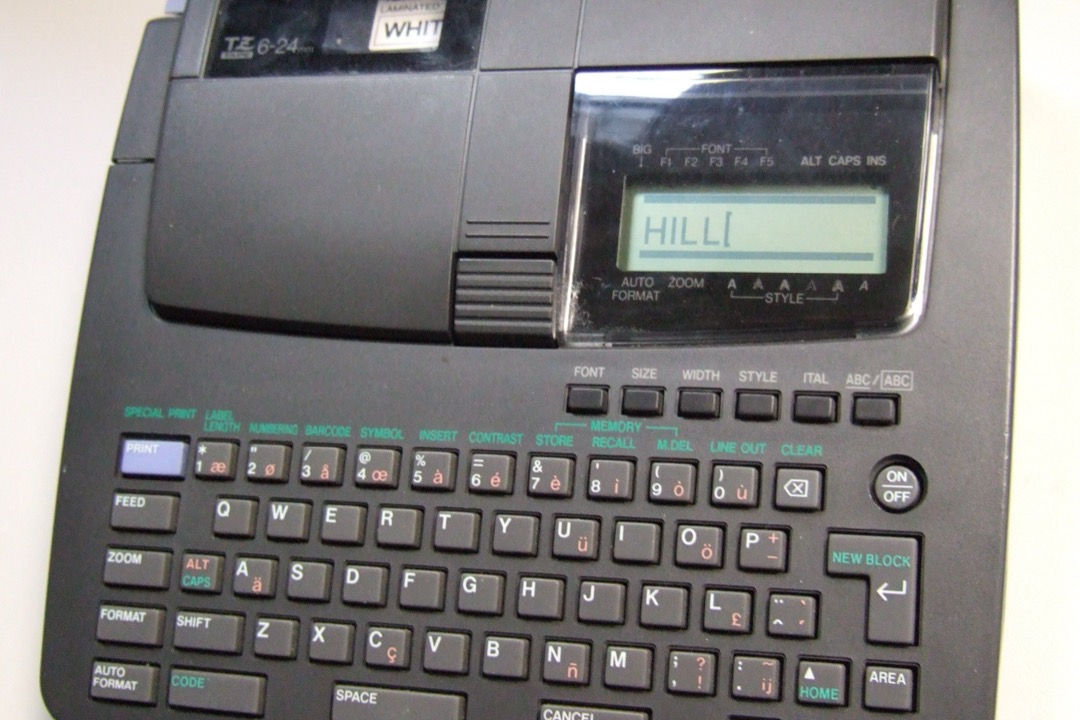
If you are shopping for a label maker and keep bouncing between Brother and Dymo, you are comparing the two brands that dominate the consumer and small office market — and the right choice depends on factors that most comparison articles never mention. Tape cost, label durability, software quality, and third-party compatibility matter far more than the device price sitting on the shelf.
I have specified label makers for administrative teams across corporate offices, medical practices, and small businesses over the past decade. The brand question comes up constantly, and the answer is almost never “one is universally better.” It is a question of fit. For specific model recommendations after you settle on a brand, our best label makers roundup covers top picks from both Brother and Dymo with verified pricing and ratings.
Brand Overview: Who Makes What
Brother entered the labeling market in 1988 with the original P-touch. The company — better known globally for printers and sewing machines — has built one of the broadest label maker lineups in the industry, spanning handheld home models, desktop office units, and rugged industrial devices used by electricians, network technicians, and warehouse managers. Brother’s labeling division benefits from the company’s deep experience in print technology, and it shows in the hardware quality and software maturity.
Dymo, now owned by Newell Brands (parent company of Sharpie, Paper Mate, and Elmer’s), has been making labeling products since the 1950s when it introduced the original embossing label maker — the squeeze-handle device that pressed raised letters into colored plastic tape. The company pivoted to electronic label makers in the 1990s and carved out a strong position in the home and small office segment. Dymo’s brand recognition is high, particularly among home organizers and casual users.
Both brands sell in the same retail channels and often sit side by side on the shelf at similar price points, which makes the comparison feel like splitting hairs. It is not. The differences are significant once you look past the sticker price.
Tape and Label Ecosystems: The Biggest Difference
The tape system is the single most important factor in choosing between these two brands, because it determines ongoing cost, label durability, and how locked-in you are to a single manufacturer. The label maker itself is a one-time purchase. The tape is what you keep buying for years.
Brother Tape Systems
Brother uses several tape formats across its product line, but the dominant one for home and office is TZe (pronounced “tee-zee-ee”). TZe cartridges are available in widths from 3.5mm to 36mm, in dozens of color combinations, and in specialty varieties including extra-strength adhesive, flexible cable wrap, fabric iron-on, and security tamper-evident. The format has been stable for years, and backward compatibility is excellent — a TZe cartridge purchased today works in Brother P-touch models sold a decade ago.
The critical advantage of TZe tape is lamination. Brother’s lamination process applies a clear protective layer over the printed text before the label exits the machine. This makes TZe labels resistant to moisture, temperature extremes (tested from negative 80 to 300 degrees Fahrenheit), UV fading, abrasion, and most common chemicals. A TZe label on a file folder in your office will outlast the folder itself. A TZe label on a freezer container, a garage shelf, or an outdoor junction box will remain legible for years.
Brother also offers TZe-compatible third-party cartridges from numerous manufacturers at 40 to 60 percent below OEM pricing. The open ecosystem means you are never locked into Brother’s pricing for consumables. Quality of third-party TZe cartridges is generally reliable — the tape construction and adhesive technology are well-understood by aftermarket manufacturers.
Dymo Tape Systems
Dymo uses several tape formats depending on the product line:
-
D1 tape — used in LabelManager handheld and desktop models. Available in multiple widths and colors. D1 tape is not laminated — the print sits on the tape surface without a protective overlay. Third-party D1 cartridges are available, though compatibility can be inconsistent depending on the specific model and cartridge manufacturer.
-
LetraTag tape — used in the LetraTag handheld series. LetraTag cartridges use a different form factor than D1 and are available in paper, plastic, and iron-on varieties. Third-party options exist but selection is limited.
-
LabelWriter thermal labels — used in Dymo’s LabelWriter desktop printers, which are thermal direct printers (no tape — they print on heat-sensitive label rolls). The LabelWriter 450 series accepted any compatible thermal label. The LabelWriter 550 series introduced chip-based authentication that blocks third-party labels, requiring you to purchase genuine Dymo-branded rolls at Dymo’s pricing. This was one of the most controversial product decisions in the label maker market in recent years, and it drove many professional users to switch to Brother’s QL series thermal printers or other alternatives.
Tape Cost Comparison
For a typical office labeling setup using standard black-on-white tape:
| Factor | Brother TZe | Dymo D1 |
|---|---|---|
| OEM cartridge price | 12 to 20 dollars per cartridge | 10 to 16 dollars per cartridge |
| Tape length per cartridge | 8 meters (26.2 feet) | 7 meters (23 feet) |
| Third-party availability | Excellent — dozens of manufacturers | Moderate — fewer options, variable quality |
| Third-party price | 4 to 8 dollars per cartridge | 6 to 12 dollars per cartridge |
| Laminated | Yes — standard | No |
| Cost per foot (OEM) | 0.46 to 0.76 dollars | 0.43 to 0.70 dollars |
| Cost per foot (third-party) | 0.15 to 0.31 dollars | 0.26 to 0.52 dollars |
On OEM pricing, the cost per foot is comparable between the two brands. On third-party pricing, Brother’s open ecosystem delivers a substantial cost advantage — roughly 40 percent less per foot of tape. Over a year of moderate office use (one to two cartridges per month), the savings from Brother-compatible third-party tape add up to 50 to 100 dollars annually.
Print Quality and Resolution
Brother label makers generally offer higher print resolution than comparable Dymo models. Most Brother P-touch models print at 180 dpi on standard-width tape and up to 360 dpi on higher-end models. Dymo handheld models typically print at 180 dpi, with some desktop models reaching 300 dpi.
In practical terms, the resolution difference is most noticeable on small text, barcodes, and detailed graphics. For standard text labels at 9-point or larger, both brands produce crisp, readable output. If your labeling needs include barcodes, QR codes, or small-font labels for asset management, Brother’s higher-resolution options provide cleaner output.
The lamination factor also affects perceived print quality over time. Brother’s TZe labels maintain their original print clarity because the protective layer prevents fading and smearing. Dymo D1 labels can degrade visually over months or years, particularly in environments with humidity or direct light exposure.
Software and App Experience
Brother P-touch Editor
Brother’s desktop software — P-touch Editor — is a mature application that has been refined over many versions. The current version supports template design, database linking (print labels from Excel spreadsheets or CSV files), barcode generation (QR, Code 128, Code 39, and others), serial number printing, and custom layouts with multiple text zones, frames, and images. The Windows version is more feature-complete than the Mac version, but both cover the core labeling workflows.
The P-touch Design and Print 2 mobile app connects to Bluetooth-enabled Brother models and provides a streamlined interface for creating labels from templates, custom text, or phone contacts. It is adequate for quick labeling sessions but lacks the advanced features of the desktop software.
Dymo Connect
Dymo’s desktop software — Dymo Connect — covers similar territory with template design, barcode support, and address label formatting. Users report that Dymo Connect receives less frequent updates and occasionally has compatibility issues after macOS updates. The interface is functional but feels less polished than Brother’s P-touch Editor.
The Dymo Connect Mobile app provides basic label creation for Bluetooth-connected models. Feature parity with the desktop software is limited.
For basic labeling — typing text, choosing a font, and printing — both brands’ software works fine. For advanced workflows involving database-linked printing, batch operations, or barcode generation, Brother’s software ecosystem is more capable and more reliably maintained. If your office uses label makers alongside other document management tools like thermal label printers for shipping or asset tracking, software compatibility across your workflow matters.
Build Quality and Durability
This is where anecdotal evidence from professional communities paints a clear picture. In forums, subreddits, and trade groups frequented by network technicians, electricians, office managers, and professional organizers, Brother label makers are consistently praised for long-term durability. Reports of Brother P-touch units running reliably for ten to fifteen years of daily professional use are common. The construction tends toward heavier, more solid housings with better tactile feedback on keyboards.
Dymo handheld models are lighter and more compact — which is a genuine advantage for portability. A Dymo LetraTag weighs noticeably less than a comparable Brother P-touch, and the slimmer form factor fits more easily in a toolbox, drawer, or bag. The trade-off is a perception — backed by enough user reports to be a pattern — that Dymo units are more prone to mechanical issues under heavy professional use. Feed mechanisms, keyboard membranes, and battery contacts are the common failure points cited.
For light home use where the label maker comes out of a drawer a few times per month, either brand will last indefinitely. For daily professional use in an office, shop, or field environment, Brother’s track record for longevity is stronger.
Tape Waste: A Practical Annoyance
Both brands waste a small amount of tape with each label printed — a margin before and after the label text that the machine uses for feeding and cutting. This is an unavoidable aspect of thermal transfer printing, but the amount of waste varies.
Brother label makers typically waste approximately one inch of tape on each end of a label — roughly two inches per label total. On short labels (a single word or short code), the waste can exceed the length of the actual label text. This is the most common user complaint about Brother label makers.
Dymo LetraTag models waste approximately three-eighths of an inch per end — noticeably less than Brother. Dymo LabelManager (D1) models fall between the two, with approximately half an inch per end.
If you print hundreds of short labels, Brother’s tape waste adds up in both cost and annoyance. If you print longer labels or fewer labels per session, the difference is negligible. Some newer Brother models offer a “half-cut” feature that reduces waste on consecutive labels by eliminating the margin between them, but the initial and final margins remain.
The Dymo 550 Chip Controversy: What You Need to Know
In 2021, Dymo released the LabelWriter 550 series with a significant change that affected cost of ownership: every label roll contains an authentication chip that the printer reads before it will print. If the chip is not recognized as a genuine Dymo product, the printer refuses to operate.
The previous LabelWriter 450 series accepted any compatible 30mm x 89mm (or other standard size) thermal label roll, including inexpensive third-party rolls that cost two to three times less than Dymo-branded rolls. The 550 series eliminated this option entirely.
The practical impact: a box of Dymo-branded LabelWriter 550 labels costs roughly 15 to 25 dollars for 350 to 500 labels. Comparable third-party labels for the 450 series cost 5 to 10 dollars for the same quantity. Over a year of moderate use (2,000 to 5,000 labels), the cost difference is 100 to 300 dollars — significant for a small business or home office.
If you are considering a Dymo LabelWriter, this is a factor you must account for. The LabelWriter 450 series (which accepts third-party labels) is still available refurbished and through some retailers, but new production has shifted to the 550 series. Brother’s competing QL series thermal label printers accept third-party label rolls without authentication restrictions.
Which Brand Should You Choose?
Choose Brother if:
- You need labels that survive moisture, heat, cold, or UV exposure
- You want the lowest possible ongoing tape cost via third-party cartridges
- Your workflow involves barcodes, database-linked printing, or batch operations
- You need a label maker for professional trades (electrical, networking, industrial)
- Long-term durability and build quality are priorities
- You want the widest range of specialty tape options (cable wrap, extra-strength, fabric)
Choose Dymo if:
- You need a compact, lightweight handheld for casual home labeling
- Your labels will be used in climate-controlled indoor environments only
- Simplicity and ease of use matter more than advanced features
- You want the lowest upfront device cost for basic labeling needs
- You already own Dymo equipment and want to standardize on one tape format
- Your labeling volume is low enough that tape cost differences are negligible
Avoid Dymo LabelWriter 550 if:
- You print labels in volume and want to control consumable costs
- You prefer the flexibility to choose third-party label suppliers
For most office environments where labels need to last, tape costs need to stay reasonable, and the label maker needs to handle daily professional use, Brother is the stronger long-term investment. The upfront price is comparable, the tape ecosystem is more cost-effective, the labels are more durable, and the hardware has a stronger track record for longevity.
For casual home use where you label a few things per month and keep the label maker in a drawer between sessions, Dymo’s simplicity and portability make it a perfectly reasonable choice — just stick with D1 or LetraTag models and avoid the LabelWriter 550 series unless you are comfortable with Dymo’s label pricing.
Either way, having a label maker that you actually use is more valuable than having the theoretically optimal one collecting dust. Pick the brand that fits your workflow, buy it, and start labeling. Our best label makers guide has specific model recommendations from both brands, and if you also need to print shipping labels or barcodes at volume, our best thermal label printers roundup covers dedicated desktop options. For offices building out a complete document workflow, pairing a label maker with a quality laminator and a reliable paper shredder covers creation, protection, and destruction of every document that crosses your desk.
Buyer's Guide
Choosing between Brother and Dymo depends less on which brand is objectively better and more on how you actually use a label maker. These six factors determine which brand fits your workflow, budget, and labeling environment.
Label Durability Requirements
This is the most consequential difference between the two brands. Brother's flagship TZe tape uses a lamination process that sandwiches the printed text between a protective clear layer and the adhesive backing. The result is a label that resists moisture, temperature swings, UV exposure, and physical abrasion — critical for labels in warehouses, kitchens, garages, outdoor storage, and industrial settings. Dymo D1 labels print directly on the tape surface without a protective layer, making them more susceptible to fading, smearing, and peeling in harsh conditions. For climate-controlled office environments, both brands produce labels that last years. For anything exposed to moisture, heat, or sunlight, Brother's laminated construction is the more reliable choice.
Ongoing Tape and Label Costs
The upfront device price is a small fraction of what you will spend on a label maker over its lifetime — tape and label costs dominate total cost of ownership. Brother's TZe tape ecosystem is open to third-party manufacturers, and compatible cartridges are widely available at 40 to 60 percent below OEM pricing with generally reliable quality. Dymo's cost picture is more complicated. Older D1 models accept affordable third-party cartridges. But Dymo's LabelWriter 550 series introduced chip-based authentication that blocks third-party labels entirely, locking you into Dymo's pricing. Before choosing either brand, calculate the cost per label based on your expected volume and whether you plan to use OEM or third-party consumables.
Software and App Quality
Both brands offer desktop software and mobile apps, but the experience differs. Brother's P-touch Editor desktop software is mature, feature-rich, and supports advanced functions like database-linked printing, barcodes, and custom templates. The P-touch Design and Print 2 mobile app is functional for basic labeling. Dymo's Connect software covers similar ground but has a reputation for buggier updates, particularly on macOS. If your labeling workflow involves printing from spreadsheets, generating barcodes, or creating standardized templates across a team, Brother's software ecosystem is more capable. For simple one-off labels, both brands' software gets the job done.
Product Lineup Breadth
Brother offers a significantly wider range of label makers across price points and use cases — from budget handheld models under thirty dollars to industrial units used by electricians, network technicians, and warehouse managers. The product line spans home organization, office administration, electrical and datacom labeling, and industrial identification. Dymo's lineup is narrower, focused primarily on home and general office use with some shipping and mailing label printers. If you need a specialized label maker for trades work, cable identification, or industrial environments, Brother likely has a purpose-built model. For straightforward home and office labeling, both brands have competitive options.
Connectivity Options
Brother offers more connectivity options across its lineup. Mid-range and upper models commonly include Bluetooth, USB, and in some cases WiFi and NFC for network printing. This matters for shared office environments where multiple people need to print labels from different devices. Dymo's handheld models are mostly standalone with USB connectivity; wireless options are limited to select desktop models. If you need a label maker that connects to your phone for quick prints, both brands offer Bluetooth models — but Brother has more options at more price points. If the label maker will sit on one desk connected to one computer, connectivity differences are less relevant.
Build Quality and Longevity
User reports and professional community discussions consistently rate Brother label makers higher for long-term durability. It is not uncommon to find Brother P-touch units still in daily service after ten to fifteen years in trades and office environments. The build quality tends toward heavier, more solid construction. Dymo handheld models are lighter and more portable, which some users prefer for mobility, but the trade-off is a perception of lower durability in professional settings. For light home use where the label maker comes out of a drawer a few times a month, either brand will last. For daily professional use in office, shop, or field environments, Brother's track record for longevity is stronger.
Frequently Asked Questions
Are Brother or Dymo label makers better for home use?
Can you use third-party tape in Brother and Dymo label makers?
Why are Dymo LabelWriter 550 labels so expensive?
Do Brother label makers work with Mac and Windows?
How long do labels last from Brother vs Dymo label makers?
Related Articles
About the Reviewer

Sarah Chen, CAP, PMP
B.A. Business Administration, UCLA
Sarah Chen spent 10 years in office management and operations at Fortune 500 companies before founding DeskRated in 2026. After managing supply budgets for teams of 50+ people and testing thousands of products through daily use, she started writing the honest, no-fluff supply reviews that office professionals actually need. Sarah holds both CAP and PMP certifications and is based in Los Angeles.