Thermal vs Direct Thermal Label Printers: Which Type Fits Your Use Case?
Sarah Chen explains thermal transfer vs direct thermal label printers — how each works, label durability, cost per label, and which type fits shipping, retail, healthcare, and asset tracking workflows in 2026.
Updated
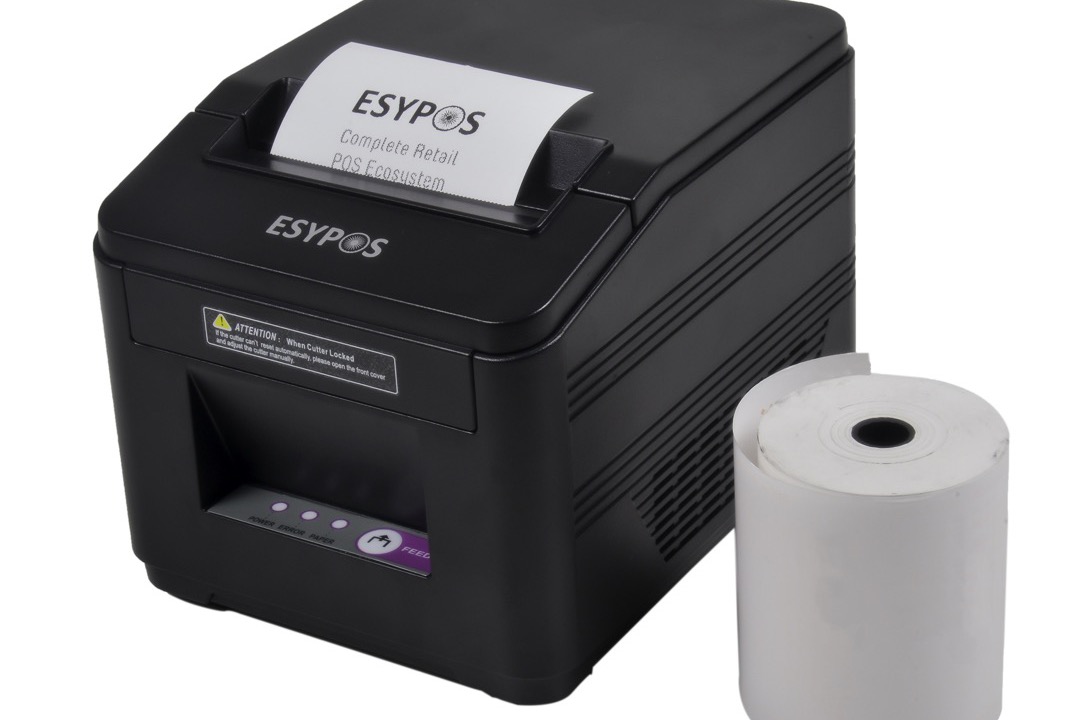
If you have shopped for a label printer in the last year, you have probably noticed that “thermal” is doing a lot of work as a category label — the same word covers a sub-$200 shipping label printer for your e-commerce side hustle and a $1,500 industrial printer used to label pharmaceutical vials. The two are very different machines, and the difference comes down to one question: does the printer use a ribbon or not?
This is the thermal transfer vs direct thermal decision, and it determines almost everything about how the printer fits your workflow — label durability, cost per label, maintenance routine, and what you can actually use the labels for. I have specced label printers for office shipping stations, asset-tracking rollouts, and small-business product labeling, and the wrong choice here is the most expensive mistake you can make at the printer-purchase stage. A direct thermal printer cannot produce a durable asset tag no matter how much you spend on it; a thermal transfer printer is overkill for daily Etsy shipping. The two are tools for different jobs.
This guide walks through the actual mechanical difference, the practical implications, and the use cases where each type clearly wins. If you already know which type you need and just want product picks, our roundup of the best thermal label printers covers the top direct thermal models for shipping and small business in detail.
A Note on Terminology: “Thermal” Means Two Different Things
Before going further, the terminology trap. The phrase “thermal printer” is used in two ways:
- As an umbrella term — any printer that uses heat to produce print. Both thermal transfer and direct thermal printers fall under this umbrella.
- As a synonym for thermal transfer — particularly in industrial and barcode contexts, “thermal printer” often specifically means thermal transfer with a ribbon.
When most consumer guides say “thermal vs direct thermal,” they actually mean thermal transfer vs direct thermal. That is the comparison this guide covers. If a vendor is selling you a “thermal printer” without specifying the type, ask whether it uses a ribbon — that question cuts through the marketing language and tells you exactly what type of machine you are looking at.
How Each Printer Type Works
The mechanical difference is straightforward once you see it side by side, and understanding it explains every downstream tradeoff.
Direct thermal printers apply heat directly to special heat-sensitive label stock. The label has a chemical coating on the top surface (typically a leuco dye combined with a developer) that turns black where the printhead heats it. There is no ink, no ribbon, no toner — the chemistry of the label paper itself produces the image. When you remove the label from the printer, you have a printed label and an empty bin. Direct thermal printers have one consumable: the labels.
Thermal transfer printers apply heat to a wax, wax-resin, or pure resin ribbon, melting the ribbon’s pigment onto a plain label surface. The label stock has no heat-sensitive coating — the print is created by transferring melted ribbon material. When you remove the label, you have a printed label, a partially used ribbon, and a used ribbon take-up reel. Thermal transfer printers have two consumables: the labels and the ribbon.
The practical consequences cascade from this single difference:
- Direct thermal labels print using the chemistry already in the label, which means no ribbon — but it also means the chemistry continues to be reactive after printing, which is why direct thermal labels fade.
- Thermal transfer labels have no inherent chemistry — once the ribbon material is melted onto the surface, the print is essentially a thin layer of resin or wax bonded to the label, which is why thermal transfer prints can last decades.
At a Glance: Thermal Transfer vs Direct Thermal
| Factor | Direct Thermal | Thermal Transfer |
|---|---|---|
| Print mechanism | Heat on coated label | Heat melts ribbon onto label |
| Consumables | Labels only | Labels + ribbon |
| Print durability | 6–24 months indoor | 5–25+ years (with right ribbon) |
| Cost per label | $0.015–$0.03 | $0.04–$0.08 |
| UV / sunlight resistance | Poor | Excellent (with UV ribbon) |
| Heat resistance | Fades above 100°F | Resists to 200°F+ |
| Chemical/abrasion resistance | Poor | Excellent (with resin ribbon) |
| Print quality | 203–300 dpi typical | 203–600 dpi typical |
| Print speed | 4–6 ips typical | 4–14 ips industrial |
| Maintenance complexity | Low — labels only | Medium — ribbon management |
| Typical price range | $80–$400 | $200–$2,500+ |
| Best for | Shipping, receipts, short-term | Assets, products, archival, harsh environments |
Print Durability: The Decisive Difference
Of all the differences between the two types, durability is the one that actually decides which printer you buy.
Direct thermal lifespan: A standard direct thermal label retains readable print for roughly 6 to 12 months under normal indoor conditions — climate-controlled office, no direct sunlight, minimal handling. Premium topcoat-protected stock can extend this to 18 to 24 months. After that, the leuco dye continues to react with the developer and the entire label gradually darkens, eventually becoming unreadable. Exposure to heat, sunlight, friction, oils, alcohol-based cleaners, plasticizers (the soft chemical in vinyl), or solvents accelerates fading dramatically. A direct thermal label on a tote bin in a warehouse can fade in weeks; a label inside a sunlit storefront window can fade in days.
Thermal transfer lifespan: With a wax ribbon, prints last 1 to 2 years under typical indoor conditions. With a wax-resin ribbon, 3 to 5 years. With a pure resin ribbon and the right label material, prints remain readable for 10 to 25 years and resist UV exposure, chemicals, abrasion, autoclaving, and temperature extremes from -40°F to +200°F. The print is a physical layer of bonded material on the label, not a chemical reaction in the label itself, so there is no ongoing fade mechanism.
This is why shipping labels are direct thermal (1-week life is fine) and pharmaceutical specimen labels are thermal transfer with resin ribbon (must survive autoclave sterilization and remain readable for the regulated retention period).
Cost Per Label: The Real Math
Cost per label is where direct thermal looks like the obvious winner, but the math is more nuanced than the per-label sticker.
Direct thermal cost components:
- Labels: $0.015 to $0.03 per 4x6 shipping label in 2,000-count rolls
- No ribbon
- Total: roughly 1.5 to 3 cents per label
Thermal transfer cost components:
- Labels: $0.02 to $0.04 per equivalent 4x6 label
- Ribbon: $0.02 to $0.04 per label depending on ribbon type and width
- Total: roughly 4 to 8 cents per label
For a high-volume shipping operation printing 5,000 labels per month, that 2-to-5-cent gap translates to 100 to 250 dollars in monthly consumable savings, or 1,200 to 3,000 dollars annually. For most e-commerce shippers, the math points firmly at direct thermal.
The math reverses when you factor in relabeling cost. If a faded asset tag has to be replaced annually because the original was direct thermal, the labor cost of locating the asset, removing the old label, printing a new one, and reapplying it is at minimum 2 to 5 dollars per asset — far exceeding the per-label savings. Across a 500-asset office, that is 1,000 to 2,500 dollars annually in avoidable relabeling labor. For asset tracking workflows, thermal transfer is the cheaper option once you account for total cost of ownership, not just per-label cost.
Print Quality and Resolution: A Closer Look
Print resolution affects barcode scanability and how much information you can fit on a small label.
Most consumer-grade direct thermal printers operate at 203 dpi — sufficient for shipping labels with 1D barcodes, name tags, and standard text. Mid-range models step up to 300 dpi, which improves small-text legibility and 2D barcode (QR, Data Matrix) accuracy on labels under 1 inch wide.
Thermal transfer printers span a wider range — 203 dpi for general-purpose industrial work, 300 dpi for product labeling and pharmacy applications, and 600 dpi for high-precision applications like miniaturized electronics labels, jewelry tags, or compliance markings on small medical devices.
For a typical small business workflow — shipping labels, name tags, basic product tags — 203 dpi is fine in either type. If you are labeling small items where text smaller than 6 points needs to remain legible, or scanning tiny 2D barcodes, step up to 300 dpi or higher.
Use Case Decision Guide
The clean way to decide between the two types is to identify your primary use case and pick accordingly.
Choose direct thermal if you are:
- E-commerce or shipping labels — UPS, USPS, FedEx, DHL labels need to last days, not years. Direct thermal at 4x6 is the industry standard for shipping fulfillment, and the major shipping software platforms (ShipStation, Pirate Ship, Shippo) all default to direct thermal label profiles. Our best thermal label printers roundup covers the top direct thermal options for shipping in detail.
- Receipts and POS — Restaurant receipts, retail receipts, parking tickets, gym check-ins. Short useful life, no durability requirement.
- Name tags and event badges — Conference badges, visitor passes, temporary access cards. Typically used for hours to days.
- Picking lists and short-term warehouse tags — Same-day fulfillment workflows where the tag is destroyed when the order ships.
- Patient wristbands — Most hospitals use direct thermal for patient ID wristbands, which are removed at discharge.
Choose thermal transfer if you are:
- Asset tagging and inventory — Equipment tags, IT asset labels, furniture tags in a filing system for small businesses workflow, and anything that needs to be scanned reliably for years. Thermal transfer with a wax-resin or resin ribbon is the durable choice.
- Product labels for retail merchandise — Price tags, product info labels, brand labels on retail goods. These need to remain legible from manufacture through shelf life.
- Healthcare specimen and pharmacy labels — Lab specimens, pharmacy prescription labels, blood bank labels. Many require autoclave or freezer survival, which only thermal transfer with the right ribbon can handle.
- Outdoor and industrial applications — Equipment serial plates, chemical drum labels, wire markers, automotive parts. Thermal transfer with UV-resistant resin ribbon and synthetic label stock survives outdoor exposure and chemical contact.
- Compliance-driven labeling — Medical devices, automotive components, and pharmaceuticals where label durability is written into industry standards or regulatory requirements.
For mixed workflows — small offices that ship daily and also produce occasional asset tags or product labels — a dual-mode printer that can run in either thermal transfer or direct thermal mode is the practical compromise. Many Brother, Zebra, and Honeywell models support this. If you find yourself buying two separate printers, a single dual-mode unit is usually cheaper.
Common Myths and Misconceptions
Three persistent misconceptions about thermal label printers that come up in nearly every shopping cycle:
Myth 1: “Thermal transfer is always better quality.” — The print quality at 203 dpi is essentially identical between direct thermal and thermal transfer. The difference is durability, not quality. A fresh direct thermal label and a fresh thermal transfer label look the same on day one. Six months later, they look very different — but on day one, the print quality is the same.
Myth 2: “Direct thermal is fine for everything because labels are cheap to reprint.” — True only if reprinting is the actual response when a label fades. In practice, faded asset tags get ignored until they cause a physical inventory problem; faded product labels get returned by retailers; faded healthcare specimen labels become a chain-of-custody issue. The cost of “we will just reprint” rarely shows up until the label has already failed in the field.
Myth 3: “All direct thermal labels contain BPA.” — Older direct thermal stock used BPA as a developer chemical, but phenol-free direct thermal labels have been mainstream since 2018 and are the default from major suppliers (Avery, Zebra, Brother, Rollo). For applications where phenol-free matters — food packaging, healthcare, schools — verify the label spec sheet, but the supply is widely available and not significantly more expensive than legacy stock.
Maintenance and Reliability
The maintenance routines for the two types differ in scope but not in difficulty.
Direct thermal maintenance:
- Periodic printhead cleaning with isopropyl alcohol every 1,000 to 5,000 labels (depending on label adhesive and ambient dust)
- Label roll changes when stock runs low
- Cutter blade cleaning if your model has an automatic cutter
- That is essentially the entire routine
Thermal transfer maintenance:
- Same printhead cleaning routine as direct thermal
- Ribbon roll changes (typically every 1,500 to 3,000 labels depending on ribbon length)
- Ribbon-label compatibility verification when changing stock — the wrong ribbon-and-label combination produces poor print or smudges
- Take-up reel inspection (used ribbon winds onto a separate spool that occasionally needs clearing)
Neither routine is difficult, but thermal transfer adds a learning curve when first setting up the printer or changing label types. Office managers spec’ing thermal transfer for a non-technical user should plan for one supplier-specific training session and a documented quick-reference card by the printer.
For offices managing both label printing and other document workflows, pairing your label printer with a quality label maker for handheld labeling needs and our recommended printer paper for general document output covers most office output needs without overlap. If you are also weighing handheld label maker options, our Brother vs DYMO label makers comparison covers the same durability-versus-cost tradeoff in the consumer label maker category.
Final Verdict
For shipping, receipts, name tags, and any short-term labeling where the label only needs to survive days to a few months, direct thermal is the correct choice. It is cheaper per label, mechanically simpler, easier to maintain, and the print quality is identical to thermal transfer at typical resolutions. The fading that gets cited as direct thermal’s weakness is irrelevant when the label’s useful life is shorter than the fade timeline.
For asset tags, product labels, archival records, healthcare specimens, outdoor applications, and any labeling where the label must stay readable for years or survive harsh conditions, thermal transfer is the correct choice. The higher per-label cost is offset many times over by the relabeling labor avoided, and certain regulated applications make thermal transfer non-negotiable.
For workflows that span both categories, a dual-mode printer that can run either way is the most flexible answer — buy one good machine instead of two compromised ones.
The mistake most buyers make is starting with the printer (because that is what is for sale) instead of starting with the label requirement. Define what the label has to do and how long it has to last, and the printer choice falls out automatically. Our best thermal label printers guide covers the top direct thermal options for shipping and small business — the most common scenario and the one where direct thermal is clearly the right answer.
Buyer's Guide
Choosing between thermal transfer and direct thermal comes down to what you are labeling, how long the label needs to stay readable, and how much you are willing to spend per label. These six factors will tell you which type fits your workflow.
How Long the Label Needs to Stay Readable
This is the single most decisive factor. Shipping labels need to stay readable for the 1 to 7 days a package is in transit — direct thermal is more than sufficient. Receipts, ticket stubs, and short-term inventory tags fall in the same category. Asset tags on equipment, product labels on retail merchandise, archival records, healthcare specimen labels, and anything that needs to be scanned reliably 6 months or 5 years from now requires thermal transfer with a wax-resin or pure resin ribbon. The threshold is roughly 12 months of readable life under typical indoor conditions — below that, direct thermal works fine; above that, thermal transfer is the only durable answer.
Environmental Exposure
Direct thermal labels are vulnerable to heat above 100°F, direct sunlight, friction, oils, plasticizers, and solvents. A direct thermal shipping label that sits on a vehicle dashboard for an hour can fade. A label on a tote bin that gets handled repeatedly will smudge. Thermal transfer labels with the right ribbon-and-label combination resist UV exposure, chemical contact, abrasion, and temperature extremes from -40°F to +200°F. If your labels will encounter sunlight, heat, chemicals, outdoor weather, freezer storage, autoclaving, or repeated physical handling, thermal transfer is non-negotiable. If the label spends its life indoors at room temperature and gets scanned once or twice, direct thermal is fine.
Volume and Labels Per Month
Volume affects which printer makes economic sense. Under 500 labels per month, a sub-$200 direct thermal printer like a Rollo or DYMO LabelWriter pays for itself quickly and avoids ribbon management entirely. Between 500 and 2,000 labels per month, the per-label cost difference becomes meaningful — direct thermal saves 30 to 60 dollars monthly, but ribbon management on a thermal transfer printer is still manageable. Above 2,000 labels per month, the choice depends on what you are labeling: high-volume shipping operations standardize on direct thermal for the cost savings, while high-volume product or asset labeling operations standardize on thermal transfer for durability.
Cost Per Label Tolerance
If you are bidding on shipping contracts where margin is thin or running an Etsy shop where every cent matters, direct thermal's 1.5-to-3-cent cost per label is meaningfully cheaper than thermal transfer's 4-to-8 cents including ribbon. Over a year at 1,000 labels monthly, the difference is 300 to 600 dollars in pure consumable cost. If you are labeling assets that the company will own for 5 to 10 years, the per-label cost is irrelevant compared to the cost of relabeling faded tags. The cost-per-label question only matters when label durability is not a constraint.
Type of Labels You Print
Different label categories have natural fits. Shipping labels, packing slips, receipts, name tags, event tickets, and most e-commerce fulfillment work well on direct thermal — the labels are short-lived by design. Asset tags, product price tags, healthcare specimen labels, lab samples, chemical drum labels, electronics serial number plates, food product nutrition labels, and outdoor signage work well on thermal transfer. Some categories — pharmaceutical labels, regulated medical devices, automotive parts — have explicit thermal transfer requirements written into industry standards. Verify any compliance requirements before assuming direct thermal is acceptable for regulated label applications.
Maintenance and Consumables Management
Direct thermal is the simpler ecosystem. One consumable (the labels themselves), no ribbon to load or replace, fewer driver settings, less troubleshooting. If you want a printer that the receptionist or shipping clerk can use without training, direct thermal is the lower-friction choice. Thermal transfer adds ribbon management — different ribbon types (wax, wax-resin, pure resin) for different applications, ribbon-and-label compatibility checks, ribbon storage requirements, and the periodic learning curve when changing label stock. For small offices with one or two label types, this is manageable. For operations with frequent label changes across categories, dual-mode printers with documented ribbon-label SOPs are the practical compromise.
Frequently Asked Questions
Do direct thermal labels really fade over time?
Can I use a thermal transfer printer without a ribbon?
Which type costs less per label over time?
Are direct thermal labels safe for food packaging?
Can I use the same labels in both printer types?
Related Articles
Brother vs Dymo Label Makers: Which Brand Actually Deserves Your Money?
office-technology
7 Best Thermal Label Printers of 2026
mailing-shipping
7 Best Label Makers of 2026
office-technology
7 Best Printer Paper of 2026
paper-printing
Cross-Cut vs Micro-Cut Shredders: Which Security Level Do You Actually Need?
office-technology
About the Reviewer

Sarah Chen, CAP, PMP
B.A. Business Administration, UCLA
Sarah Chen spent 10 years in office management and operations at Fortune 500 companies before founding DeskRated in 2026. After managing supply budgets for teams of 50+ people and testing thousands of products through daily use, she started writing the honest, no-fluff supply reviews that office professionals actually need. Sarah holds both CAP and PMP certifications and is based in Los Angeles.