Complete Guide to Document Shredding and Security
Sarah Chen's complete guide to document shredding — what to shred, how long to keep records first, shredder security levels, DIY vs professional services, and building a document-security routine that actually protects you from identity theft.
Updated
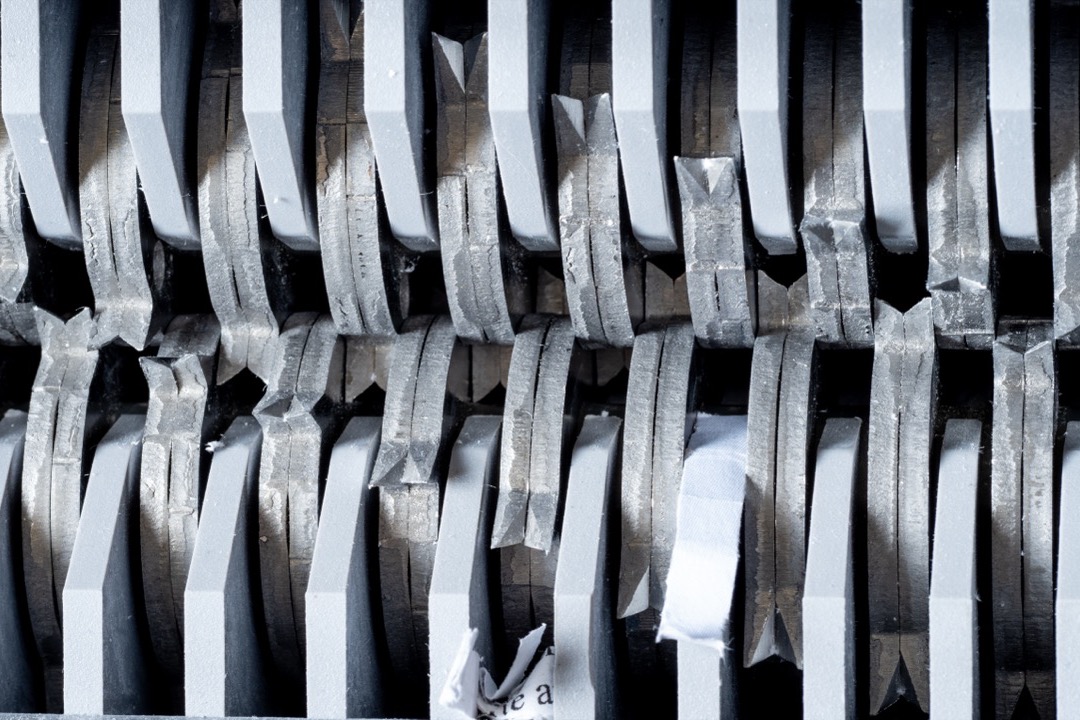
Document security is one of those quiet office responsibilities that gets ignored until it becomes a crisis. As a Certified Administrative Professional, I have watched more than one organization scramble after a box of “old paperwork” turned out to contain live account numbers and employee Social Security numbers — and I have helped plenty of home-office clients realize that the pile of mail on the counter is a standing invitation to identity theft. The good news is that protecting yourself is neither expensive nor complicated once you understand three things: what actually needs destroying, how long to keep it first, and which shredding method fits your situation.
This guide covers the full document-security lifecycle — from deciding what to shred, to retention timelines, to choosing between a home shredder and a professional service, to destroying the hard drives and cards that paper shredders were never designed to handle. The goal is a routine you can actually maintain, because the best security system is the one you will still be using a year from now.
Why Document Shredding Matters More Than People Think
Identity theft is overwhelmingly a low-tech crime. For all the attention that data breaches and phishing get, a substantial share of identity fraud still begins with something physical: a discarded bank statement, a pre-approved credit offer fished out of a recycling bin, a pay stub in the trash. “Dumpster diving” is not a relic — it persists precisely because so many people treat the recycling bin as a safe destination for paper that carries their financial identity.
The math is simple and uncomfortable. A single unshredded document can hand a stranger your full name, home address, account numbers, and sometimes a Social Security number or date of birth. That is often enough to answer security questions, redirect mail, or open a line of credit. Shredding breaks that chain at the cheapest possible point. A machine that costs less than a dinner out neutralizes an entire category of risk, which is why document destruction is the highest-leverage security habit most households and small offices are not doing consistently.
There is also a compliance dimension for anyone who handles other people’s data. If you run a small business, work from home with client files, or manage records that fall under HIPAA, FACTA, or GLBA, improper disposal is not just risky — it can be a regulatory violation with real penalties. The FACTA Disposal Rule, for instance, requires businesses to take reasonable measures to destroy consumer information, and “threw it in the recycling” does not qualify.
What Documents You Should Always Shred
When in doubt, shred. But it helps to know the categories that are non-negotiable. Destroy any document that contains one or more of the following: a full or partial account number, a Social Security or tax ID number, a date of birth, a medical record or diagnosis, a signature, or login credentials.
In everyday terms, that means these should never go in the recycling bin intact:
- Financial paper — bank and credit card statements, canceled checks, deposit slips, and investment or retirement account statements.
- Credit offers — the pre-approved card and loan offers that arrive unsolicited. These are among the most exploited documents because they can sometimes be activated in your name.
- Tax and payroll — pay stubs, old tax returns and worksheets past their retention window, and any correspondence from the IRS or a state tax authority.
- Medical — bills, explanation-of-benefits (EOB) forms, prescription labels, and insurance paperwork. These carry both financial and health information.
- Identity documents — expired driver’s licenses, passports, insurance cards, and employee badges. Cut through the photo and any barcode or magnetic strip.
- Everyday leakage — shipping labels and packing slips with your name and address, boarding passes, luggage tags, and even some receipts that print partial card numbers.
A good mental filter: if a document could help someone impersonate you, open an account, or pass a “verify your identity” prompt, it belongs in the shredder. Keeping these organized until their retention window closes is far easier with a proper filing cabinet and a labeled expanding file system — a to-shred folder that you empty on a schedule beats a chaotic pile every time.
What You Can Safely Recycle Without Shredding
Shredding everything is wasteful and slows you down. Plenty of paper carries no personal identifiers and can go straight to recycling: junk mail flyers without your account details, catalogs and magazines, newspapers, generic marketing inserts, and envelopes once you have removed anything sensitive inside. The address label on a magazine is low-risk (name and address are largely public), though the cautious will tear it off.
The distinction that matters is identifiers versus advertising. A glossy flyer for a local restaurant is advertising — recycle it. A “you’re pre-approved” letter with a reference number tied to your credit file is an identifier — shred it. Building this reflex saves your shredder’s blades and your time for the documents that actually warrant destruction.
How Long to Keep Documents Before You Shred Them
The most common mistake I see is not under-shredding — it is shredding too early and then needing a document you destroyed. Retention comes first; shredding is what happens when the retention window closes. Here is a practical timeline for the documents people ask about most:
| Document | Keep for | Then |
|---|---|---|
| Tax returns & supporting records | 3 years minimum (7 if you claimed a loss, run a business, or filed a claim) | Shred |
| Pay stubs | Until reconciled against your annual W-2 | Shred |
| Bank & credit card statements | ~1 year (longer if needed for taxes or a warranty) | Shred |
| Utility & phone bills | 1 year, or until paid and reconciled | Shred |
| Medical bills & EOBs | 1–3 years (longer for ongoing conditions or FSA/HSA claims) | Shred |
| Home improvement & major-purchase receipts | As long as you own the item (basis & warranty) | Shred |
| Loan documents | Until paid off, plus 7 years | Shred |
| Insurance policies | While active, plus a claims window | Shred |
Some records should never be shredded — treat them as permanent and store them in a fireproof box or safe: birth and marriage certificates, Social Security cards, passports, adoption and citizenship papers, wills and estate documents, property deeds, and vehicle titles. If you are unsure whether a record has aged out, the safest move is to scan it to a secure digital archive first — a good document scanner lets you keep a searchable copy while you shred the paper, so retention and security stop competing with each other.
Understanding Shredder Security Levels: DIN 66399
Not all shredding is equal, and the difference is standardized. The international DIN 66399 standard rates shredders on a P-1 through P-7 scale based on the maximum particle size they produce — the higher the number, the smaller the pieces and the harder reconstruction becomes.
- P-1 and P-2 (strip-cut) — long ribbons of paper. Fine for non-sensitive documents, but strip-cut has been reassembled by hand and by software, so it is not appropriate for anything with personal identifiers.
- P-3 (cross-cut) — the entry point for real security. Suitable for general private documents.
- P-4 (cross-cut) — the sweet spot for homes and most offices. A page becomes roughly 400 confetti-sized particles. Adequate for the vast majority of financial and personal paper.
- P-5 (micro-cut) — thousands of tiny particles per page. The right choice for confidential business, client, medical, and compliance-sensitive documents.
- P-6 and P-7 (micro-cut / high security) — reserved for classified and top-secret material. Overkill and expensive for everyday use.
For most readers the practical decision is P-4 versus P-5 — cross-cut versus micro-cut. If you shred routine household paper, P-4 cross-cut is more than enough. If you handle regulated data, step up to P-5. Our cross-cut vs micro-cut shredder comparison breaks down the exact particle counts, speed, noise, and maintenance differences so you can match the level to your actual risk instead of overpaying for security you will never use.
DIY Shredding: Choosing and Using a Home or Office Shredder
For the daily flow of sensitive paper, a personal shredder is the right tool — it lets you destroy documents the moment they become waste, so nothing accumulates. When choosing one, weigh five things:
- Security level — P-4 cross-cut for general use, P-5 micro-cut for confidential or regulated documents.
- Sheet capacity — how many pages it shreds per pass. A 10–18 sheet machine suits most offices; higher capacity means fewer feeding sessions.
- Run time — consumer motors have a duty cycle (say, 10–30 minutes) before they need to cool down. Match it to how you shred: bulk sessions need longer run time.
- Bin size — a larger waste bin means fewer trips to empty it. Look for a capacity that matches your volume.
- Extra slots — many models accept credit cards, CDs, and DVDs through a separate slot, and some handle staples and paper clips so you are not pre-sorting.
Our roundup of the best paper shredders covers models across every tier, from compact desktop units to heavy-duty office machines, with the security level and duty cycle called out for each.
Owning the machine is only half the job — using it well keeps it alive. Respect the rated sheet capacity; overfeeding is the number-one cause of jams. Feed paper straight rather than bunched. Oil the cutting mechanism regularly (cross-cut roughly every couple of weeks, micro-cut before every session) using shredder oil or plain canola oil applied in a zigzag across the feed opening — never WD-40 or an aerosol. Empty the bin before it packs solid, and let the motor rest when it warns of overheating. A well-maintained shredder lasts years; a neglected one jams itself to death in months.
Professional Shredding Services: Your Options for Big Purges
There are moments a consumer shredder cannot handle: clearing a decade of archived files, closing down a business, or destroying boxes of records after an office move. For those, professional shredding services are faster, safer, and often cheaper per pound than burning out your own machine. They come in three main forms:
- Drop-off shredding — you bring documents to a retail location (many office-supply and shipping stores offer it) and pay by the pound or box. Best for occasional, moderate volumes.
- Mobile / on-site shredding — a truck with an industrial shredder comes to you and destroys documents in your presence, so the paper never leaves your control intact. Best for the security-conscious and for regulated data.
- Scheduled / off-site service — locked collection bins are placed at your business and emptied on a recurring schedule, with material shredded at a secure facility. Best for organizations with a steady stream of confidential paper.
The signature benefit for businesses is the certificate of destruction — documentation that your records were destroyed to a specified standard, which is exactly what an auditor or regulator wants to see. Many communities also host free “shred day” events, often sponsored by banks, credit unions, or municipalities, which are a great way to clear a household backlog once or twice a year.
DIY vs Professional: Which Should You Use?
This is not an either/or decision — the right answer for most people is both, for different jobs. Use a personal shredder for the ongoing daily trickle so sensitive paper never piles up. Reserve professional services for the periodic big purge, where volume, a certificate of destruction, or sheer convenience justify the cost.
A simple decision rule: if you can destroy it in a few minutes at your desk, do it yourself. If it fills a bankers box or two, or you need proof of destruction, send it to a service. Small businesses handling regulated data often run both in parallel — a micro-cut shredder at each desk for immediate destruction, plus a scheduled service for archived files. Building that dual habit into your small-business filing system means sensitive documents have a defined path from active file to secure destruction, with no limbo pile in between.
Beyond Paper: Cards, Drives, and Digital Data
Document security does not stop at paper, and this is where a lot of otherwise careful people slip up. Three non-paper items deserve attention:
- Credit and ID cards — an expired card still carries a usable number. Destroy it in a shredder rated for cards (many office models have a dedicated card slot), or cut through the number, chip, and magnetic strip with heavy scissors and discard the pieces separately.
- CDs, DVDs, and optical media — old backup discs can hold financial records and photos. Many micro-cut shredders accept discs; otherwise, scratch the data surface heavily or snap the disc (wear eye protection).
- Hard drives and USB flash drives — this is the big one. Deleting files or reformatting a drive does not erase the data; it remains recoverable until overwritten. For a working drive you are keeping, use reputable disk-wiping software. For a drive you are discarding, either physically destroy it — drilling through the platters or crushing the flash chip — or use a professional service that offers certified hard-drive shredding. Never throw an intact working drive in the trash.
The principle is the same as with paper: destruction must make the data unrecoverable, not merely inconvenient to find.
Building a Document-Security Routine You Will Actually Keep
Security fails when it depends on willpower. The fix is to make destruction a default step in how documents flow through your space rather than a chore you get around to. A routine that works looks like this:
- Sort at the point of entry. When mail and paperwork arrive, split them immediately into three streams: act-on-it, file-and-keep, and shred. A small labeled tray or desk organizer makes this a two-second reflex.
- Give shredding a home. Keep the shredder within arm’s reach of where paper becomes waste — a shredder in the closet is a shredder you will not use. The daily trickle gets destroyed on contact.
- Empty the to-shred folder on a schedule. For documents held for retention, run a monthly or quarterly pass: pull anything that has aged out of its window and destroy it in one session.
- Digitize before you destroy when it helps. Scan records you may need later into a secure, backed-up archive, then shred the paper. You keep access without keeping risk.
- Plan an annual purge. Once a year, tackle the archive — the aged-out tax files and closed-account statements — with a home session or a shred-day event.
The whole system should take a few minutes a week once it is running. That is the point: a routine you barely notice protects you far better than an ambitious system you abandon.
Common Shredding Mistakes to Avoid
Even people who shred diligently undermine themselves in predictable ways. Watch for these:
- Trusting strip-cut for sensitive paper. Long ribbons can be reassembled. Use cross-cut or micro-cut for anything with identifiers.
- Recycling the “obvious junk” without a second look. Pre-approved offers and EOB forms often look like junk mail but carry live identifiers.
- Letting paper pile up “to shred later.” A backlog is a target and it never gets smaller on its own. Destroy on contact.
- Overfeeding and skipping oil. Both kill shredders early. Respect the sheet rating and lubricate on schedule.
- Forgetting non-paper media. Cards, discs, and especially hard drives need destruction too — reformatting is not erasing.
- Bagging one document’s shreds by themselves. Mixing the output of many documents in the bin makes any reconstruction attempt dramatically harder.
Document shredding is not about paranoia — it is about closing the cheapest, most exploited gap in your personal and professional security at almost no cost. Decide what to destroy, keep it only as long as you must, match the shredder or service to your real risk, and make destruction an automatic step rather than a someday task. Do that, and an entire category of identity-theft risk simply stops applying to you.
Frequently Asked Questions
What documents should you always shred?
How long should I keep documents before shredding them?
Is cross-cut shredding secure enough, or do I need micro-cut?
Should I use a home shredder or a professional shredding service?
How do I destroy old hard drives, USB drives, and credit cards?
Can shredded documents really be reconstructed?
Related Articles
7 Best Document Scanners of 2026
office-technology
Cross-Cut vs Micro-Cut Shredders: Which Security Level Do You Actually Need?
office-technology
7 Best Paper Shredders of 2026
office-technology
8 Best Filing Cabinets of 2026
desk-setup-furniture
The Ultimate Filing System for Small Businesses: A CAP's Step-by-Step Framework
organization-filing
About the Reviewer

Sarah Chen, CAP, PMP
B.A. Business Administration, UCLA
Sarah Chen spent 10 years in office management and operations at Fortune 500 companies before founding DeskRated in 2026. After managing supply budgets for teams of 50+ people and testing thousands of products through daily use, she started writing the honest, no-fluff supply reviews that office professionals actually need. Sarah holds both CAP and PMP certifications and is based in Los Angeles.