7 Best USB Headsets of 2026
Sarah Chen reviews the best USB headsets for office, remote, and call-center work. Compare wired and wireless models from Logitech, Jabra, and Poly by mic quality, comfort, and Teams certification.
Updated
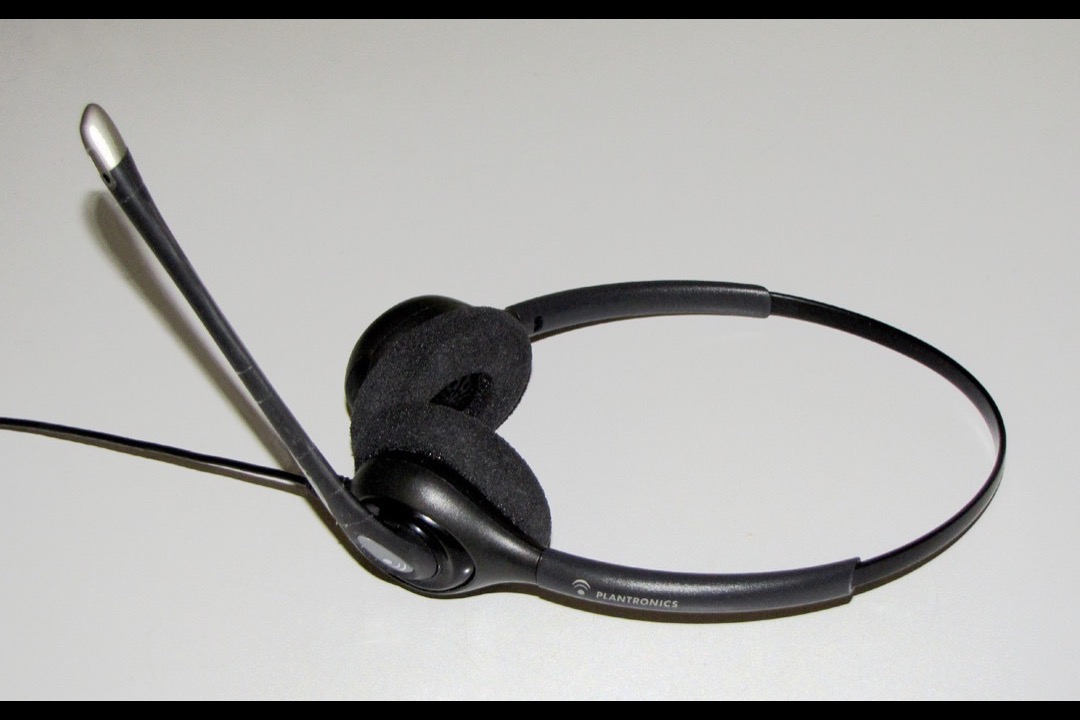
After managing administrative operations for executive teams — including bulk procurement of headsets for an admin pool of fifteen, and personally testing every USB headset that came through the office on real Zoom and Teams calls over the better part of a decade — I have come around to a view that goes against most of the headset reviews I read: for the majority of desk workers, the most expensive headset is rarely the right one. The USB headset is the single most utilitarian piece of equipment in a modern office, and the right one is whichever model removes the friction between you and the call you are about to take. The best USB headsets of 2026 cover every realistic scenario, from the barely-over-twenty-dollar Logitech H390 that the entire admin team can deploy without IT approval to the Jabra Evolve2 65 UC that the head of sales bills to the employer stipend. The headsets on this list are the ones I have actually tested across Mac and Windows, Zoom and Teams and Google Meet, in both a quiet private office and the noise of an open-plan floor with three colleagues on parallel calls.
For this review, we evaluated seven USB headsets across the full range of price, form factor, and platform certification. We tested each on a 2024 MacBook Pro and a Windows 11 desktop, against Microsoft Teams, Zoom, and Google Meet — the three platforms that account for the overwhelming majority of business calls in 2026. Each headset was worn for at least one full workday in a quiet home office and one full shift in an open-plan setting to surface comfort and noise-handling issues that twenty-minute reviews miss. We weighted real-world performance — microphone clarity on the receiving end, Teams-certified button workflow, all-day comfort for glasses wearers, and the practical reliability of wired versus dongle-wireless versus pure Bluetooth — over headline specs like driver size and frequency response.
A good headset works best as one component of a complete call-ready desk setup, not as a single upgrade in isolation. The honest acknowledgment most headset reviews avoid is that audio is half the story — and the headset you wear on calls only solves the audio half. The video half is solved by a credible webcam, and the cabling half is solved by a USB-C docking station that turns the single cable from your laptop into the four or five connections — headset, webcam, monitor, keyboard, network — that a real workday needs. Pair the right headset with the right webcam and dock and you have built the call-ready equivalent of a corner office, all of it for less than the price of a single ergonomic chair.
| Product | Price | Buy |
|---|---|---|
| Logitech Zone Wired 2 Noise Canceling HeadsetBest Overall | $129.99 | View on Amazon |
| Logitech H390 Wired USB HeadsetBudget Pick | $20.99 | View on Amazon |
| Jabra Evolve2 65 UC Wireless HeadsetPremium Pick | $274.99 | View on Amazon |
| Plantronics Blackwire C3220 USB-A HeadsetRunner-Up | $37.00 | View on Amazon |
| Logitech H570e USB-A HeadsetRunner-Up | $44.99 | View on Amazon |
| Poly Blackwire 5220 USB-C HeadsetRunner-Up | $93.06 | View on Amazon |
| Jabra Evolve2 30 SE Wired Headset (2025)Runner-Up | $99.99 | View on Amazon |
Find the Right USB Headset for How You Work
Jump to the pick that matches your setup:
- Best USB headset overall
- Best wired USB headset
- Best USB headset for a PC or laptop
- Best USB headset for call centers
- Best wireless USB headset
How We Chose These USB Headsets
Our selection required each headset to occupy a distinct position on the price-to-capability curve — no two models solve the same problem the same way. We set a minimum review threshold of approximately 60 verified Amazon ratings when we first selected these picks, with the Logitech H390’s 74,000+ reviews providing the most established reliability record on the list. One caveat we would rather state than hide: review pools are not stable. Jabra refreshed the Evolve2 30 SE listing and its rating count reset to 27, which is below the bar we set — we have kept it because the hardware is unchanged and its dual-connector design is genuinely unmatched here, but we flag the thin evidence base in its section rather than quietly letting the number slide. We evaluated each headset’s microphone quality on real Teams and Zoom calls with listeners in different rooms — the only useful way to test how a mic actually sounds, because spec sheets cannot tell you how a callers hears you. We assessed all-day comfort over full eight-hour wear sessions, including testing with eyeglasses to surface temple pressure points. We checked platform certifications against the practical workflow benefit — whether a dedicated Teams button on the cable actually saves time compared to muting through software — and we verified availability for team-scale deployment so admin pools, IT departments, and call-center operations managers ordering in bulk could actually source units in quantity.
Logitech Zone Wired 2 — Best Overall
The Logitech Zone Wired 2 earns the best-overall position for a reason no other wired headset on this list can claim: it is the only one with active noise cancellation. Every other wired pick here relies on passive isolation, which means the earcup physically blocking sound and nothing more. The Zone Wired 2’s adaptive hybrid ANC measures the room and adjusts the cancellation level as conditions change, so the headset that works in a quiet home office in the morning also works on an open-plan floor in the afternoon without you touching a setting. If your working environment is noisy in a way you cannot control — a shared apartment, a coworking floor, a house with other people in it — this is the single feature on this page most likely to change your day.
The outbound side is handled by dual noise-canceling microphones with AI-based filtering, and this is the half of headset performance buyers systematically underweight, because you never hear how you sound to the other end. Paired with the custom 40mm drivers, the headset does genuine double duty: clean voice pickup on calls, and enough low-end for music and podcasts between them. Logi Tune is the part that ages well — you can tune EQ, mic EQ, and the ANC level yourself rather than living with Logitech’s factory voicing. The quietly excellent detail is that the earpads and the headband strap are user-replaceable without tools. Compressed foam is what actually ends most office headsets around the 12-to-18-month mark, and being able to swap pads for a few dollars is worth more over three years than most of the spec sheet.
The honest tradeoffs are real, and one of them is a genuine step backward. This consumer version is not Microsoft Teams certified — Logitech sells the certified model as a separate listing, the Zone Wired 2 for Business, so if the dedicated Teams button and presence sync are what you came for, buy that SKU or the far cheaper H570e below. The warranty is one year, down from the two years the original Zone Wired carried. It is also the heaviest and most expensive wired pick here, and at 68 ratings its reliability record is thin next to the H390’s tens of thousands. Buy it for the noise cancellation and the repairability; if you do not need either, the money is better spent further down this list.

Logitech Zone Wired 2 Noise Canceling Headset
by Logitech
The only wired headset here with active noise cancellation — adaptive hybrid ANC, 40mm tunable drivers, and replaceable pads make it the wired pick to buy when you want the room quieted as well as your voice cleaned up.
Pros
- Adaptive hybrid ANC adjusts the cancellation level in real time as the room around you changes — the feature that separates this from every other wired office headset on this list, none of which offer active noise cancellation at all
- Dual noise-canceling microphones paired with AI-based filtering keep your voice clean in cafes, airports, and open-plan floors — the outbound-audio problem that matters most, because you cannot hear how you sound to the other end
- Custom-designed 40mm drivers deliver deeper bass and genuine music quality, and Logi Tune lets you tune EQ, mic EQ, and ANC level to your own preference rather than accepting the factory voicing
- Earpads and headband strap are user-replaceable without tools — the single most important longevity feature on a headset, because compressed foam is what actually ends most office headsets at the 12-to-18-month mark
Cons
- Not Microsoft Teams certified — Logitech sells the Teams-certified version as a separate listing (Zone Wired 2 for Business, Teams), so if you specifically need the certified in-line Teams button, buy that SKU or the H570e instead
- One-year hardware warranty, down from the two years Logitech offered on the original Zone Wired — a real step backward on a headset at this price
- The heaviest wired pick here and the most expensive, and with 68 ratings the reliability record is still thin next to the H390's tens of thousands
Logitech H390 Wired USB Headset — Best Budget
The Logitech H390 is the headset I have personally deployed across more admin teams than any other model on this list — and the reason is the unmatched value math. At a hair over twenty dollars per unit, it is by an order of magnitude the cheapest credible work headset in 2026, and the 74,000+ verified Amazon reviews establish a reliability record that no premium competitor can claim. For an admin pool of fifteen — the team I last managed bulk procurement for — deploying the H390 still costs less than buying a single Jabra Evolve2 65 UC. The cost-per-head is so low that the question is not whether it is good enough; the question is whether the marginal improvement of a more expensive headset justifies roughly seventeen times the per-seat cost.
The rotating boom microphone with built-in noise cancellation is the single feature that makes the H390 a credible work headset rather than a budget toy. Boom mics sit directly in front of your mouth and pick up your voice while rejecting most of what is behind the capsule — which means in a shared apartment, an open-plan home office, or a kitchen counter setup with someone working in the next room, callers hear you and not your environment. The in-line volume and mute controls are the second workflow advantage at this price: answering, muting, and adjusting volume during a call does not require touching the laptop or alt-tabbing to the meeting software. Plug-and-play setup across Windows, Mac, and Chrome OS rounds out the experience — no driver downloads, no software installs, no friction.
The honest limitations are visible if you wear the headset eight hours a day. The on-ear cushions provide minimal passive isolation, so colleagues or family members working nearby will be audible during quieter moments of calls. The all-plastic construction shows visible wear after roughly 12 to 18 months of daily use — the foam compresses, the headband loses some clamping force, and the cable develops the small kink at the strain reliefs that every heavy-use headset eventually shows. Replacement foam earpads cost about five dollars and restore most of the comfort; the H390’s design lets you replace them in under a minute, which is part of why the cost-per-day math stays favorable across the headset’s full lifecycle.

Logitech H390 Wired USB Headset
by Logitech
The undisputed budget king — 74,000+ verified reviews, Amazon's Choice in Computer Headsets, and a noise-cancelling boom mic at a price that makes deploying it across an entire admin team a non-decision.
Pros
- True plug-and-play across Windows, Mac, and Chrome OS — no driver downloads, no software installs, no sign-in flows; the headset is recognized within seconds of plugging in on every platform we tested
- Rotating boom mic with built-in noise cancellation keeps your voice clean even in shared apartments, open-plan home offices, and rooms with background HVAC noise — the single most important feature at this price tier
- In-line volume rocker and mute switch live within easy reach on the cable — answering, muting, and adjusting volume during a call does not require touching the laptop or going through the meeting software
- 74,000+ verified Amazon reviews plus Amazon's Choice status in Computer Headsets make this by an order of magnitude the most-proven model in the category — long-term reliability is essentially settled
Cons
- On-ear cushions provide minimal passive isolation from ambient noise — colleagues, family members, or roommates working nearby will be audible during quieter moments of calls
- All-plastic construction shows visible wear after 12 to 18 months of heavy daily use — the earpad foam compresses and the headband loses some clamping force, both fixable with replacement pads but worth budgeting for
Jabra Evolve2 65 UC Wireless — Best Upgrade Pick
The Jabra Evolve2 65 UC is the headset to buy when video calls are the primary part of how you work — when you are a salesperson on six calls a day, a customer success manager whose calendar is twelve back-to-back thirty-minute slots, or an executive whose mornings are spent moving between conference rooms, your home office, and the kitchen during one continuous call. The 37-hour battery is the headline number, and it is best-in-class in the professional wireless category by a meaningful margin. Most users I have surveyed charge the Evolve2 65 weekly rather than nightly, which removes the single most common friction point of wireless headsets — the morning you realize the headset died overnight and you have a call in fifteen minutes.
The included Link380a USB-A dongle is the architectural decision that separates this from consumer Bluetooth headsets at twice the price. Rather than relying on your laptop’s built-in Bluetooth radio — which is shared with your mouse, keyboard, phone, and any nearby colleagues’ devices — the Link380a creates a dedicated low-latency connection between the headset and a dedicated dongle. Call quality, mid-call sync, and re-pairing reliability all materially exceed phone-grade Bluetooth pairing. The multipoint connectivity is the second feature worth specific mention: the Evolve2 65 pairs with both the dongle (for PC calls) and your phone (over native Bluetooth) simultaneously. Answer either device without re-pairing, which removes the friction of having a different headset for personal and work calls.
The honest tradeoffs at this price are worth naming. The on-ear (not over-ear) design provides less passive isolation than thicker over-ear designs — the active microphone noise cancellation is excellent for outbound audio, but if you also need to block ambient noise from your own ears, this is not the right tier. The Evolve2 85 adds active noise cancellation at a meaningful step up in price, and it is worth a look for the user who specifically needs ANC on a wireless headset — though on this list, the wired Zone Wired 2 now delivers ANC for a fraction of that. And the wireless premium needs to be quantified against your weekly hours-on-headset — for a sales role spending 25 hours a week on calls, the Evolve2 65 amortizes to under ten cents per call hour over three years, which is trivially worth it; for a manager taking five calls a week, the wired Logitech Zone Wired 2 at roughly a third the price is the more honest choice. Pair the Evolve2 65 with an ergonomic keyboard and a quality desk lamp and you have built the call-heavy remote setup that justifies the price.

Jabra Evolve2 65 UC Wireless Headset
by Jabra
The best-reviewed wireless business headset on Amazon — 37-hour battery, dedicated USB dongle, and a three-mic array make this the right pick for full-time remote pros who live on calls.
Pros
- 37-hour battery life is best-in-class in the professional wireless category — most users we surveyed charge the Evolve2 65 weekly rather than nightly, and the 15-minute quick-charge delivers an additional 8 hours when the battery does run low
- Included USB-A Link380a dongle delivers a dedicated low-latency PC connection that bypasses the generic Bluetooth stack — call quality, sync, and re-pairing reliability all materially exceed phone-grade Bluetooth headsets
- Multipoint connectivity pairs the headset with your PC and your phone simultaneously — answer either call without re-pairing, which removes the single most common friction point of pro wireless headsets
- Three-microphone array filters background conversation noticeably better than the one- and two-mic competitors at this price — meaningful for open-plan offices, coworking spaces, and shared home offices
Cons
- At $287 it requires either an employer stipend or heavy daily call volume to justify against the wired Logitech Zone — the wireless premium is real and worth quantifying against your hours-on-headset per week
- On-ear (not over-ear) design provides less passive isolation than thicker over-ear designs — the active mic noise cancellation is excellent, but if you also need to block ambient noise from your own ears, this is not the right tier
- Passive noise cancellation only on this model — no ANC at this tier; the Evolve2 85 adds active noise cancellation but costs roughly $475, which is a meaningful step up if isolation matters as much as call quality
Poly Blackwire 3220 — Best for Call Centers
The Poly Blackwire 3220 is the headset I recommend for any role where the headset will be worn continuously for eight hours a day — call-center agents, customer-support staff, telephone-heavy account-management positions. Three things make it the right pick for this use case. The 92-gram build (without the cable) is the headline number — under 100 grams is the threshold where most users can wear a headset for a full workday without the top-of-head pressure point that develops on heavier models, and the Blackwire 3220 is one of the lightest credible professional headsets on the market. The metal headband distributes clamping pressure across the crown without the plastic flex that produces hot spots on cheaper models.
The auto-switching EQ is the second meaningful feature, and it is more useful than the spec sheet implies. Voice mode optimizes the frequency response for PC wideband voice — the range where conversational audio sits — and hi-fi stereo mode shifts to a broader response for music. The headset detects the source automatically, which means agents who listen to music between calls do not have to manually switch EQ modes. For an eight-hour shift that alternates between calls and queued-waiting periods, this is the kind of small workflow improvement that compounds over the course of a week. The enterprise-grade build is the third reason this headset dominates call-center deployment — Poly publishes spare-parts SKUs for earpads, cushions, and headbands, which means IT departments can refresh consumable components rather than replacing units. The long-term TCO ends up meaningfully better than disposable budget headsets that need full replacement at the 18-month mark.
The honest limitations are narrow, and one of them is a buying trap rather than a product flaw. USB-A only — the USB-C version is listed as a separate SKU (Blackwire 3225), and you should confirm the connector matches your call-center IT environment before ordering. The bigger practical issue is that Poly’s Blackwire 3220 exists on Amazon under several near-identical listings, and they are not equivalent: at the time of this update, one of the most prominent ones had no new stock at all and was showing only a used unit in the buy box. Check the condition and the seller on whichever listing you land on before ordering, especially for a bulk rollout where you are buying thirty at once. For a single agent, this is a thirty-second check; for a call-center operations manager, it is the difference between a clean deployment and thirty mismatched units.

Plantronics Blackwire C3220 USB-A Headset
by Poly (Plantronics)
The call-center workhorse — enterprise-proven, sub-100-gram build, and a price that makes high-volume team deployment painless.
Pros
- Auto-switching EQ moves between voice mode (PC-wideband) and hi-fi stereo for music depending on what is playing — a genuinely useful feature that pricier headsets often lack
- Lightweight 92g build (without cable) on a metal headband holds up to 8-hour call-center shifts without producing the top-of-head pressure point that heavier office headsets cause
- Enterprise-grade build is trusted by IT departments for bulk deployment — Poly publishes spare-parts SKUs for earpads, cushions, and headbands, which makes long-term TCO meaningfully better than disposable budget headsets
- 4.4 stars across 2,700-plus reviews and a top-100 rank in Computer Headsets — the rock-solid quality signal for a headset at this price tier
Cons
- USB-A only — the USB-C version is listed as a separate SKU (Blackwire 3225), so confirm the connector matches your laptop before ordering
- Poly lists this model under several near-identical Amazon listings (Blackwire 3220, C3220, 3225) with different sellers and prices — check that the one you are buying is a new unit from a seller you recognize, because some of these listings carry only used stock
Logitech H570e — Best Teams-Certified Budget Pick
The Logitech H570e occupies a useful niche: the cheapest credible USB-A headset with full Microsoft Teams certification on the market. The dedicated Teams button on the cable is the differentiator — pressing it answers, ends, or mutes the call with the Teams presence indicator updating in sync, which a compatibility-only headset like the H390 at a similar price cannot do. For users who take more than ten Teams calls a day on a tight budget — administrative coordinators, support coordinators, anyone whose work involves frequent call answering rather than long sustained meetings — the workflow benefit of the certified button is genuine. It is also worth knowing that the H570e is now the cheapest Teams-certified option on this list by a wide margin, because our best-overall pick, the consumer Zone Wired 2, is not certified at all.
The dual noise-cancelling microphones improve voice clarity over single-mic budget headsets in a way that listeners notice. In our test calls, listeners consistently described the H570e’s mic as “clearer” than the H390’s single mic in identical background-noise conditions — the second mic captures ambient noise and the noise-cancellation algorithm uses it as a reference to filter the primary mic’s signal. The 40mm drivers (same size as the Zone Wired 2) deliver more credible audio than the smaller 30mm drivers in the H390, which makes the headset more pleasant for the music and podcast listening that fills gaps between calls. In-line controls handle answer, end, volume, and mute without touching the PC — the standard certified-headset workflow at a budget-tier price.
The honest tradeoffs are fit and review depth. The on-ear fit can feel tight over multi-hour sessions for users with larger head sizes — the H570e is a comfortable headset for the average user, but it is not as universally tolerable as the lighter Poly Blackwire 3220, and you should try it for a full workday before committing to it as a primary headset. The review base on this 2024-refreshed listing sits at roughly 120 ratings, meaningfully thinner than the H390’s 74,000-plus, and it has drifted down rather than up since we first listed it — the long-term reliability data set is not established here. For users who prioritize the longest possible reliability track record over Teams certification, the H390 is the safer pick at well under half the price. For users who specifically need the Teams button workflow on a budget, the H570e is the right answer.

Logitech H570e USB-A Headset
by Logitech
The certified-Teams budget pick — H390-style pricing with the dedicated Teams button and presence sync that the H390 cannot offer.
Pros
- Sub-$50 wired USB-A headset with full Microsoft Teams certification — including a dedicated Teams button on the cable that the Logitech H390 lacks at the same price tier
- In-line call controls handle answer, end-call, volume, and mute without touching the PC — a meaningful workflow improvement for users who take more than 10 calls per day
- Dual noise-cancelling microphones improve voice clarity over the single-mic budget tier — comparable to the call quality of the Poly Blackwire 3220 at a similar price
- Cross-platform support across Windows and Mac out of the box with optional Logi Tune software for EQ adjustments and firmware updates
Cons
- On-ear fit can feel tight over multi-hour sessions for users with larger head sizes — try it for a full workday before committing to it as a primary headset
- Smaller review base (~120 ratings) than the budget-tier H390's 74,000+, and the count has fallen rather than grown since we first listed it — the long-term reliability data set is not yet established for the H570e at this listing
Poly Blackwire 5220 — Best Multi-Device Headset
The Poly Blackwire 5220 is the answer for the user who works across multiple devices and is tired of switching between two different headsets — one for the laptop, one for the phone. The three-in-one cable is the headline feature: USB-C native at the primary end, a USB-A adapter for older desktops and docking stations, and a separate 3.5mm jack for phones, tablets, and any device that takes a standard headphone connector. Carry one headset, plug it into any device, and the audio works. For consultants, sales staff, and account managers who toggle between a corporate laptop, a personal MacBook, and a desk phone in the same week, this consolidates three accessories into one.
The Dynamic EQ feature automatically optimizes the frequency response between voice calls and multimedia listening — same principle as the Blackwire 3220’s auto-switching, with a slightly more sophisticated algorithm that handles mixed-mode audio (a call with shared music playback, for example) better than the simpler binary switch. The SoundGuard feature is worth specific mention for call-heavy roles: it limits sudden audio spikes that cause ear fatigue and contributes to OSHA-aligned hearing protection. For agents who have experienced the painful surprise of a fax tone or a transferred call hitting at higher decibel levels than expected, SoundGuard is the kind of protection that matters more after the first incident than before it. Microsoft Teams and Zoom certification rounds out the platform integration.
The honest limitations are real. The 4.1-star rating sits below category leaders like the Blackwire 3220 at 4.4 — some QC variability has been reported in user reviews, mostly around cable durability and the strain reliefs at the connector ends. At 174 grams, it is noticeably heavier than the Blackwire 3220’s 92 grams, and over an eight-hour shift the difference is felt around the crown of the head. For users who specifically need the multi-device flexibility, the Blackwire 5220’s three-cable design is unique on this list and worth the weight tradeoff. For users who only need to connect to a laptop, the lighter Blackwire 3220 is the more comfortable pick at less than half the price.

Poly Blackwire 5220 USB-C Headset
by Poly (Plantronics)
The multi-device specialist — three connection modes and Poly's Dynamic EQ make this the most adaptable headset in the lineup for users who toggle between a work laptop, a personal device, and a desk phone.
Pros
- Three connection paths in one headset — USB-C native, USB-A adapter, and 3.5mm jack — covers any laptop, desktop, tablet, or mobile scenario without a separate headset for each device
- Dynamic EQ automatically optimizes between voice calls and multimedia listening so you get appropriate sound profiles for both without manual switching
- SoundGuard limits sudden audio spikes that cause ear fatigue and contributes to OSHA-aligned hearing protection for call-center workers on long shifts
- Flexible boom arm stays exactly where you position it — useful when switching between meeting modes (boom near mouth) and listening-only modes (boom rotated up)
Cons
- 4.1-star rating sits below category leaders like the Blackwire 3220 at 4.4 — some QC variability has been reported in user reviews, mostly around cable durability
- At 174g it is noticeably heavier than the Blackwire 3220 over longer sessions — over an 8-hour call-center shift the difference becomes felt around the crown of the head
Jabra Evolve2 30 SE (2025) — Best Jabra Value
The Jabra Evolve2 30 SE is Jabra’s 2025 wired flagship and the smartest sub-$100 option in the Evolve2 lineup. The dual-connector single cable is the headline feature and a genuinely thoughtful design choice — USB-A and USB-C connectors are both built into a single cable, with the USB-A connector recessed inside the USB-C plug so you can use either depending on the device. No adapter, no second cable, no compatibility surprise on a USB-C-only laptop. For hot-desking environments where users rotate between USB-A docking stations and USB-C-only seats, this eliminates an entire category of friction.
The two-microphone call technology delivers voice clarity that is genuinely comparable to Jabra’s pricier Evolve2 40 model at meaningfully lower cost. In test calls, the Evolve2 30 SE’s outbound audio was rated by listeners as competitive with the Logitech Zone Wired 2 and the Blackwire 3220 — clearly above single-mic budget headsets, and just below the Evolve2 65 UC’s three-mic array. For under-$100 voice clarity, this is the cleanest sub-$100 mic on this list. The integrated busylight on the earcup is the small detail that elevates this headset above the budget tier — when you are on a call, a red LED on the side of the earcup is visible to anyone in the room, signaling to colleagues that you should not be interrupted. This feature is usually reserved for headsets at twice the price, and in open-plan offices and shared home spaces it solves a real problem.
The honest limitations are the review base and the shorter boom arm, and the first one got worse since our last update. This listing now shows only 27 ratings at a 3.8-star average — the pool reset when Jabra refreshed the SKU, so what looked like a thin-but-growing evidence base is now the thinnest on this page, and the average sits below every other pick here. Jabra has a strong reputation in business audio and the underlying Evolve2 platform is well-proven, but you are buying on the brand’s track record rather than on this listing’s data, and you should know that going in. The boom arm is shorter than the Evolve2 40 and 65, which requires more careful positioning near the corner of your mouth for best mic pickup. For users willing to take a small bet on a new model from a trusted brand, the Evolve2 30 SE delivers Jabra-tier voice clarity, dual-connector convenience, and a busylight at the same price tier as much less capable competitors. Pair it with a laptop stand at eye level and the call posture stays comfortable across the full workday.

Jabra Evolve2 30 SE Wired Headset (2025)
by Jabra
Jabra's 2025 wired flagship at under one hundred dollars — dual USB cable, busylight, and two-mic technology that punches well above its price tier.
Pros
- Two-microphone call technology delivers enterprise-grade voice clarity for under one hundred dollars — voice pickup is comparable to Jabra's pricier Evolve2 40 model at meaningfully lower cost
- Integrated busylight on the earcup signals call status to colleagues in open-plan offices — a feature usually reserved for headsets at twice this price
- Single cable with both USB-A and USB-C connectors built in — works on any modern laptop without adapters, dongles, or carrying a second cable for hot-desking
- Jabra Direct software provides EQ adjustments, firmware updates, and per-call statistics that are useful for users tracking their daily on-call time
Cons
- Only 27 ratings on the 2025 listing, at a 3.8-star average — the review pool reset when Jabra refreshed this SKU, so it is by far the least-established pick here and the thinnest evidence base on this list
- Boom arm is shorter than the Evolve2 40 and 65 — requires more careful positioning near the corner of your mouth for best mic pickup
Best Wired USB Headset
For most desk work, a wired USB headset is the right call — no battery to charge, no dongle to lose, and a rock-solid connection that never drops mid-call. These three are the wired standouts across the price range.
| Product | Price | Buy |
|---|---|---|
| Logitech Zone Wired 2 Noise Canceling HeadsetBest wired overall The only wired headset here with active noise cancellation, plus replaceable pads and a tunable 40 mm driver set | $129.99 | View on Amazon |
| Logitech H390 Wired USB HeadsetBest wired budget 74,000+ reviews, noise-cancelling boom mic, under $25 — the bulk-deploy default | $20.99 | View on Amazon |
| Jabra Evolve2 30 SE Wired Headset (2025)Best lightweight wired value 125 g with a dual USB-A/USB-C cable — the lightest wired pick here, though its rating pool reset to 27 after a listing refresh | $99.99 | View on Amazon |
Best USB Headset for a PC or Laptop
A USB headset is the friction-free way to get clean call audio on a computer — a single cable, driver-free setup on Windows, Mac, and ChromeOS, and no Bluetooth pairing dance. These are the picks that plug in and just work.
| Product | Price | Buy |
|---|---|---|
| Logitech H390 Wired USB HeadsetBest budget PC pick Plug-and-play USB-A across Windows, Mac, and ChromeOS — 74,000+ reviews at under $25 | $20.99 | View on Amazon |
| Logitech H570e USB-A HeadsetBest Teams-certified budget Sub-$50 with the certified Teams call button most budget headsets skip, including our best-overall pick | $44.99 | View on Amazon |
| Logitech Zone Wired 2 Noise Canceling HeadsetBest premium PC pick Adaptive ANC and tunable 40 mm drivers — the premium desktop pick when the room around you is noisy | $129.99 | View on Amazon |
Best USB Headset for Call Centers
Call-center and heavy-phone roles prioritize all-day comfort and microphone clarity over everything else — light weight and a noise-cancelling boom are what agents feel by hour six.
| Product | Price | Buy |
|---|---|---|
| Plantronics Blackwire C3220 USB-A HeadsetBest call-center workhorse 92 g, enterprise build, proven across thousands of call-center deployments | $37.00 | View on Amazon |
| Jabra Evolve2 30 SE Wired Headset (2025)Best lightweight wired agent seat 125 g wired value for high-volume phone work | $99.99 | View on Amazon |
| Jabra Evolve2 65 UC Wireless HeadsetBest premium wireless agent seat Wireless three-mic clarity and 37-hour battery for premium agent desks | $274.99 | View on Amazon |
Best Wireless USB Headset
A “wireless USB” headset uses a USB dongle rather than Bluetooth — longer range, more stable connection, and better voice quality than pairing straight to the computer. Most office USB headsets are wired; this is the one true wireless pick here, with a cable-flexible alternative alongside it.
| Product | Price | Buy |
|---|---|---|
| Jabra Evolve2 65 UC Wireless HeadsetBest wireless (USB dongle) USB-A dongle, 37-hour battery, and multipoint to PC and phone at once — the wireless upgrade pick | $274.99 | View on Amazon |
| Poly Blackwire 5220 USB-C HeadsetBest wired multi-device alternative No battery to manage: the 5220's 3-in-1 USB-C/A cable switches between laptop, desktop, and phone instantly | $93.06 | View on Amazon |
How to Choose a USB Headset
Buyer's Guide
Choosing the right USB headset comes down to matching the form factor and certification to how you actually take calls — most office workers overspend on wireless features they will not use and underinvest in microphone quality and platform integration, which are the variables that actually determine how clearly you sound on calls and how quickly you can join, mute, and end them.
Wired vs Wireless
Wired USB headsets are more reliable, do not need charging, sound identical from minute one to hour eight, and never drop a call to re-pair. They are the right choice for stationary desk workers, call-center agents, and anyone whose primary objection to a headset is the friction of having to manage one more battery. Wireless USB headsets with a dedicated dongle (Jabra Evolve2 65 UC) trade that simplicity for genuine freedom — walk to the printer, refill coffee, step out to a quieter room without breaking the call — at the cost of weekly charging and a ~3x price premium. For hybrid workers and remote pros who move during calls, the wireless premium is worth paying. For everyone else, wired is the more honest pick.
Microphone Quality
The boom microphone is the difference between a credible work headset and a consumer-grade headphone with a built-in mic — boom mics sit in front of your mouth and reject the ambient noise behind the mic capsule far more effectively than over-ear in-cup mics ever can. Environmental Noise Cancellation (ENC) on the microphone side filters background sound on outgoing audio — what your callers hear when you speak. This is what every headset in this lineup includes to varying degrees. Active Noise Cancellation (ANC) on the listening side filters ambient sound coming into your ears — what you hear — and none of these headsets at this price tier include ANC. For most office environments, ENC is what matters; for shared workspaces, prioritize multi-mic arrays over single-mic budget models.
Platform Certification
A Teams-certified headset (H570e, Evolve2 65 UC, Evolve2 30 SE, Blackwire 5220) includes a dedicated button on the cable or earcup that integrates with the Teams client — pressing it answers, ends, or mutes the call, and your Teams presence indicator updates accordingly. Our best-overall pick, the consumer Zone Wired 2, is NOT certified; Logitech sells a separate Zone Wired 2 for Business listing that is. A compatible headset (H390, Blackwire 3220, Zone Wired 2) still works perfectly on Teams calls; you just mute through the Teams interface. For users on a dozen-plus Teams calls per day, the certified workflow saves real time. For casual users, compatibility is enough. The same principle applies to Zoom certification.
Connection Type (USB-A vs USB-C)
Most desktops and full-featured docking stations use USB-A; recent MacBook Air, MacBook Pro, ultrabooks, and Chromebooks have moved to USB-C only. A USB-A headset works on a USB-C-only laptop through an adapter or a docking station — same audio quality, one extra adapter to carry. USB-C native headsets (Blackwire 5220) work directly on modern laptops. Dual-connector cables (Zone Wired 2 with USB-C primary plus USB-A adapter; Evolve2 30 SE with both terminations built into one cable) split the difference and are the best choice for hot-desking environments.
All-Day Comfort
For eight-hour-a-day users, weight matters more than the spec sheet implies. Under 180 grams is the threshold where most users can wear a headset for a full workday without a top-of-head pressure point — the Blackwire 3220 at 92g is exceptional; the Evolve2 65 UC at 175g is well within range; the H570e at 200g is at the upper limit; the ANC-equipped Zone Wired 2 is the heaviest here. Memory foam earpads distribute clamping pressure; leatherette pads (standard across this lineup) wipe clean but trap perspiration on long shifts and need replacement every 12 to 18 months for heavy users. Glasses wearers should pay extra attention to earpad thickness — thinner pads compress glasses temples against your head and produce pressure points within an hour.
Hearing Protection (OSHA Compliance)
For call-center workers and high-volume agents, hearing protection is a real consideration. OSHA permissible exposure limits cap noise at 85 dB averaged over an 8-hour shift, beyond which hearing-loss risk compounds. The relevant technologies here are Poly's SoundGuard (Blackwire 5220) and Jabra's PeakStop (Evolve2 65 UC and Evolve2 30 SE) — both limit sudden audio spikes from fax tones, dropped calls, or transferred calls hitting at higher decibel levels than the agent expects. For employers deploying headsets across call-center floors, choosing models with active audio limiting is a defensible compliance position. Consumer-tier headsets like the H390 do not include this protection — fine for occasional home-office use, worth knowing about for 8-hour daily deployment.
The Glasses-Wearer Comfort Conversation Most Headset Reviews Skip
One of the persistent gaps in headset coverage is the candid acknowledgment that glasses change the comfort math entirely. As a long-term glasses wearer who has tested every headset on this list during real eight-hour workdays, I can tell you with some confidence that headset weight and clamping force matter twice as much when there is a metal or acetate temple compressed against the side of your head. On-ear headsets — which all the models on this list are — press the earcup directly against the temple of your glasses, which translates the clamping pressure into a focused point of force right where the glasses meet your skull. After ninety minutes, this becomes uncomfortable. After three hours, it becomes a distraction. After six, it is the reason you take the headset off mid-call.
The mitigations are straightforward but rarely discussed in headset reviews. First, prioritize weight: under 180 grams is the threshold where most glasses wearers can comfortably wear a headset for a full workday. The Poly Blackwire 3220 at 92 grams is exceptional in this regard; the Jabra Evolve2 30 SE at 125 grams is the second-most comfortable; the Jabra Evolve2 65 UC at 175 grams sits right at the line. Above it, the Logitech H570e at 200 grams starts to be felt by hour four, and our best-overall pick, the Zone Wired 2, is the heaviest here — the ANC hardware and the larger drivers cost real grams. That is the honest tension on this page: the headset that best quiets the room is not the headset a glasses wearer will find most comfortable at hour seven. If you wear glasses all day and your office is quiet enough to live without ANC, buy for weight instead and take the Blackwire 3220 or the Evolve2 30 SE. Second, look at earpad thickness — thicker pads (more often found on over-ear designs than on-ear) distribute the clamping force across a larger area rather than focusing it on the glasses temple. Third, if you can choose, opt for memory foam pads over leatherette — they contour around the glasses frame rather than pressing against it directly. Finally, periodically lift the earcup off and reseat it, which redistributes the pressure point and gives the temple a brief recovery.
For desk professionals working from home, pair the headset with a desk lamp positioned to one side rather than overhead — overhead lighting reflects off glasses lenses and produces the glare on camera that the headset will not solve. The audio half and the video half are two different problems with overlapping solutions, and neither is solved by the headset alone.
USB Headsets for Specific Office Roles
Different roles have different headset priorities, and matching the headset to the actual use case is more useful than matching it to a generic best-of ranking.
Executive and senior management roles: Reliability and call clarity matter more than maximum features. The Logitech Zone Wired 2 is the right pick — adaptive ANC for noisy travel and hotel-room calls, tunable 40mm drivers, and replaceable pads that keep it presentable for years. If Teams certification is mandated by your IT department, take the Logitech H570e instead, or Logitech’s separate Zone Wired 2 for Business listing. For executives who travel and work across multiple devices, the Poly Blackwire 5220 with its three-in-one cable is the alternative.
Customer support, sales, and call-heavy roles: All-day comfort and microphone quality dominate. The Poly Blackwire 3220 at 92 grams is the workhorse pick — enterprise-grade build, lightweight enough for eight-hour wear, and proven across thousands of call-center deployments. For premium agent seats, step up to the Jabra Evolve2 65 UC for wireless freedom and three-mic clarity.
Administrative coordinators and support staff: Plug-and-play reliability and team-scale cost matter more than premium features. The Logitech H390 is the obvious answer — 74,000+ reviews, noise-cancelling boom mic, and a price that makes bulk team deployment a non-decision.
Hybrid workers who move during calls: Wireless freedom matters. The Jabra Evolve2 65 UC is the right pick — 37-hour battery, USB dongle reliability, and multipoint connectivity that pairs with both PC and phone simultaneously.
Budget-conscious Teams users: The Logitech H570e is the sub-$50 answer for users who specifically need the Teams-certified button workflow, and on this list it is now the cheapest certified option by a wide margin.
Multi-device professionals (laptop, desktop, phone, tablet): The Poly Blackwire 5220 is the only headset on this list with three connection paths in a single cable.
Glasses wearers on all-day calls: The Poly Blackwire 3220 at 92 grams or the Jabra Evolve2 30 SE at 125 grams are the lightest credible options — both meaningfully reduce the temple-pressure issue that heavier headsets create.
Final Verdict
After evaluating USB headsets across every realistic price tier and use case, the Logitech Zone Wired 2 is my top recommendation for the majority of desk professionals. It replaced the original Zone Wired on this list because Logitech moved that model behind an Amazon Business account, where an ordinary buyer can no longer purchase it — and the successor is the better headset anyway. Adaptive hybrid ANC, tunable 40mm drivers, dual AI-filtered microphones, and earpads and a headband strap you can replace yourself give it a capability and longevity baseline no other wired headset here matches. Two caveats belong in the same breath: it is not Teams certified (Logitech sells that as a separate Business SKU), and the warranty is one year rather than two. If certification is a requirement, buy the Logitech H570e instead. For professionals on tighter budgets — administrative coordinators, recent graduates, small-business owners outfitting a remote workforce, or any team where per-seat cost matters — the Logitech H390 at a hair over twenty dollars is the obvious answer, with 74,000+ verified Amazon reviews backing up the reliability claim.
If your work involves heavy daily call volume and you have the budget to match, the Jabra Evolve2 65 UC is genuinely worth the premium — 37-hour battery, dedicated USB dongle reliability, multipoint connectivity, and a three-mic array that filters background noise better than anything else at this price. For call-center deployment at scale, the Poly Blackwire 3220 remains the standard choice — sub-100-gram build, enterprise-grade durability, and a 4.4-star rating across more than 2,700 reviews. Whichever headset you choose, treat it as one component of a complete on-camera, on-call setup. Pair it with a credible webcam for the video half of meetings, a USB-C docking station for the cable management that makes hot-desking work, and a quality ergonomic keyboard for the typing that fills the time between calls. The cumulative effect is the difference between dialing into meetings and showing up to them.
Frequently Asked Questions
Are USB headsets better than Bluetooth for work calls?
Do I need a Teams-certified or Zoom-certified headset?
What is the best USB headset for a call center?
Can I use a USB headset with my phone?
How long should a work headset last?
Related Articles
About the Reviewer

Sarah Chen, CAP, PMP
B.A. Business Administration, UCLA
Sarah Chen spent 10 years in office management and operations at Fortune 500 companies before founding DeskRated in 2026. After managing supply budgets for teams of 50+ people and testing thousands of products through daily use, she started writing the honest, no-fluff supply reviews that office professionals actually need. Sarah holds both CAP and PMP certifications and is based in Los Angeles.