Ergonomic Standing Desk Routine: How Long to Stand, When to Switch, and How to Build the Habit
Sarah Chen, CAP, breaks down the standing desk routine that actually sticks — a week-by-week ramp-up, task-based switching logic, and how 20-8-2 and the 2-hour rule fit together.
Updated
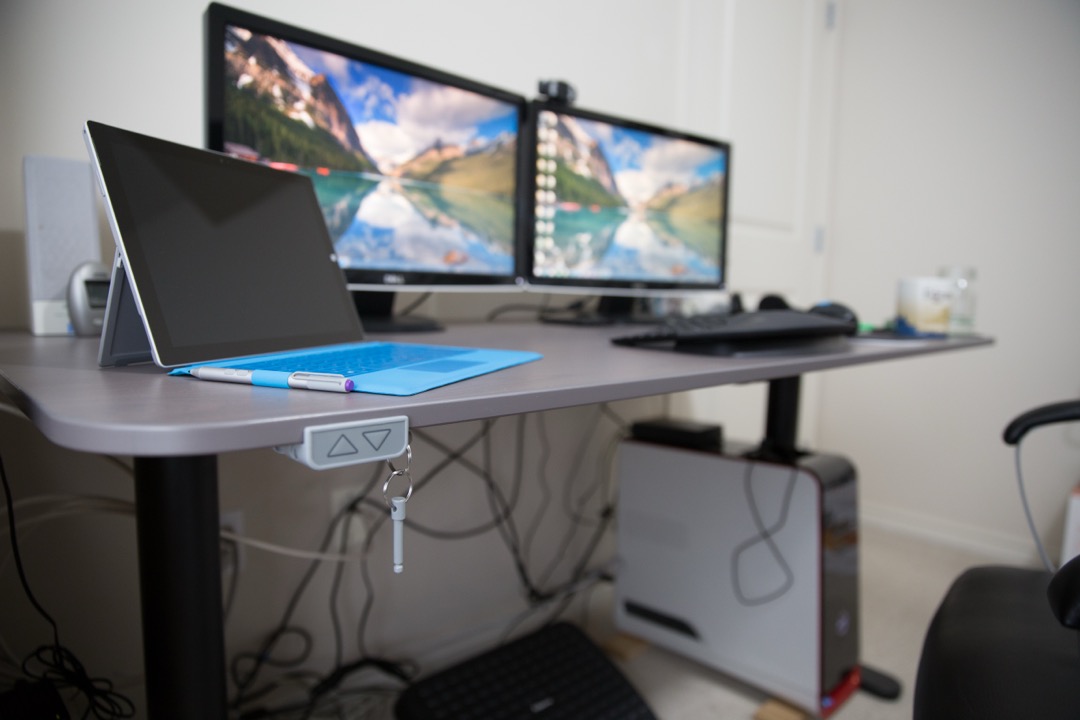
Most standing desk advice stops at the moment of purchase. You get the desk, you raise it, you stand for three hours on day one because it feels virtuous, your feet hurt by two in the afternoon, and within a month the desk is permanently in the seated position and you have quietly joined the large group of people who own a sit-stand desk and do not use it as one. The equipment was never the hard part. The routine is.
This guide is about the routine — the part almost nobody writes down. After several years rolling out sit-stand programs across distributed teams as a Certified Administrative Professional, I have watched the same pattern play out enough times to know that the failure is almost never the desk. It is the absence of a cadence: no ramp-up schedule, no logic for which tasks belong to which posture, no signal for when to switch, and no plan for week six when the novelty is gone. We will cover all four, plus how to run this across a team or a shared desk, which is where the operational problems get genuinely interesting.
One prerequisite before you start. This guide assumes your desk is already calibrated correctly in both positions — the right desk height for sitting, the right desk height for standing, monitor at eye level in each. If you have not done that, calibrate the desk first: our ergonomic desk setup guide has the exact measurements by body height, the joint angles, and a diagnostic table for matching pain to the adjustment that fixes it. Building a routine on a badly calibrated desk just means you will now be uncomfortable in two positions instead of one.
How Long Should You Actually Stand?
Aim to accumulate two hours of standing and light activity across your workday, built up gradually, and eventually work toward four. Break that total into standing blocks of roughly 30 to 45 minutes at a time, not one long stretch — and never stand continuously for more than about an hour, even once you are fully adapted.
That two-hour number is not a rule of thumb someone invented for a blog post. It comes from a 2015 expert statement published in the British Journal of Sports Medicine (Buckley JP, Hedge A, Yates T, et al., 2015;49(21):1357–1362), which recommended that office workers accumulate at least two hours per day of standing and light walking during working hours, progressing eventually to four hours. It is a daily accumulation target: it says nothing about how you distribute the time.
The 30-to-45-minute block cap is the other half of the answer, and it comes from a different observation entirely — that static standing becomes fatiguing at roughly that point, after which the postural muscles start to complain and you begin unconsciously shifting weight, locking your knees, or leaning on the desk. Standing for three straight hours does not get you to the two-hour target faster. It gets you sore, and sore is what ends routines. Accumulate the total in pieces.
The Three Rules Everyone Cites — and How They Actually Fit Together
Search for a standing desk routine and you will hit three different prescriptions that appear to contradict one another: 20-8-2, “two hours rising to four,” and sit-stand ratios like 1:1 or 2:1. People treat these as competing protocols and try to pick the right one. That is the wrong question, and it is why so much of the advice in this space feels confusing.
They are not competing protocols. They are three different units of measurement. One is a rhythm, one is a daily total, and one is a proportion. You would not ask whether to measure a road trip in miles per hour or in total miles — you use both, because they describe different things. Same here.
The Cornell 20-8-2 Rhythm
The 20-8-2 cadence comes from Dr. Alan Hedge’s ergonomics work at Cornell (CUErgo, ergo.human.cornell.edu). Within every 30-minute cycle: sit for about 20 minutes, stand for about 8, and move for about 2. Walk to refill your water, do a lap of the hallway, stretch — anything that is not stationary.
The critical thing to understand is what 20-8-2 is measuring: it is a per-cycle rhythm. It tells you how frequently to change posture, not how much standing to do in a day. It is answering the question “how often should I switch?” and the answer is roughly every 20 to 30 minutes. If you have already calibrated your desk using our setup guide, the 2-minute movement window is the highest-value part of the cycle and the one most people drop first.
The BJSM 2015 Expert Statement: 2 Hours Rising to 4 Hours a Day
The Buckley et al. statement in the British Journal of Sports Medicine is measuring something completely different: daily accumulation. Two hours of standing and light activity per day during work hours, progressing to four. It does not tell you when to stand, how long each block should be, or what to stand for. It gives you a daily budget and leaves the distribution entirely up to you.
This is a target, not a rhythm. You could hit two hours as four 30-minute blocks, or as eight 15-minute blocks, or (badly) as one two-hour marathon. The statement is agnostic. That is not a flaw — it is the appropriate scope for a public-health recommendation.
Sit-Stand Ratios (1:1, 2:1, 3:1) — Simplified Shorthand
A sit-stand ratio expresses the proportion of your day in each posture. A 1:1 ratio means an hour standing for every hour sitting. A 2:1 means half an hour standing per hour sitting. A 3:1 is more conservative still.
Ratios are the most popular way to talk about standing desks and the least useful way to actually run one, because a ratio is not something you can execute. Nobody stands at their desk thinking “I am currently 2.4:1 for the week.” A ratio is a summary statistic. It is useful for checking whether your routine is producing enough standing time, and useless as an instruction.
How They Compose
Here is the synthesis that resolves the apparent conflict. The rhythm is what you execute. The daily total is what you are aiming at. The ratio is how you check your work.
Run the rhythm (20-8-2, or the gentler variants in the ramp-up table below), and the daily total takes care of itself. Follow 20-8-2 across a standard workday and you accumulate roughly 8 minutes of standing per 30-minute cycle — about 100 minutes of standing across a 6.5-hour desk day, plus 25 minutes of movement. That lands you almost exactly on the BJSM two-hour target. And the implied ratio? Roughly 2.5:1.
So all three descriptions are describing the same routine, in three different units. 20-8-2 is not an alternative to the two-hour target — it is a rhythm that produces the two-hour target. The ratio is not a competing protocol — it is the arithmetic result. Once you see that, the choice disappears: execute the rhythm, aim at the total, audit with the ratio. You do not have to pick.
Your Week-by-Week Ramp-Up Schedule
Nobody goes from zero standing to two hours a day in a week without paying for it. Your feet, calves, and lumbar stabilizers need progressive loading exactly like any other untrained muscle group. This is the schedule I use when onboarding someone to a sit-stand desk, and the pace is deliberately conservative.
| Week | Standing block | Blocks per day | Daily standing total | Checkpoint |
|---|---|---|---|---|
| 1 | 15 min | 2 | 30 min | Feet should feel fine at the end of each block. If not, you stood too long. |
| 2 | 20 min | 3 | 60 min | Any calf soreness the next morning means hold at week 1 for another week. |
| 3 | 25 min | 3 | 75 min | Start noticing your own body signals — weight shifting, foot ache. |
| 4 | 30 min | 3 | 90 min | Add the 2-minute movement break at the end of each standing block. |
| 5 | 30 min | 4 | 120 min | You are now at the BJSM two-hour target. Hold here for at least a week. |
| 6 | 30–45 min | 4 | 120–150 min | Switch from clock triggers to body triggers as your primary cue. |
| 7+ | 30–45 min | 4–6 | 150–240 min | Only increase if week 6 felt genuinely easy. There is no prize for four hours. |
Two rules govern this table. First, if a week hurts, repeat it — do not advance on schedule out of stubbornness. Progression that outruns adaptation is the mechanism by which people quit. Second, the daily total is a ceiling, not a quota. A day where you stand for 40 minutes because you had four hours of back-to-back video calls is a normal day, not a failure.
If you are still choosing equipment, the decision between a full desk and a desktop riser genuinely affects how easy this ramp is to execute — we compare the two in standing desks vs. sit-stand converters, and the best standing desks roundup covers models with the memory presets that make the transitions frictionless enough to actually repeat ten times a day.
What to Stand For, What to Sit For
This is the piece of the routine that almost nobody writes about, and it is the single biggest improvement you can make once you are past the ramp-up. Not all work suits both postures. Once you stop treating standing as something you do on a timer and start treating it as something you do for specific kinds of work, the routine stops feeling like an obligation and starts feeling like a tool.
The underlying logic is simple: standing raises arousal and physical readiness, and slightly degrades fine motor precision and deep sustained concentration. Sitting does the reverse. Match the posture to what the task actually demands.
| Task type | Posture | Why |
|---|---|---|
| Phone and video calls | Stand | No fine motor demand, and standing genuinely improves vocal projection and energy. The easiest standing block in your day — you were going to be less productive during the status meeting anyway. |
| Email and routine admin | Stand | Short, repetitive, low-precision tasks that do not require deep focus. Ideal for filling a standing block without noticing it. |
| Reading and reviewing documents | Stand | Passive intake with no typing demand. Standing keeps you alert through material that would otherwise put you to sleep at 3 p.m. |
| Brainstorming and ideation | Stand | Standing and light movement suit divergent, generative thinking. This is the task most improved by getting out of the chair — and the one where pacing away from the desk is a feature, not a distraction. |
| Deep analytical work | Sit | Sustained concentration on a hard problem. Do not interrupt genuine flow to hit a standing target — the routine serves the work, not the other way around. |
| Precision work (spreadsheets, design, CAD) | Sit | Fine cursor control degrades measurably when standing. Anything requiring pixel-accurate mouse work belongs in the chair. |
| Long-form writing | Sit | Sustained typing at standing height fatigues the shoulders faster than most people expect, and writing is the task where flow interruption costs the most. |
Once you have internalized this table, your standing blocks assemble themselves. Your morning email block, your 11 a.m. call, and your afternoon document review are three standing blocks — that is roughly 75 minutes without a single timer, and without ever interrupting a task that needed the chair.
Note what this means for equipment: you are sitting for the highest-value, longest-duration work of your day. The chair is not a legacy item you tolerate; it is where the hard work happens. A sit-stand routine does not reduce the case for a good chair, it sharpens it — the best office chairs roundup covers the adjustability that matters when the chair is doing the deep-work shift. If your chair is set high enough that your feet dangle, a footrest closes the gap.
How to Know When to Switch: Clock Triggers vs. Body Triggers
There are two systems for deciding when to change posture, and you should run them in sequence — clock triggers while you are learning, body triggers once you have learned.
Clock triggers are external: a timer, a calendar block, an app nudge, a recurring meeting. They are reliable, they require no self-awareness, and they are the right system for weeks one through five. Their weakness is that they are indifferent to what you are doing — a timer will happily fire in the middle of your best thinking of the day.
Body triggers are internal signals that tell you fatigue is arriving before it becomes soreness. Learn these five:
- Calf tightness. A dull tension in the back of the lower leg. Usually the earliest signal.
- Foot ache. Specifically through the arches or the balls of the feet. If you feel this, you are already past the point you should have sat down.
- Weight-shifting and fidgeting. Rocking side to side, hooking a foot behind an ankle, leaning a hip into the desk, locking your knees. Your postural muscles are looking for relief and have started improvising.
- Focus drop. Rereading the same sentence, or noticing you are playing with the desk controls instead of working.
- Lower-back ache. Usually a sign that your pelvis has tipped forward and your lumbar spine is compensating. Sit down and reset.
By around week six, body triggers should be your primary system, with the clock as a backstop for the opposite failure — the day you get absorbed in something and do not stand at all. That is the real endgame: a routine driven by what your body is telling you, not by a notification you have learned to dismiss.
Managing Standing Fatigue During the Ramp-Up
Fatigue during weeks one through four is normal and expected. Fatigue that persists past week six, or that shows up as pain rather than tiredness, is a different signal and deserves different handling.
Anti-Fatigue Mats and Footwear
The two highest-leverage interventions here cost very little and are both about what is happening below your ankles.
An anti-fatigue mat is not a comfort accessory; it is what makes the standing blocks repeatable. Standing on a hard floor keeps your feet in an essentially fixed position, and a fixed foot position means the calf muscles are not pumping blood back up the leg. A contoured or slightly unstable mat surface prompts constant micro-adjustments — small weight shifts you barely notice that keep circulation moving and materially delay the onset of foot ache. The best anti-fatigue standing desk mats roundup covers the contoured designs worth having; the ones to avoid are the flat, overly soft mats that let you sink in and destabilize.
Footwear matters more than most people want to hear. If you are working from home, the barefoot-on-hardwood combination is the fastest route to arch pain, and it is the reason a lot of ramp-ups stall in week two. Supportive shoes, or at minimum a mat, for the standing blocks.
If you want to go further than static standing, an under-desk elliptical turns the seated portion of your day into light movement, which is a different lever on the same problem — and it means a day of heavy analytical work in the chair is not a day of zero movement. That is genuinely useful for the deep-work days when the standing target is unrealistic.
When Fatigue Is Telling You Something Bigger
I am an operations person, not a clinician, so the useful thing I can do here is tell you where the line is. Some conditions make standing fatigue arrive sooner and mean more, and they warrant a slower ramp and a conversation with a professional:
- Varicose veins or a history of venous insufficiency. Prolonged standing is a known aggravator — the CCOHS specifically flags it in occupational guidance for standing work.
- Plantar fasciitis or previous foot and ankle injury. Standing loads exactly the structures involved.
- Prior lower-back injury or disc problems. Standing changes lumbar loading in ways that can help some people and aggravate others; there is no universal answer.
- Pregnancy. Prolonged standing is generally advised against in later stages.
In all of these cases: ramp slower than the table above, shorten the blocks, and talk to a clinician about what is appropriate for you specifically. And regardless of history, pain is not fatigue. Tired legs at the end of a standing block are the expected training response. Sharp pain, numbness, tingling, or swelling that persists after you sit down are not, and they are a reason to stop and get it looked at rather than to push through and adjust your desk height again.
Timers, Apps, and Low-Tech Reminders That Actually Work
The obvious solution to “remember to stand” is a timer, and timers do work — with one significant caveat that the marketing for standing desk apps never mentions.
Harvard Health has cautioned that rigid interruption timers can be counterproductive precisely because they disrupt concentration: a notification that fires mid-thought does not just move you from sitting to standing, it costs you the thread you were holding. Over a day, the cognitive cost of repeatedly breaking focus can exceed the postural benefit you gained. This is a real tradeoff, not a hypothetical one, and it is the most common complaint I hear from people three weeks into a timer-driven routine.
The fix is to tie your cadence to natural task boundaries rather than to arbitrary clock intervals. In practice:
- Use your calendar as the timer. Set your desk to standing height at the start of every meeting. The meeting is already an interruption; you are not adding a new one. This alone is often an hour of standing a day.
- Anchor to task transitions. Finished a document? Stand up before you open the next one. The boundary between tasks is a free switch point that costs nothing in focus.
- Anchor to existing habits. Refill your water bottle, stand up when you get back. Post-lunch is a natural standing block — the alertness benefit works directly against the afternoon dip.
- Use a timer as a floor, not a metronome. A single reminder every 90 minutes that says “have you moved recently?” is far less disruptive than a rigid 30-minute nag, and it catches the failure mode that actually matters (standing zero times all day).
- Low-tech works. A sticky note on the monitor bezel. A rule that the desk goes up whenever you take a call. My preferred version: leave the desk in the standing position at the end of each day, so the first thing you do tomorrow morning is stand.
The app you use matters far less than whether the trigger is attached to something that happens anyway. Motivation-dependent reminders decay. Calendar events do not.
Rolling Out a Sit-Stand Routine Across a Team or Shared Desk
This is where my project management background earns its keep, because rolling this out across a team is an operations problem, not an ergonomics one — and it fails in ways that individual routines do not.
Phase it, and do not phase it by department. The instinct is to give everyone a desk at once. The better approach is a pilot cohort of five to ten volunteers who ramp for six weeks, because you need people who have been through the fatigue phase to tell the next cohort that week two is normal. A colleague saying “yes, my calves hurt in week two, it passes” is worth more than any onboarding document.
Set the milestone at adoption, not installation. The metric that gets tracked is usually desks delivered. The metric that matters is desks raised — some powered desks report transition counts, and if yours do not, a simple monthly pulse question (“how many days last week did you stand at least twice?”) is enough. Delivery is not adoption, and conflating them is how a program gets declared successful three months before everyone quietly stops standing.
Hot desks need presets, enforced. In a shared or hot-desking environment, the single biggest source of friction is that the desk is at the last person’s height. If the desks have four memory slots, assign them and label them. If they have two, the convention should be one seated preset and one standing preset per primary user, with a laminated card giving the height numbers for anyone else. Without this, people default to whatever height the desk is already at, which is by definition wrong for them — and a desk at the wrong height is worse than a fixed desk, because at least a fixed desk does not give you false confidence.
Shared mats and hygiene. Anti-fatigue mats in a hot-desk environment are a shared-surface item that nobody thinks about until someone raises it. Either assign personal mats (the better answer, and they are inexpensive enough that this is rarely the real constraint) or select wipeable, non-porous mats and put them on the cleaning schedule. The same applies to shared desk mats on hot desks.
Budget for the accessories, not just the desks. The line item that gets cut is always the mats and the monitor arms, and those are precisely the items that determine whether the desks get used. A desk without an arm means monitor height is wrong in one of the two positions; a desk without a mat means the standing blocks stop by week three. If the budget only covers desks, buy fewer desks and equip them properly.
Provide the calibration, do not assume it. Send everyone a one-page card with their two height numbers. Most people never adjust the desk from its default height because they do not know what number to adjust it to. A 15-minute group session walking through the setup guide measurements is the highest-ROI hour in the whole rollout.
Staying Consistent Past Week 6
Here is the failure mode nobody plans for. Weeks one through five have novelty on their side: the desk is new, the routine is interesting, and the effort feels like progress. Week six is when all of that expires, and the CCOHS has noted that sit-stand desk users commonly revert to sitting once the initial enthusiasm passes. Reversion is the norm, not the exception.
Four things keep a routine alive past that point.
Attach standing to something that happens without your involvement. This is the core principle. Motivation is a depleting resource; your 10 a.m. standup is not. Every trigger that depends on you remembering, wanting to, or feeling disciplined will eventually fail. Every trigger attached to an event that fires on its own schedule will not.
Lower the floor, do not raise the ceiling. When a routine starts slipping, the instinct is to recommit harder — four hours a day, no excuses. That is exactly backward. Set a minimum you cannot fail at: stand during calls. That is it. A minimum you always hit keeps the habit alive through a bad month; an ambitious target you miss teaches you that you are someone who does not do this.
Audit monthly with the ratio. This is where the sit-stand ratio finally earns its place. Once a month, estimate your rough proportion. If you have drifted from 2.5:1 to 6:1 without noticing, that is a signal to re-anchor your triggers, not a reason for guilt. The number is a diagnostic, not a scorecard.
Fix the friction, not the discipline. If you have stopped standing, something specific got harder. The desk wobbles at standing height. The monitor is at the wrong height when you stand, so standing means neck strain. Your feet hurt because the mat never got ordered. The transition takes 40 seconds. Every one of these is a solvable equipment problem masquerading as a willpower problem, and it is almost always the equipment. A monitor arm that lets you nudge the screen after each transition removes the single most common source of it — a screen that is correct when you sit and wrong when you stand. If you are working from a laptop, a laptop stand plus an external keyboard is the same fix in cheaper form.
Common Mistakes
The short list, in rough order of how often I see them:
- Standing too long, too soon. Three hours on day one, sore feet by day three, desk down permanently by week two. The ramp-up table exists for exactly this reason.
- Standing still. Static standing is not the goal — it is the variation that produces the benefit. If you are locked in one position at standing height, you have swapped one static posture for another. The 2 minutes of movement is the part that matters most and the part that gets dropped first.
- Forgetting the monitor moves too. Raising the desk raises the monitor with it, and the height that was correct while seated is now several inches off. Adjust the screen, or mount it on an arm so you can.
- Standing during precision work. Fine mouse control degrades when standing. Trying to do detailed design or spreadsheet work at standing height produces frustration you will blame on the desk.
- Locking the knees. It feels stable and it restricts circulation. Keep a soft, unlocked bend.
- Treating the chair as the enemy. You are still going to sit for most of your day, and that is correct — that is where the deep work happens. A sit-stand routine is not an argument against a good chair. It is an argument for using both well.
Get the ramp right, match the posture to the task, learn your body’s switch signals, and attach the whole thing to events that fire whether or not you feel like it. That is the entire routine. The desk was never the hard part — but the desk, calibrated correctly and used on a cadence you can actually sustain, is what makes the rest of it possible.
Frequently Asked Questions
How long should a beginner stand at a standing desk on the first day?
How do I know when to sit down, other than watching a timer?
What is the difference between the 20-8-2 rule and a 1:1 sit-stand ratio?
Can standing too long be as bad as sitting too long?
How long does it take to build a standing desk habit that actually sticks?
Related Articles
7 Best Anti-Fatigue Standing Desk Mats of 2026
desk-setup-furniture
Standing Desks vs Sit-Stand Converters: Which Is Right for Your Workspace?
desk-setup-furniture
Ergonomic Desk Setup Guide: Exact Measurements, Angles, and Adjustments for Pain-Free Work
desk-setup-furniture
8 Best Desk Mats of 2026
desk-setup-furniture
7 Best Standing Desks of 2026
desk-setup-furniture
About the Reviewer

Sarah Chen, CAP, PMP
B.A. Business Administration, UCLA
Sarah Chen spent 10 years in office management and operations at Fortune 500 companies before founding DeskRated in 2026. After managing supply budgets for teams of 50+ people and testing thousands of products through daily use, she started writing the honest, no-fluff supply reviews that office professionals actually need. Sarah holds both CAP and PMP certifications and is based in Los Angeles.