Digital vs Paper Planning: Which Is Right for You?
A CAP and PMP compares digital and paper planning on memory, focus, automation, cost, and ADHD — with the research, an e-ink third option, and decision frameworks for 2026.
Updated
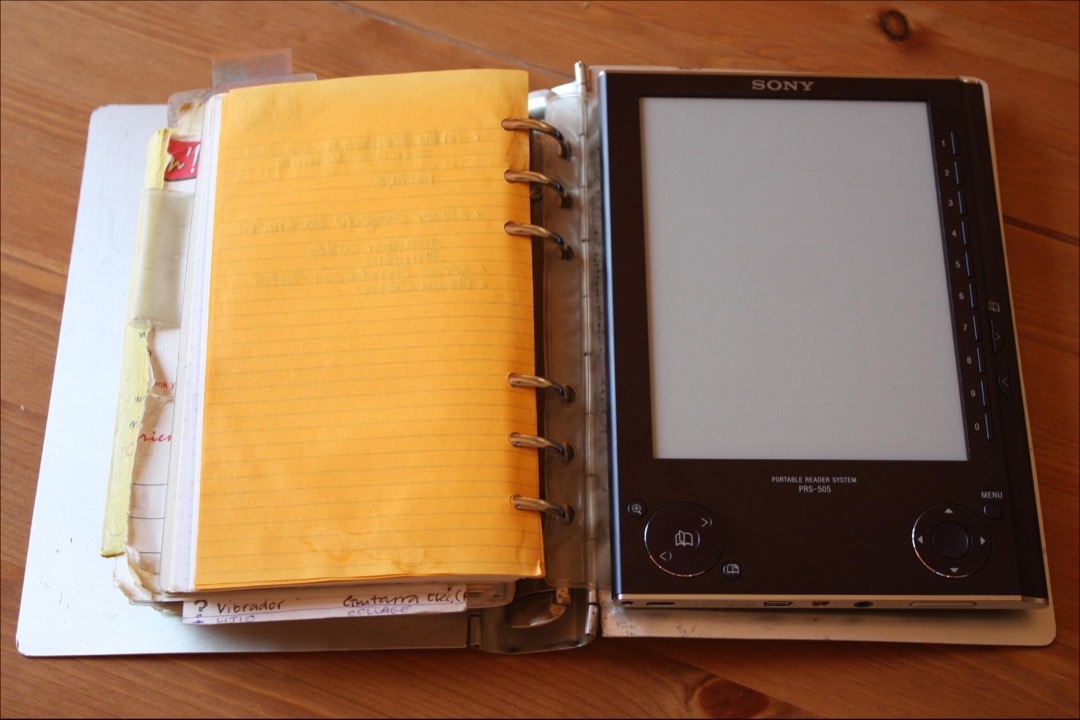
As a CAP and PMP, I have built planning systems across both analog and digital formats — for myself, for the executives I have supported, and for project teams where a missed deadline has real consequences. So when someone asks me whether digital or paper planning is better, my honest first reaction is that “which is better” is the wrong question. The better question is “better for what.” These are different tools that solve different problems, and the people who get the most out of planning are the ones who match the tool to the task rather than picking a side and forcing everything through it.
The marketing on both sides does not help. Planner companies sell paper as the soulful, mindful, scientifically superior choice; app companies sell digital as the modern, automated, frictionless future. Both are selling you something, and both are partly right. The truth is more useful and less tidy: paper measurably helps with memory and follow-through, digital is unbeatable for reminders and collaboration, and a third option — e-ink tablets — splits the difference in a way almost nobody talks about. If you are still shopping for the paper side of the equation, our best paper planners roundup is the companion to this article; this piece is the framework for deciding whether you need it at all.
Below I will walk through what the research actually says (with the caveats most blogs leave out), what each format genuinely does well, a head-to-head comparison, the e-ink third option, and a set of decision frameworks so you can land on the right system for how you actually work.
What the Research Actually Says
Most “paper is scientifically better” articles cite one or two studies and stop there. The real picture is more nuanced, and the nuance is itself a trust signal — so here is the honest version.
The study most people cite is Mueller and Oppenheimer (2014), “The Pen Is Mightier Than the Keyboard,” published in Psychological Science. In a series of experiments, students who took notes by hand outperformed those who typed on laptops when tested on conceptual questions. The proposed mechanism: typing is fast enough to transcribe a lecture nearly verbatim, while handwriting forces you to summarize and reframe in real time, and that processing aids understanding. It is a compelling, widely-repeated result.
It is also less settled than the headline suggests. A 2019 direct replication by Morehead and colleagues, published in Educational Psychology Review, attempted to reproduce the effect and found mixed, largely non-significant results. That does not mean handwriting is useless — it means the specific “longhand beats laptop on conceptual tests” effect is weaker and more context-dependent than the original study implied. Anyone who tells you the science is settled here is overselling it.
The strongest study that is directly about planning rather than note-taking is Huang, Yang and Morwitz (2023), published in the Journal of Consumer Psychology (research from Columbia and Drexel). Across their experiments, people who used paper calendars completed roughly 53% of their planned activities, versus about 33% for people using mobile calendars. The proposed mechanism is the spatial, “big-picture” view a paper calendar provides — you see the whole week or month laid out at once, which strengthens commitment to the plan. For the specific question of whether paper helps you actually do what you planned, this is the most relevant evidence available.
Finally, a 2021 University of Tokyo study published in Frontiers in Behavioral Neuroscience found that participants who recorded information on paper showed higher activation in the hippocampus and prefrontal cortex — regions tied to memory and language — and encoded information faster than those using digital devices. (You may also see the “Dominican University goal-setting study” cited in articles like this; it is frequently misattributed and overstated in popular writing, so I would treat it cautiously or set it aside entirely.)
Put it together and the balance of evidence is real but modest: handwriting tends to help with memory and comprehension, and paper calendars appear to improve follow-through on intentions. Treat these as helpful tendencies, not guarantees — and notice that none of them address reminders, recurrence, or collaboration, which is exactly where digital takes over.
What Digital Planning Does Well
Digital planning’s strengths are the things paper structurally cannot do, and for many people they are decisive.
Sync and accessibility. Your schedule is on your phone, laptop, tablet, and watch simultaneously, always current. You are never caught without it, and you can never leave it at home on the kitchen counter.
Automation, reminders, and recurrence. This is the big one. A digital system can buzz your wrist before a meeting, repeat a task every other Thursday, and automatically roll an unfinished item to tomorrow. Paper does none of this. For anyone whose life runs on time-sensitive obligations, active reminders are not a convenience — they are the entire point.
Search and archive. Every appointment, note, and task you have ever logged is findable in seconds. There is no flipping through old notebooks hoping you wrote something down.
Collaboration. A shared calendar updates in real time for an entire team or family. Project tools assign tasks, track status, and thread comments. Nothing on paper approaches this.
The digital ecosystem worth knowing: Google Calendar (the default shared scheduling backbone), Notion (flexible docs, databases, and project hubs), GoodNotes and Notability (handwriting apps for iPad), Todoist (a clean, powerful task manager with strong recurrence handling), and Asana (team project management with timelines and dependencies). If your planning is collaborative, reminder-driven, or scattered across devices, this is where you live. If you also keep a printed desk calendar for at-a-glance month planning, you are already running a light hybrid — which, as you will see, is where most professionals end up.
What Paper Planning Does Well
Paper’s advantages are quieter but, per the research above, real.
Handwriting and memory. Writing by hand engages the encoding processes that help you remember and understand what you wrote. The friction is the feature.
Distraction-free focus. A paper planner cannot show you a notification. Opening it is a single-purpose act, with none of the app-switching temptation that comes with planning on a phone.
Spatial, big-picture view. A two-page weekly or monthly spread shows you everything at once. This is the mechanism behind the Huang, Yang and Morwitz follow-through advantage, and it is genuinely hard to replicate on a small screen.
The satisfaction of crossing off. This sounds trivial, but the tactile reward of physically striking through a completed task is a real motivational hit that a checkbox dimming on a screen does not quite match.
The paper ecosystem is rich: the Bullet Journal method (Ryder Carroll’s flexible analog system, classically paired with a Leuchtturm1917 dotted notebook), Erin Condren and the Happy Planner (decorated, customizable dated planners with devoted followings — we compare them directly in our Happy Planner vs Erin Condren breakdown), the Hobonichi Techo (a beloved Japanese daily planner on ultra-thin Tomoe River paper), and Cal Newport’s Time-Block Planner (built specifically around time-blocking deep work). If you are drawn to the build-your-own flexibility of bullet journaling, the foundation is just a good dotted notebook and a pen you enjoy writing with. Teachers, in particular, have their own well-developed paper ecosystem; if that is you, our best teacher planners guide covers formats built around the academic year and class periods.
Head-to-Head Comparison
| Factor | Digital | Paper |
|---|---|---|
| Memory retention | Weaker (typing favors transcription) | Stronger (handwriting aids encoding) |
| Distraction risk | High (notifications, other apps) | Very low (single-purpose) |
| Cost over time | Free baseline, optional recurring | One-time to recurring (refills/restocks) |
| Portability | Excellent (always on your devices) | Good (but one more thing to carry) |
| Reminders & automation | Excellent (alarms, recurrence) | None (passive surface) |
| Search | Instant, full-text | Manual flipping, no search |
| Collaboration | Excellent (real-time shared) | Minimal (single-user) |
| Customization | High (templates, apps) | Very high (anything you can draw) |
| Backup safety | Good if you export; app-shutdown risk | Poor (lost notebook = gone) |
| Learning curve | Varies (Notion steep, Calendar easy) | Low (open and write) |
| Big-picture view | Limited by screen size | Excellent (full spreads) |
| Environmental impact | Device manufacturing, energy | Paper use, but biodegradable |
No format wins every row. Digital sweeps reminders, search, and collaboration; paper sweeps focus, memory, and big-picture view. The right answer is whichever set of rows matters most for your work — which is exactly why so many people end up using both.
The Third Option Nobody Talks About: E-Ink Tablets
Most digital-versus-paper articles present a binary, but there is a genuine third category that splits the difference: e-ink writing tablets. The leading options are the reMarkable 2, the Amazon Kindle Scribe, and the Onyx Boox line.
These devices use electronic-ink displays — the same paper-like, glare-free, low-distraction screen technology as a Kindle e-reader — paired with a stylus. The handwriting feel is genuinely close to writing on paper, far more so than a glass tablet. Crucially, because they are not full tablets, they do not bombard you with notifications, browsers, and apps. You get much of paper’s focus and tactile satisfaction, plus the digital wins that matter most for handwriting: cloud backup, handwriting search, and the ability to carry years of notebooks in one slim device.
The honest trade-offs: the upfront device cost is significant (this is the most expensive way to start), handwriting-to-text search is good but imperfect, and you are dependent on a manufacturer’s software and ecosystem staying alive. E-ink is the right call for a specific person — the heavy handwriter who fills multiple notebooks a year and constantly wishes they could search them. If you write lightly or only occasionally, it is overkill, and a notebook will serve you better for far less.
How to Choose: A Decision Framework
Here is the framework I actually use when people ask me to help them pick.
Choose digital if your week is driven by appointments, recurring obligations, and other people; if you frequently miss things because no one reminded you; if you collaborate on shared schedules; or if you need to search and retrieve information more than you need to remember it.
Choose paper if your planning is mostly personal daily execution; if you think best by writing; if phone distraction routinely derails you; or if the satisfaction and focus of an analog surface keeps you consistent where apps have failed.
Consider e-ink if you are a heavy handwriter who wants paper’s feel and focus but also needs backup and search — you are the person buying multiple notebooks a year and wishing they were searchable.
It also helps to think about your workspace type:
- Open-plan office with constant interruptions → digital often wins, because a synced source of truth survives the chaos, and a focused paper daily list can be your refuge for deep work.
- Private office → either works; choose by personal processing style.
- Remote or hybrid → a hybrid system, because you are switching contexts and devices and need both a portable digital source of truth and a stable home-base paper surface.
- Field or mobile work → digital, because your schedule needs to be on the device that is always with you.
- Creative work → paper, because sketching, mind-mapping, and non-linear thinking flow more freely by hand.
If You Have ADHD or Work Differently
For ADHD brains, the trade-offs sharpen. Object permanence favors paper — an open planner physically on your desk is a persistent visual cue that a task buried inside an unopened app simply is not. “Out of sight, out of mind” is why digital-only systems so often fail here. But active reminders favor digital — paper will never buzz to tell you it is time to leave. The hybrid usually wins: a visible paper planner or wall calendar as the always-on anchor, plus digital alarms for the time-critical things. Above all, keep it simple. Complexity is the single biggest reason planning systems collapse for people who work differently.
The Cost Reality
Cost is more layered than “paper is cheap, apps are free,” and it is worth thinking in terms of one-time versus recurring versus device-dependent rather than headline price.
- Digital baseline: free. Google Calendar, the built-in reminders app on your phone, and the free tiers of Todoist or Notion cost nothing and cover most people’s needs. This is the lowest-cost entry point of any option.
- Handwriting apps: one-time or low recurring. GoodNotes or Notability add a modest cost — but only if you already own the expensive part (an iPad and stylus). On their own they are cheap; the hardware behind them is not.
- Premium paper planners: recurring. A dated paper planner is a fresh purchase every year, and the well-loved premium brands carry an ongoing annual cost that adds up over time.
- E-ink tablets: device-dependent, high upfront. The most expensive way to start, paid once. Whether it is “worth it” depends entirely on how heavily you write.
The cheapest path is a free digital calendar plus a basic notebook. The most expensive is an e-ink device or a premium planner you re-buy yearly. None of these is wrong — but knowing whether your cost is one-time, recurring, or device-dependent helps you avoid sticker shock and choose sustainably.
The Hybrid Approach Most Professionals Land On
After all the comparisons, here is where most experienced planners — myself included — actually settle: a hybrid, divided by planning type rather than by duplicating everything in both places.
The PMP lens makes the split clean. Project planning goes digital. Anything with dependencies, resources, shifting deadlines, or other people involved belongs in a shared calendar and a task manager — Google Calendar for scheduling, Asana or Notion for the project structure. These are coordination problems, and coordination is what digital does best. Operational planning goes on paper. Today’s task list, time-blocking, meeting notes, and daily reflection live in a notebook, where the focus and memory benefits do their work.
The concrete version most people can adopt tomorrow: Google Calendar for scheduling and reminders, a paper notebook for daily planning and thinking, and GoodNotes if you happen to own an iPad and want a searchable handwriting layer on top. The discipline that keeps this from collapsing is one rule — each piece of information lives in exactly one place. Appointments do not get copied to paper; daily reflections do not get retyped into an app. Duplication is what kills hybrid systems, not the hybrid itself.
Data Permanence and the App-Risk Problem
One thing the “go digital” crowd rarely mentions: apps die. In 2020 Microsoft shut down Wunderlist, a task app that a large, devoted user base had built their lives around. Google has a long graveyard of beloved discontinued products. When a planning app shuts down, your entire system can go with it unless you got your data out in time.
The lesson is not “avoid digital” — it is plan for permanence. Prefer tools that offer genuine data export (Google Calendar, Todoist, and Notion all do), export your data periodically, and be wary of building your whole life inside a single small startup’s app. Paper has the opposite risk profile: it will not disappear in a corporate sunset announcement, but it can be physically lost or damaged with no backup. The most resilient setups acknowledge both failure modes — a digital canonical schedule that you can export, plus a paper record of the thinking that no server shutdown can touch.
Sarah’s Actual System
For transparency, here is what I personally run, because I think the honest specifics are more useful than a generic recommendation.
My canonical schedule is Google Calendar. Every appointment, every meeting, every hard deadline, every recurring obligation lives there, shared with the people who need it, with reminders set on anything time-critical. It is the single source of truth for “where do I need to be and when,” and it syncs across my phone, laptop, and watch so I am never caught without it. For project work — anything with multiple moving parts or other contributors — I use a project tool with timeline and task views, because dependencies and shared status simply do not fit on paper.
My daily execution is on paper. Every morning I write the day’s task list and time-block by hand in a notebook. That is where I think, where I take meeting notes, and where I do the reflective end-of-day review that keeps me honest about what actually got done. The act of writing it commits me to it in a way that a digital list never has, and the open notebook on my desk is a persistent cue that a closed app could never be. I keep a printed desk calendar nearby for the at-a-glance month view, and a good desk organizer so the notebook, pens, and sticky notes I rely on are always within reach rather than buried.
The dividing line is exactly the one I described above: digital for coordination and reminders, paper for thinking and daily execution, no duplication between them. It is not the prettiest system and it would not photograph well for a planner influencer, but it has survived years of demanding administrative and project work, which is the only test that matters. If you manage people or processes for a living, the same logic underpins the broader toolkit in our guide to productivity tools for office managers.
Verdict: The Decision Framework Recap
“Digital or paper” is the wrong question. The right one is “which format for which job.”
Go digital for scheduling, reminders, recurring tasks, collaboration, and anything you need to search rather than remember. The free baseline — Google Calendar plus a task app — covers most people, and it is the load-bearing wall for any reminder-driven or team-based life.
Go paper for daily execution, thinking, memory-critical planning, and focus. The research modestly but genuinely supports it: handwriting aids encoding, and paper-calendar users in the strongest planning study completed far more of what they set out to do.
Consider e-ink if you are a heavy handwriter who needs paper’s feel with digital’s backup and search — a real third option the binary debate ignores.
And for most professionals, the honest answer is both — split by planning type, with each piece of information living in exactly one place. Match the tool to the task, keep the system simple enough to stay consistent, and protect yourself against both a lost notebook and a dead app. That is the system that actually lasts.
Buyer's Guide
The digital-versus-paper question is really a series of smaller questions about how you work, what you are planning, and where. These six factors are the ones that should actually drive your decision — not the aesthetics of a planner spread or the feature list of an app, but the practical realities of how you will use the system day to day.
What Kind of Planning You Actually Do
The most decisive question is what type of planning dominates your week, because operational planning and project planning reward different tools. Operational planning — today's tasks, appointments, recurring routines, daily reflection — is the kind of moment-to-moment work that paper handles beautifully. A single daily spread you write by hand gives you a focused surface with no notifications, and the act of writing the list helps you commit to it. Project planning is different. When you are juggling dependencies, resources, shifting deadlines, and multiple stakeholders, digital tools are not just convenient — they are close to mandatory. A project with a dozen interlocking tasks and three contributors cannot live on paper; it needs a shared calendar, a task manager with due-date logic, and ideally a Gantt or board view in something like Asana or Notion. As a project manager, my rule of thumb is simple: if other people depend on it or it has moving deadlines, it goes digital; if it is my own daily execution, paper often wins. Audit your actual week before you choose — most people overestimate how much true project planning they do and underestimate how much of their day is simple operational follow-through that paper serves better.
How You Process and Remember Information
Some people think on paper and some think on screens, and that difference should weigh heavily in your choice. The research leans toward handwriting as a memory and comprehension aid: Mueller and Oppenheimer (2014) found longhand note-takers outperformed laptop users on conceptual understanding, and a 2021 University of Tokyo study found paper users encoded information faster with higher hippocampal and prefrontal activation. Be honest that the picture is not unanimous — a 2019 replication of the Mueller and Oppenheimer work found weaker, mixed results — but the overall tendency favors writing by hand when retention and understanding matter. Practically, this means that if you are planning things you need to internalize and remember (study schedules, goals you want to keep front of mind, complex commitments), the friction of writing them by hand is a feature, not a bug. If you are simply logging data you will look up later rather than memorize — flight times, recurring bills, contact details — typing into a searchable app is the better fit. Match the input method to whether you need to remember the information or merely retrieve it.
Your Need for Reminders, Recurring Tasks, and Automation
This is the one category where digital is not slightly better — it is in a different universe, and for some people it is the whole decision. Paper is passive. It will sit there silently while a deadline passes; it cannot buzz your wrist, repeat a task every Tuesday, or roll an unfinished item to tomorrow automatically. If your life runs on time-sensitive obligations — medication schedules, recurring client check-ins, bill due dates, school pickups, standing meetings — digital reminders are not a luxury, they are the load-bearing wall. Apps like Todoist, Google Calendar, and Asana handle recurrence, snoozing, and automatic notifications that a paper planner structurally cannot. The flip side is that automation can become a crutch: when every task pings you, none of them feel urgent, and notification fatigue sets in. The honest approach is to reserve active reminders for things that are genuinely time-bound and consequence-laden, and let lower-stakes intentions live on paper where you will see them when you sit down to work. If you frequently miss things because no one reminded you, weight this factor heavily toward digital.
Collaboration and Shared Schedules
If anyone other than you needs to see, edit, or coordinate around your plans, digital wins almost by definition. A shared Google Calendar that updates in real time for a whole team, a family, or a department is something paper cannot approximate — there is no analog equivalent of an instantly synced, simultaneously editable schedule. Project tools like Asana, Notion, and Trello extend this to task ownership, comment threads, and status visibility across a group. For anyone managing a team, coordinating a household, or working in a role where colleagues book your time, the schedule that matters most almost has to be digital. Paper still has a collaboration role, but a narrow one: meeting notes you take by hand, a personal daily plan you keep beside the shared calendar, a printed agenda for a focused in-room discussion. The practical pattern for most professionals is a digital shared calendar as the canonical source of truth for anything involving other people, with paper reserved for the private, single-user planning and thinking that does not need to be visible to anyone else. The more people touch your schedule, the more this factor pushes you digital.
Distraction Risk and Focus Environment
The device you plan on is also the device that interrupts you, and that conflict is central to the choice. A paper planner is incapable of showing you a notification, a news headline, or a message from your group chat — opening it to plan your day is a single-purpose act. Opening a planning app on your phone or iPad means walking past every other app and alert on the device, and the research-backed reality is that even brief digital interruptions fragment attention and degrade follow-through. This is part of why paper-calendar users in the Huang, Yang and Morwitz (2023) study completed more of their planned activities — the planning surface itself did not compete for their attention. Your physical environment matters too. In an open-plan office with constant interruptions, a focused paper surface can be a refuge; in a quiet private office or at home, a well-configured digital system with notifications disabled during deep work can be just as calm. If you struggle with phone distraction — and most people do more than they admit — that alone is a strong argument for keeping at least your daily planning on paper or on a distraction-free e-ink device rather than a notification-rich phone or tablet.
Backup, Data Permanence, and Long-Term System Stability
Both formats have a failure mode, and you should choose with both in mind. Paper's risk is physical: a lost or damaged notebook is gone, with no backup, and there is no search across years of handwritten pages. Digital's risk is different and underappreciated — the apps you depend on can disappear. Microsoft shut down the beloved task app Wunderlist in 2020; over the years Google has killed Reader, Inbox, and other tools people built their lives around. When a planning app dies, your system dies with it unless you exported your data. The practical safeguards differ by format. For paper, the answer is redundancy for anything critical — photograph important spreads, or keep appointments mirrored in a digital calendar. For digital, the rules are: prefer tools that offer real data export (Google Calendar, Todoist, and Notion all do), periodically export your data, and avoid building your entire system around a single small startup's app that could vanish. The most resilient setups treat the canonical schedule as digital-with-export and keep paper as a parallel, durable record of the thinking — so neither a dead app nor a lost notebook can take down the whole system.
Frequently Asked Questions
Is a digital or paper planner better for productivity?
Does writing things down actually help you remember?
What's the best planner format for ADHD?
How do I use a digital and paper planner together?
Is a reMarkable or e-ink tablet worth it for planning?
Is GoodNotes worth it if I already own an iPad?
What is a bullet journal?
Related Articles
About the Reviewer

Sarah Chen, CAP, PMP
B.A. Business Administration, UCLA
Sarah Chen spent 10 years in office management and operations at Fortune 500 companies before founding DeskRated in 2026. After managing supply budgets for teams of 50+ people and testing thousands of products through daily use, she started writing the honest, no-fluff supply reviews that office professionals actually need. Sarah holds both CAP and PMP certifications and is based in Los Angeles.